

What is Hyperfox?
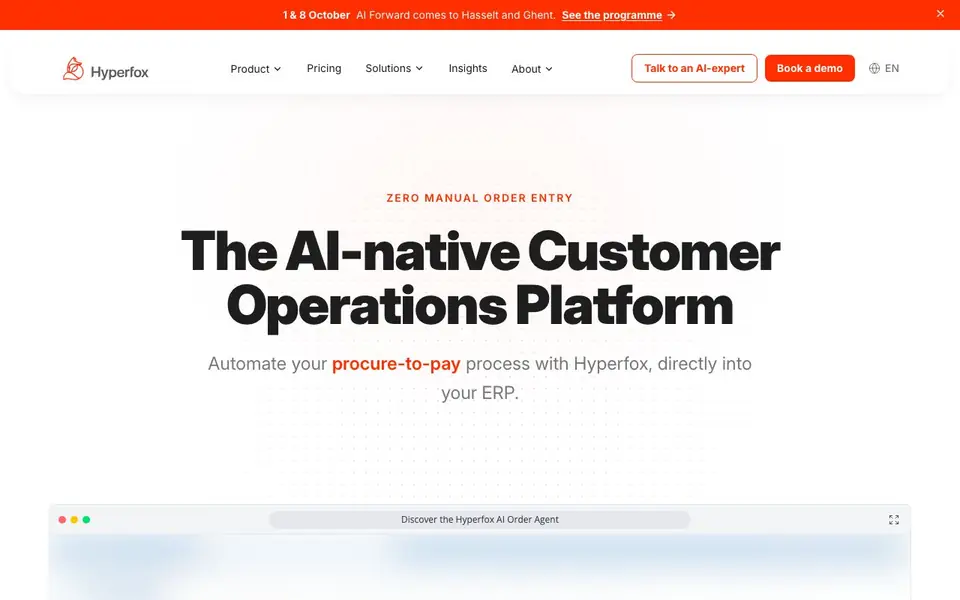
Hyperfox is a platform that handles customer operations for distributors, manufacturers, and wholesalers. It automates the procure-to-pay process by capturing orders from email, attachments, voicemail, and documents, then pushing structured data straight into your ERP. It covers every channel your customers use, so manual order entry becomes a thing of the past.
You start where your team loses the most hours. Hyperfox offers modules like an IDP Agent for intake from inbox and documents, an EDI Agent for automated partner connections, a branded B2B customer portal, and a field sales app for reps on the road. Each module uses the same master data, rules, and ERP connection, so you can roll out one at a time.
The platform acts as a protective layer over your existing stack, avoiding long migrations. Agents run the whole flow from first customer message to ERP posting, with your team stepping in only where judgment is needed. Hyperfox is GDPR-compliant, EU-based, and offers enterprise-grade security. It goes live in days, not months, and supports industries like food and beverage, pharmaceuticals, and logistics.
Hyperfox features
- IDP Agent: Captures orders from email, attachments, and voicemail, understanding PDFs, Excel, free text, and handwriting.
- EDI Agent: Connects with any EDI partner instantly and translates complex EDI formats automatically.
- B2B Customer Portal: Lets customers order through your own branded portal with real-time input validation.
- Field Sales App: Allows reps to place orders at customer sites, working offline and syncing automatically.
- ERP Integration: Plugs directly into your existing stack, feeding your ERP validated, structured data.
What you can do with Hyperfox
- Automate email order entry from customer inboxes into your ERP.
- Process voicemail orders without manual transcription or typing.
- Handle EDI connections with partners without custom coding.
- Let field reps quote live prices and post orders during visits.
- Check order confirmations and invoices automatically in procure-to-pay.
How to get started with Hyperfox
- Book a personal demo using your own data to see how Hyperfox handles your flows.
- Pick the module where your team loses the most hours, like email order entry or EDI.
- Connect Hyperfox to your existing ERP and go live in days, rolling out more modules later.
Tips for better results with Hyperfox
- Start with the IDP Agent to automate email and voicemail order intake, then add other modules once your team sees where time is saved.
- Train Hyperfox on your specific order formats and rules during setup so it validates against your pricing and inventory correctly from day one.
- Use the field sales app offline at customer sites, then sync automatically to post orders into your ERP without re-typing.
- Roll out Hyperfox module by module, beginning with the channel where you lose the most hours, to keep adoption manageable and measurable.
Hyperfox pricing
Hyperfox’s homepage does not list prices. Check hyperfox.com for current plans.
What to check before you rely on Hyperfox
- Check whether the pricing page lists any plan details or costs, as the website does not state them and you may need to contact sales.
- Verify which ERP systems Hyperfox integrates with directly, since the site mentions integrations but does not list specific ones.
- Confirm data handling and GDPR compliance for your region, as the site claims EU-based and compliant but does not detail security certifications.
Who Hyperfox is for
Hyperfox suits distributors, manufacturers, wholesalers and operations teams. If that is not you, the AI business tools below may fit better.
Similar tools compared with Hyperfox
| Tool | What it is | Pricing |
|---|---|---|
| Hyperfox | AI-native customer operations platform for ERP | See website |
| Tidio | AI customer service and sales platform | Freemium |
| Chatbase | AI customer experience and support agents | Free trial |
| Copy.ai | AI-native go-to-market platform | See website |
| Harvey | AI platform for legal and professional services | See website |
Hyperfox FAQ
What does Hyperfox do?
It automates customer operations like order entry, EDI, and purchasing flows. It captures orders from email, voice, and documents and pushes them directly into your ERP, so your team does less manual data entry.
Is Hyperfox free or paid?
The website does not state pricing details. It offers a demo and a talk with an AI expert, so you likely need to contact them for a quote based on your needs.
Who is Hyperfox for?
It is built for distributors, manufacturers, and wholesalers. It serves industries like food and beverage, pharmaceuticals, building materials, oil and gas, packaging, and logistics.
Does Hyperfox work with my existing ERP?
Yes, it acts as a protective layer that plugs into your existing stack. It feeds your ERP validated data, and you can view current integrations on their website.
Does Hyperfox export order data to systems other than my ERP?
Hyperfox focuses on pushing validated order data into your ERP, and the website mentions it integrates with your existing stack. It does not list specific export destinations like spreadsheets or other databases. To see if your target system is supported, check the integrations page or contact the Hyperfox team.
Which ERP systems does Hyperfox connect to?
Hyperfox says it plugs directly into your existing ERP and acts as a protective layer over your stack. The website does not list specific ERP names, so it likely works with major systems. To confirm your ERP is compatible, check the integrations page or ask Hyperfox directly for a definitive answer.
Can I use Hyperfox on my mobile device?
Hyperfox offers a field sales app for reps on the road, which works offline and syncs automatically. The website does not specify whether the full platform or other modules have mobile apps. For details on mobile access beyond the field sales app, check the product pages or contact Hyperfox.


