

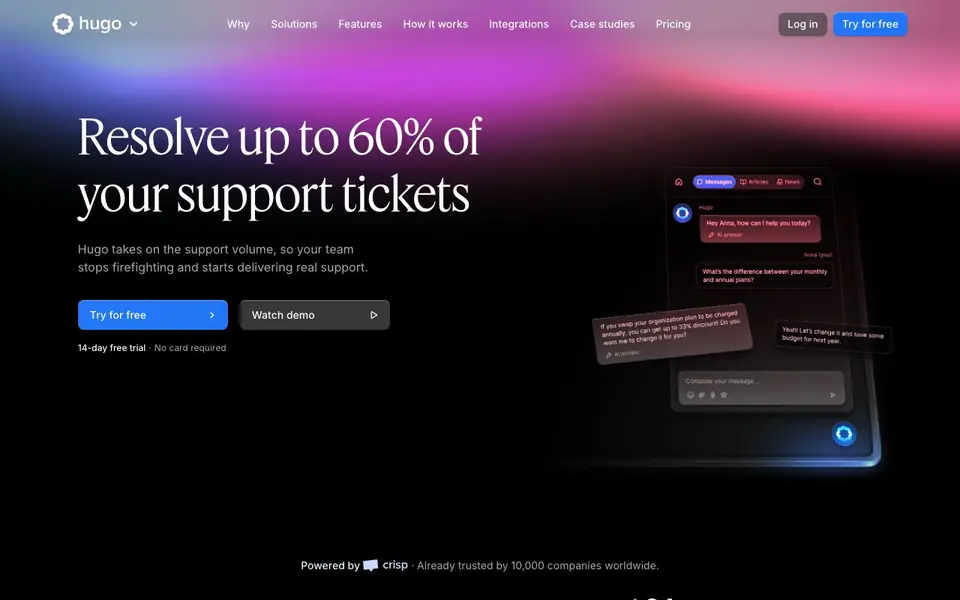
What is Hugo AI?
Hugo is an AI-powered support agent designed to handle customer conversations across multiple channels. It resolves up to 60% of support tickets on its own, using your own data to give accurate answers. The tool connects to your knowledge base, CRM, and other business tools through integrations or the Model Context Protocol (MCP).
You start by feeding Hugo your docs and FAQs. Then you customize its responses and set routing rules. You can test it with the chat widget before going live. Once running, Hugo handles conversations end-to-end, escalating to humans when needed with full context.
Hugo works with models like Claude, ChatGPT, Llama, or your own. It is GDPR-compliant and hosted on European servers. The no-code interface lets anyone on your team set it up without developers. A 14-day free trial is available with no card required.
Hugo AI features
- Multi-turn intelligence: Maintains context across conversations for more natural support.
- Deep integration: Connects to your knowledge base, CRM, and business tools.
- Smart escalation: Involves humans when needed with full conversation context.
- No-code setup: Train and deploy Hugo in minutes without coding skills.
- Automatic knowledge sync: Keeps answers updated from your helpdesk and documentation.
What you can do with Hugo AI
- Automate responses to common customer questions on your website.
- Resolve support tickets end-to-end without human intervention.
- Escalate complex issues to your team with full conversation history.
- Keep support answers consistent with your latest product updates.
How to get started with Hugo AI
- Feed Hugo your knowledge by uploading docs, FAQs, or other materials.
- Customize how Hugo responds and set routing rules for your team.
- Test it with the real chat widget, then let it run conversations.
Tips for better results with Hugo AI
- Feed Hugo your most current docs and FAQs first, then test its answers with the chat widget before going live to catch gaps early.
- Set clear routing rules in Hugo so it knows when to escalate to a human, and review escalation logs to refine those thresholds over time.
- Connect Hugo to your knowledge base and CRM through MCP or integrations so it pulls live data, keeping responses accurate and reducing hallucinations.
- Use Hugo's no-code interface to drag and drop automation logic for complex workflows, and monitor performance metrics to adjust tone and behavior.
Hugo AI pricing
Hugo AI offers a free trial before you pay. Check hugo.ai for current plans.
What to check before you rely on Hugo AI
- Check whether the 14-day trial includes all features you need, since the website does not specify trial limitations or what happens after it ends.
- Verify that Hugo's supported integrations cover your specific knowledge base and CRM, as the website lists categories but not individual apps.
- Confirm your data privacy requirements against Hugo's GDPR compliance and European hosting, and review its encryption and access controls before deployment.
Who Hugo AI is for
Hugo AI suits customer support teams, business owners and operations managers. If that is not you, the AI business tools below may fit better.
Similar tools compared with Hugo AI
| Tool | What it is | Pricing |
|---|---|---|
| Hugo AI | AI support agent for customer service | Free trial |
| Tidio | AI customer service and sales platform | Freemium |
| Chatbase | AI customer experience and support agents | Free trial |
| Copy.ai | AI-native go-to-market platform | See website |
| Harvey | AI platform for legal and professional services | See website |
Hugo AI FAQ
How does Hugo resolve support tickets?
Hugo uses your own data from connected tools like your knowledge base and CRM to answer accurately. It maintains context across conversations and can perform actions via MCP, resolving many tickets fully on its own.
Is there a free trial?
Yes, Hugo offers a 14-day free trial with no card required. After that, you can check pricing on their website for paid plans.
Who is Hugo for?
Hugo is for customer support teams and businesses that want to automate repetitive support tasks. It suits companies handling high volumes of conversations across multiple channels.
Can I use my own AI model with Hugo?
Yes, Hugo lets you choose from models like Claude, ChatGPT, Llama, or your own. You stay in control of data, tone, and performance.
Which channels can Hugo AI connect to for customer conversations?
Hugo AI can handle customer conversations across multiple channels, including your website chat widget and other platforms you connect through integrations or the Model Context Protocol (MCP). The website lists features like deep integration with your knowledge base, CRM, and business tools, but it does not specify every individual channel. Check Hugo's integrations page for the full list.
Does Hugo AI offer a free plan beyond the trial?
Hugo AI offers a 14-day free trial with no credit card required, as stated on the website. There is no mention of a separate free plan after the trial ends. To see what options are available after the trial, visit Hugo's pricing page for details on paid plans.
Can Hugo AI be used without a credit card for the trial?
Yes, Hugo AI's 14-day free trial requires no credit card, as clearly stated on the website. You can start using Hugo AI without entering payment details, allowing you to test its features before committing to a paid plan. After the trial, you would need to choose a plan to continue.


