

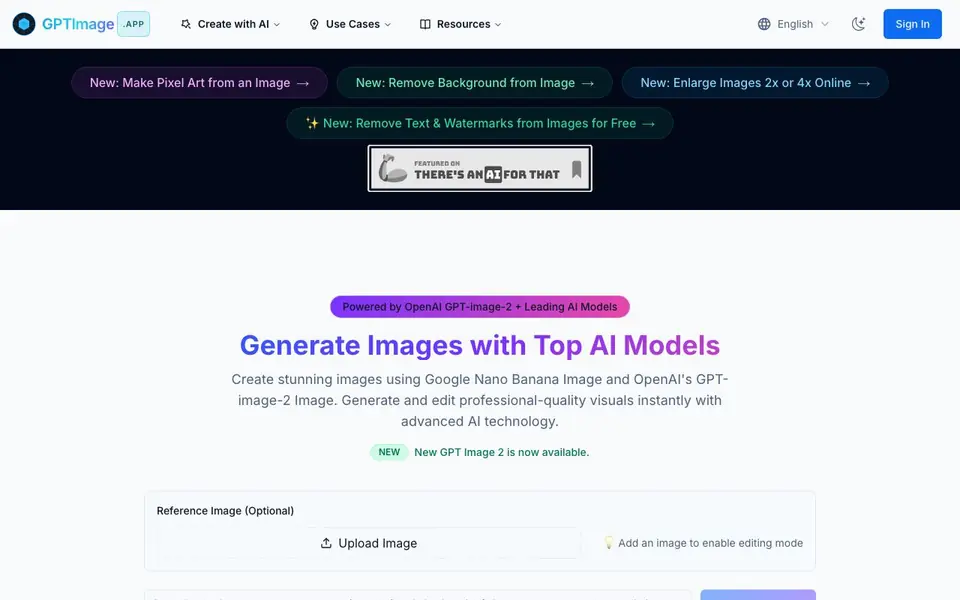
What is GPTImage.app?
GPTImage.app is an AI image generator that lets you create stunning visuals from text prompts. It uses advanced models such as OpenAI's GPT-image-2 and Google's Nano Banana. You can also access GPT-4o Image, DALL-E 3, Flux Pro, and Kling AI. This gives you flexibility for photorealistic, artistic, or specialized image needs.
To start, you type a prompt and choose your preferred model. You can adjust settings like aspect ratio, quality, and output format. If you upload a reference image, you enter editing mode. This lets you make conversational edits, like moving an object or changing details. The tool also offers specialized generators, such as a cinematic image generator and an AI crochet designer.
You can use GPTImage.app for various tasks. It supports removing backgrounds, enlarging images 2x or 4x, and removing text or watermarks. The website mentions these features are free for some actions. It is suitable for creators who need quick, shareable assets. The platform also has a gallery of public creations for inspiration.
GPTImage.app features
- Multi-model support: Choose from GPT-image-2, Nano Banana, GPT-4o Image, DALL-E 3, Flux Pro, and Kling AI.
- Conversational editing: Upload an image and edit it by describing changes in natural language.
- Professional controls: Adjust aspect ratio, quality, negative prompts, and output formats for precise results.
- Fast generation: Get images quickly with optimized processing and real-time progress tracking.
- Specialized generators: Use tools like cinematic image generator and AI crochet designer for specific needs.
What you can do with GPTImage.app
- Create cinematic frames and moodboards with lighting presets.
- Design stitch-accurate crochet patterns in seconds.
- Remove backgrounds from images for clean product shots.
- Enlarge images 2x or 4x online for higher resolution.
- Remove text and watermarks from images for free.
How to get started with GPTImage.app
- Go to GPTImage.app and enter a text prompt in the generator box.
- Choose your preferred AI model and adjust settings like ratio and quality.
- Click generate, then download or edit your image further.
Tips for better results with GPTImage.app
- Choose the right model for your goal: use GPT-image-2 for photorealism, Nano Banana for artistic styles, and Flux Pro for specialized looks. Test each on the same prompt to compare.
- Upload a reference image and describe changes conversationally, like moving an object or altering details. GPTImage.app will apply edits based on your natural language instructions.
- Adjust aspect ratio, quality, and negative prompts before generating to avoid re-runs. Set format to PNG or another option that matches your final use case.
- Use the specialized generators, such as the cinematic image generator for moodboards or the crochet designer for patterns, to save time on niche tasks.
- checks
GPTImage.app pricing
GPTImage.app has a free way to start, with paid plans for heavier use. Check gptimage.app for current limits and prices.
What to check before you rely on GPTImage.app
- Verify your plan limits before heavy use: the site labels GPTImage.app as freemium but does not state specific free generation counts or paid tiers.
- Check whether the free features, like background removal or text removal, have hidden restrictions; the website mentions them but does not list quotas.
- Confirm your output format needs are met: the tool offers multiple formats, but the site does not specify which ones are available on free versus paid plans.
Who GPTImage.app is for
GPTImage.app suits creators, designers, marketers and hobbyists. If that is not you, the AI image generators below may fit better.
Similar tools compared with GPTImage.app
| Tool | What it is | Pricing |
|---|---|---|
| GPTImage.app | AI image generator with multiple models | Freemium |
| SiImageGen | AI image generator and photo editor | Freemium |
| FreeSiTools | Free AI image prompt generator | Free |
| SiPhotoEditor | AI photo editor by description | Paid |
| Civitai | AI art community and model library | Freemium |
GPTImage.app FAQ
What AI models does GPTImage.app use?
GPTImage.app uses several top models, including OpenAI's GPT-image-2, Google's Nano Banana, GPT-4o Image, DALL-E 3, Flux Pro, and Kling AI. You can pick the one that fits your project.
Can I edit existing images with GPTImage.app?
Yes. You can upload a reference image to enable editing mode. Then you can make changes by describing them in a prompt, like moving an object or adjusting details.
Is GPTImage.app free to use?
The website mentions some features, like removing text and watermarks, are free. It also offers a free account creation. For full details on pricing and limits, check the site's sign-up or pricing pages.
What can I create with GPTImage.app?
You can create a wide range of images, from photorealistic visuals to artistic pieces. It also has specialized tools for cinematic images and crochet patterns, plus utilities for background removal and image upscaling.
Can I use GPTImage.app on my phone or tablet?
GPTImage.app is a web-based tool, so you can access it from any device with a browser, including phones and tablets. The website does not mention dedicated mobile apps, so for the best experience, use a modern browser. Check the site for any updates on app availability.
What image formats can I export from GPTImage.app?
GPTImage.app lets you adjust output format in the settings, with PNG shown as the default option. The website does not list all available formats, so you can explore the format dropdown in the tool to see other options like JPEG or WebP. For specific details, check the settings panel when generating.
Does GPTImage.app require an account to use it?
GPTImage.app offers a free tier, but creating an account is encouraged to generate more images. The website has a 'Create Free Account' button, suggesting that signing up gives you access to additional features or higher limits. You can try basic generation without an account, but for full functionality, registration is recommended.


