

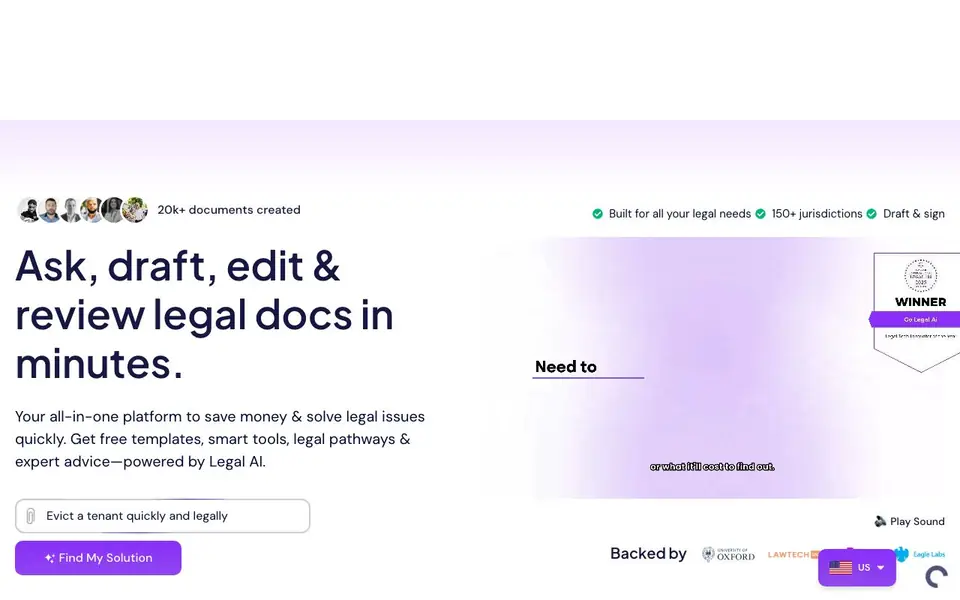
What is Go Legal AI?
Go Legal AI is an all-in-one platform for creating, reviewing, and managing legal documents. It covers contracts, policies, letters, and court forms across 150+ jurisdictions. You can start from a lawyer-approved template or upload your own document. The AI co-pilot helps you draft, edit, and rewrite clauses step by step.
You pick a template or upload a document, then edit and review it with AI guidance. The smart review flags risks, explains clauses, and tells you what to change. You can send documents for e-signature in one click, with multi-party workflows and automatic reminders. The platform also tracks tasks, deadlines, and calendar events linked to your documents.
For complex issues, Legal Pathways build a step-by-step plan with documents, court forms, and deadlines. The AI assistant answers legal questions grounded in your documents and local law. It suits individuals and businesses wanting to save on legal costs. The site notes a free starter plan with 25 AI credits for 7 days, and paid plans from £19 per month.
Go Legal AI features
- AI co-pilot: Draft, edit, and rewrite any legal document clause by clause.
- Smart review: Reads every clause, flags risk, and explains what to change.
- E-signature: Send documents for signature with one click and automatic reminders.
- Legal Pathways: Builds a step-by-step plan with documents and deadlines for your issue.
- AI assistant: Answers legal questions based on your documents and 150+ jurisdictions.
What you can do with Go Legal AI
- Draft a contract from a lawyer-approved template in minutes.
- Review a document you received and get risk flags and explanations.
- Send a signed agreement to multiple parties with automatic reminders.
- Track deadlines like contract renewals and court dates in one calendar.
How to get started with Go Legal AI
- Sign up for a free account on the Go Legal AI website.
- Choose a template or upload your own document.
- Edit and review with AI, then send for e-signature.
Tips for better results with Go Legal AI
- Start with a lawyer-approved template from Go Legal AI rather than a blank page, then use the AI co-pilot to tailor each clause to your specific situation for faster, more accurate drafting.
- Upload a document you received and run Go Legal AI's smart review to get risk flags and plain-language explanations, then amend the flagged clauses directly in the editor before sending it out.
- Use Go Legal AI's Legal Pathways for complex issues like disputes or claims, and follow the step-by-step plan it builds, so you don't miss required court forms or deadlines.
- After editing, send the document for e-signature within Go Legal AI and set automatic reminders, so you track signatures and renewals without switching to another tool.
Go Legal AI pricing
Go Legal AI has a free way to start, with paid plans for heavier use. Check go-legal.ai for current limits and prices.
What to check before you rely on Go Legal AI
- Check whether the free starter plan's 25 AI credits for 7 days cover your document volume, since the site does not state what happens after credits run out or if you can buy more.
- Verify that Go Legal AI supports your specific jurisdiction and document type, as the site claims 150+ jurisdictions but does not list which ones are covered.
- Confirm how your uploaded documents are stored and whether they are used to train the AI, since the site does not clearly state its data privacy or retention policy.
Who Go Legal AI is for
Go Legal AI suits individuals, small businesses, startups and solicitors. If that is not you, the AI business tools below may fit better.
Similar tools compared with Go Legal AI
| Tool | What it is | Pricing |
|---|---|---|
| Go Legal AI | AI legal document and contract platform | Freemium |
| Tidio | AI customer service and sales platform | Freemium |
| Chatbase | AI customer experience and support agents | Free trial |
| Copy.ai | AI-native go-to-market platform | See website |
| Harvey | AI platform for legal and professional services | See website |
Go Legal AI FAQ
What can I do with Go Legal AI?
You can draft, edit, review, and sign legal documents like contracts, policies, letters, and court forms. The AI co-pilot helps customize clauses, and the smart review flags risks. You can also track deadlines and get step-by-step Legal Pathways for issues like unpaid debts or landlord disputes.
Is Go Legal AI free?
Yes, there is a free Starter plan with 25 AI credits to use across 7 days. It includes essential templates and services. Paid plans start at £19 per month, with a money-back guarantee and cancel anytime.
Who is Go Legal AI for?
It is for individuals and businesses. Individuals can handle personal legal issues like wills or tenant disputes. Businesses can create contracts, hire employees, protect brands, and manage legal tasks. The platform covers 150+ jurisdictions, so it works internationally.
Does Go Legal AI replace a lawyer?
The website does not state that it replaces a lawyer. It offers AI tools, lawyer-reviewed templates, and optional lawyer review services. For complex cases, you can book local lawyers and experts on demand through the platform.
Can Go Legal AI export or integrate with other tools like DocuSign or Google Drive?
Go Legal AI lets you send documents for e-signature directly within the platform, so you don't need to export to external signing tools. The website does not mention integrations with other apps like Google Drive or DocuSign. For specific export or integration options, check the platform's help section or contact support.
Does Go Legal AI work on mobile devices or only on desktop?
The website does not specify which devices or platforms Go Legal AI runs on. It likely works through a web browser, which would allow access from most devices with internet. To confirm mobile compatibility, check the site's FAQ or try accessing it from your phone.
What does the free plan of Go Legal AI include besides the 7-day trial?
Go Legal AI offers a free starter plan with 25 AI credits for 7 days, as mentioned on the site. After that, paid plans start at £19 per month. The website does not detail what features remain free after the trial, so check the pricing page or contact support for ongoing free access details.


