

What is getimg.ai?
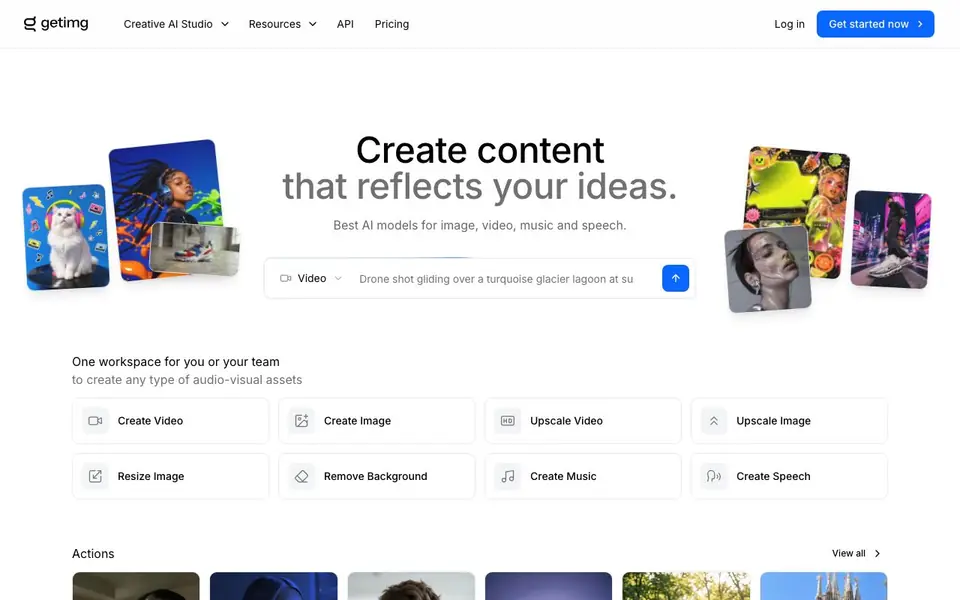
getimg.ai is a creative AI studio that brings together leading models for image, video, music, and speech generation. You can create new visuals from text prompts, edit existing images, upscale or resize them, remove backgrounds, and even generate video, music, and voiceovers. The platform automatically selects the best model for each task, so you don't need to research or configure anything.
To get started, you pick an action like Create Image, Upscale Video, or Remove Background. The system chooses the appropriate AI model for you. You provide your input, such as a text prompt or an image, and the tool processes it. For teams, there is a shared workspace option, and an API is available for integrating these capabilities into your own workflows.
This tool suits marketers, social media managers, photographers, e-commerce sellers, and designers who need a range of creative assets. It also covers niche uses like headshots, product orbit shots, character creation, and background cleanup. The website does not state specific pricing details, so you would need to check its pricing page for plan options and limits.
getimg.ai features
- Text to Image: Generate images from detailed text prompts using models like FLUX 3 and Qwen Image.
- Image Editing: Edit images with local edits, text editing, and multi-reference identity support.
- Background Removal: Remove or change backgrounds in photos with a single action.
- Video Generation: Create videos from text or images, with native audio and 1080p output.
- Music and Speech: Generate music tracks and realistic speech or sound effects in the same workspace.
What you can do with getimg.ai
- Create marketing visuals for social media campaigns.
- Generate product photos for e-commerce listings.
- Upscale and resize images for print or web use.
- Produce video content from text prompts for ads.
- Generate headshots for professional profiles.
How to get started with getimg.ai
- Log in or sign up on getimg.ai.
- Choose an action like Create Image, Upscale Video, or Remove Background.
- Provide your text prompt or upload an image, and the tool auto-selects the best AI model for the task.
Tips for better results with getimg.ai
- Start with a specific action like Create Image or Remove Background, and let getimg.ai auto-select the model, then refine your prompt based on the output quality.
- Use getimg.ai's multi-reference identity in image editing to keep a consistent face or object across multiple generations, which saves time on retries.
- For video, provide a clear text prompt or source image to getimg.ai, then check the 1080p output and native audio before exporting for final use.
- Leverage getimg.ai's upscale and resize actions for print or web assets, and test different models like FLUX 3 or Qwen Image to see which matches your style.
- checks
getimg.ai pricing
getimg.ai’s homepage does not list prices. Check getimg.ai for current plans.
What to check before you rely on getimg.ai
- Check the pricing page for plan limits and credit costs, since the website does not state specific prices or free tier allowances.
- Verify whether your intended use case, such as commercial marketing or e-commerce, is covered under the terms of service and restrictions.
- Confirm the export formats and resolution options for images and videos, as the site does not list all supported file types or delivery specs.
Who getimg.ai is for
getimg.ai suits marketers, social media managers, photographers and e-commerce sellers. If that is not you, the AI image generators below may fit better.
Similar tools compared with getimg.ai
| Tool | What it is | Pricing |
|---|---|---|
| getimg.ai | AI creative studio for images, video, music | See website |
| SiImageGen | AI image generator and photo editor | Freemium |
| FreeSiTools | Free AI image prompt generator | Free |
| SiPhotoEditor | AI photo editor by description | Paid |
| Civitai | AI art community and model library | Freemium |
getimg.ai FAQ
What can I create with getimg.ai?
You can generate images, videos, music, speech, and sound effects. You can also edit existing images, upscale or resize them, remove backgrounds, and swap hairstyles. The platform includes models like FLUX 3, GPT Image, and Google Veo 3.1.
Is getimg.ai free?
The website does not state whether there is a free plan. It offers a pricing page and an API, but specific costs or free credits are not mentioned. Check the Pricing section on their site for details.
Who is getimg.ai for?
It is designed for individuals and teams who need to create audio-visual assets. This includes marketers, social media managers, photographers, e-commerce sellers, and designers. There is a team workspace option for collaborative work.
Does getimg.ai have an API?
Yes, the website lists API as a resource, indicating you can integrate its image, video, and audio generation capabilities into your own applications. The API is mentioned in the navigation, but specific endpoints or documentation are not detailed on the homepage.
What file formats can getimg.ai export or connect to?
getimg.ai lets you create and edit images, videos, music, and speech in one workspace. The website does not list specific export file formats or external integrations beyond its API. To see what formats or connections are available, check the platform's documentation or support pages.
Does getimg.ai work on mobile devices or only in a browser?
getimg.ai is a web-based creative AI studio, so you can use it through a browser on most devices. The website does not mention dedicated mobile apps. For the best experience, check the site's system requirements or support section if you plan to use it on a tablet or phone.
What does the free plan on getimg.ai include?
getimg.ai does not state specific pricing or free plan details on its website. You can start using it by logging in, but the exact limits or features of a free tier are not listed. Visit the Pricing page on getimg.ai to see current plan options and what each includes.


