

What is ExpenseBot?
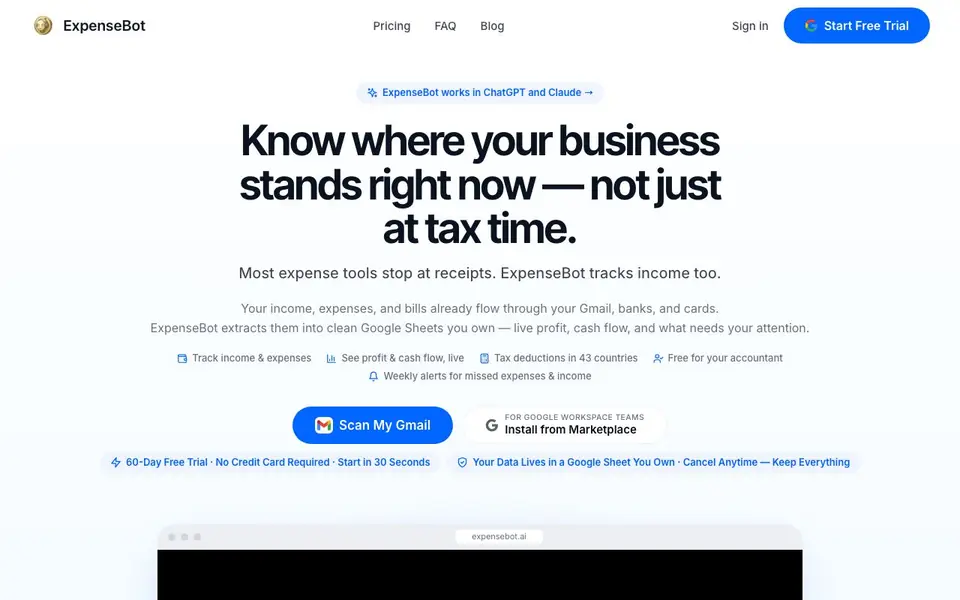
ExpenseBot is a tool that turns your Gmail into a financial record keeper. It scans your inbox for receipts, invoices, and income notices from services like Amazon, Uber, and SaaS apps. It then extracts the details and organizes them into a Google Sheet you control. It also tracks income from sources like Stripe and PayPal, so you see profit and cash flow, not just expenses.
You start by connecting your Gmail and, optionally, your bank and cards. ExpenseBot reads your financial history as far back as your Gmail goes. It updates your spreadsheet daily with the latest numbers. A weekly email called Pulse tells you about bills due, low cash, spending jumps, and tax to set aside. You can also snap receipts in ChatGPT or Claude and ask about your numbers.
The tool works in over 50 countries and supports tax deduction rules for the US, Canada, UK, Australia, and more. It can pre-fill forms like Schedule C (US) and T2125 (Canada). It is free for your accountant to access. The website mentions a 60-day free trial with no credit card required, and you can cancel anytime while keeping your data.
ExpenseBot features
- Gmail auto-scan: Reads receipts and income notices from your inbox overnight and files them into a Google Sheet.
- Income tracking: Logs income from Stripe, PayPal, and other sources so you see profit, not just expenses.
- Live profit view: Shows your profit, cash flow, and income by source, updated daily in your spreadsheet.
- Weekly Pulse alerts: Emails you about bills due, low cash, spending jumps, and tax to set aside.
- Tax deduction support: Applies government deduction rules for 8+ countries and pre-fills forms like Schedule C and T2125.
What you can do with ExpenseBot
- Track business expenses and income automatically from your Gmail history.
- Generate expense reports for reimbursement or tax filing with your accountant.
- Monitor cash flow and profit daily without manual data entry.
- Recover missed deductions by scanning prior years of receipts in Gmail.
How to get started with ExpenseBot
- Connect your Gmail account to ExpenseBot to start scanning your financial emails.
- Optionally link your bank and cards to capture all income and expenses.
- Review your Google Sheet and weekly Pulse alerts to see your current financial picture.
Tips for better results with ExpenseBot
- Connect your Gmail first and let ExpenseBot scan your full history before you review anything, so it can catch years of missed receipts and income notices in one pass.
- Use ExpenseBot's weekly Pulse email to spot bills due, low cash, and spending jumps, then adjust your budget before small issues become cash flow problems.
- Snap receipts directly in ChatGPT or Claude and ask ExpenseBot about your numbers, so you can clarify transactions without opening your spreadsheet.
- Link your bank and cards alongside Gmail to ensure ExpenseBot captures income from Stripe and PayPal, giving you a complete profit picture, not just expenses.
ExpenseBot pricing
ExpenseBot offers a free trial before you pay. Check expensebot.ai for current plans.
What to check before you rely on ExpenseBot
- Confirm the Google Sheet you own is set to private, since ExpenseBot reads your full Gmail history and financial data, and the site does not detail data retention policies.
- Verify the 60-day free trial converts to the $10 per month per seat plan, as the site lists the price but does not state what happens after the trial ends.
- Check that your accountant can access the sheet for free, but note the site does not specify export formats beyond QuickBooks, so confirm what you need for filing.
Who ExpenseBot is for
ExpenseBot suits sole proprietors, small business owners, accountants and freelancers. If that is not you, the AI business tools below may fit better.
Similar tools compared with ExpenseBot
| Tool | What it is | Pricing |
|---|---|---|
| ExpenseBot | AI expense and income tracker for Gmail | Free trial |
| Tidio | AI customer service and sales platform | Freemium |
| Chatbase | AI customer experience and support agents | Free trial |
| Copy.ai | AI-native go-to-market platform | See website |
| Harvey | AI platform for legal and professional services | See website |
ExpenseBot FAQ
What does ExpenseBot do with my Gmail data?
It reads financial emails like receipts, invoices, and income notices, then extracts the details into a Google Sheet you own. You don't need to forward emails or upload files manually.
Is there a free plan or trial?
ExpenseBot offers a 60-day free trial with no credit card required. After that, it costs $10 per month per seat with no plan tiers. You can cancel anytime and keep your data.
Who is ExpenseBot for?
It suits sole proprietors, freelancers, small business owners, and accountants. It's especially useful if your expenses are mixed with personal accounts, as it sorts them out automatically.
Can I use ExpenseBot with other tools?
Yes, it integrates with ChatGPT, Claude, Gemini, GitHub Copilot, VS Code, and MCP-compatible agents. It also exports cleanly to QuickBooks, according to a user testimonial.
Does ExpenseBot have a mobile app or does it run only on desktop?
ExpenseBot is a web-based tool that works in your browser, so you can access it from any device with internet, including your phone or tablet. The website does not mention a dedicated mobile app, but you can use it on mobile browsers. Check the site for any app announcements.
Can ExpenseBot export my data to accounting software like QuickBooks?
ExpenseBot organizes your data into a Google Sheet you own, and the website mentions that reports export cleanly into QuickBooks. It also pre-fills tax forms like Schedule C and T2125. For other export options, the site does not list them, so check the FAQ or contact support.
What does the free trial include and what happens after it ends?
ExpenseBot offers a 60-day free trial with no credit card required. During the trial, you get full access to scan your Gmail, track income and expenses, and use features like weekly Pulse alerts. After the trial, you can cancel anytime and keep your data, but the website does not specify what happens if you don't subscribe.


