

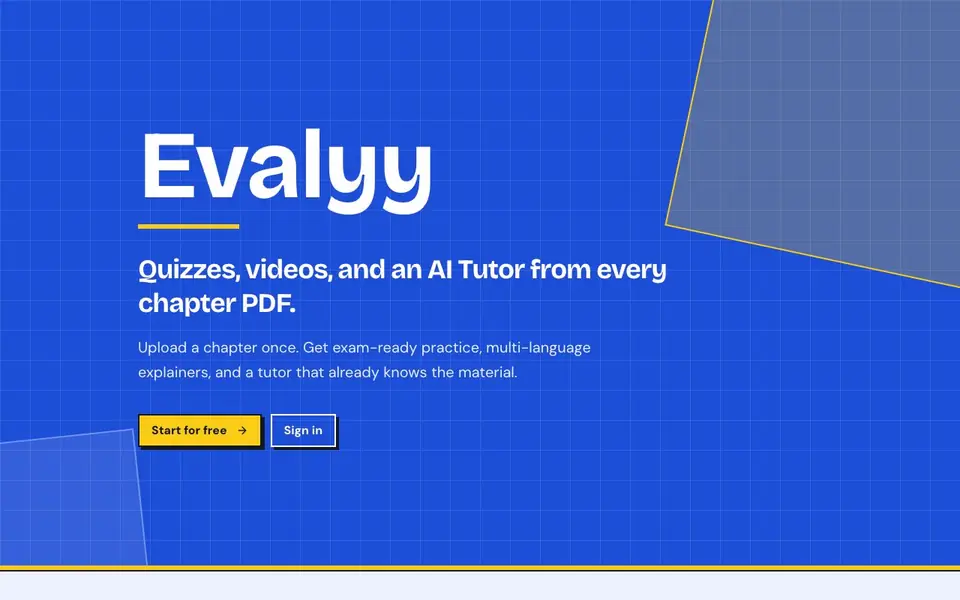
What is Evalyy?
Evalyy takes a chapter PDF and turns it into exam-ready practice materials. You get multiple question types, video explainers, and an AI tutor that is aware of the content you uploaded. It is built for teachers, students, and parents who want study tools based on their own material, not generic decks.
To use it, you upload a chapter PDF once. From there, Evalyy generates quizzes with a mix of MCQ, fill-in-the-blanks, assertion & reasoning, and true/false questions. You can also create video explainers and pick the narration language independently from the PDF language. The AI Tutor lets you ask follow-up questions in a chat that knows the chapter, with voice and language options you choose.
Teachers can prepare class quizzes in minutes and share them with a link and code. Students practice from their own PDFs and use the tutor for tricky concepts. Parents can follow along with clear results and explanations. The website mentions board-aligned levels that match real exam patterns, but it does not list specific boards or subjects it covers.
Evalyy features
- Quiz variety: Generate MCQs, fill-in-the-blanks, assertion & reasoning, and true/false from your chapter PDF.
- PDF to video: Turn chapters into explainer videos with narration language you can pick independently.
- AI Tutor: Ask follow-up questions in a chapter-aware chat with voice and language choices.
- Board-aligned levels: Difficulty mixes that match real exam patterns and board standards.
- Easy sharing: Share quizzes with a link and code so your class can join quickly.
What you can do with Evalyy
- Upload a chapter PDF and generate a quiz for your class in minutes.
- Create a video explainer in a different language from the original PDF.
- Ask the AI Tutor to clarify a concept from your own study material.
- Share a quiz link with students so they can practice at home.
How to get started with Evalyy
- Upload a chapter PDF to Evalyy.
- Choose the quiz types and difficulty mix you want.
- Generate video explainers or use the AI Tutor for follow-up questions.
Tips for better results with Evalyy
- Upload a clean, well-formatted chapter PDF so Evalyy can extract the content accurately and generate questions that match your material rather than misreading headings or tables.
- Pick the narration language for video explainers independently from the PDF language, and test a short chapter first to confirm the voice output sounds natural before committing to a full upload.
- Use Evalyy's AI Tutor to ask follow-up questions about concepts that feel unclear, and phrase your questions specifically so the chapter-aware chat can give you targeted explanations.
- Generate quizzes with different question types and difficulty mixes for the same chapter, then review the results to see which formats best prepare you for the actual exam pattern.
Evalyy pricing
Evalyy has a free way to start, with paid plans for heavier use. Check evalyy.com for current limits and prices.
What to check before you rely on Evalyy
- Check whether the free plan limits the number of PDFs, quizzes, or video minutes you can generate, since the website does not state specific usage caps.
- Verify that Evalyy supports the file format and page count of your chapter PDF, because the site does not list maximum upload size or page limits.
- Confirm which boards and subjects the board-aligned levels actually cover, as the website mentions matching real exam patterns but does not name specific boards or subjects.
Who Evalyy is for
Evalyy suits teachers, students and parents. If that is not you, the AI tools for students below may fit better.
Similar tools compared with Evalyy
| Tool | What it is | Pricing |
|---|---|---|
| Evalyy | AI quiz, video, and tutor maker | Freemium |
| Gauth | AI homework helper with step-by-step answers | Freemium |
| Khanmigo | AI teaching assistant and tutor | Freemium |
| ChatPDF | AI chat and summarizer for PDFs | Freemium |
| Jenni AI | AI academic writing and research assistant | Freemium |
Evalyy FAQ
What can Evalyy generate from a PDF?
Evalyy can generate multiple-choice questions, fill-in-the-blanks, assertion & reasoning, and true/false questions from your chapter PDF. It also creates video explainers and provides an AI Tutor that is aware of the uploaded material.
What is AI Tutor?
AI Tutor is a chat feature that knows the chapter you uploaded. You can ask follow-up questions and get answers with voice and language options you choose. It helps when a concept still feels unclear after studying.
Can the video language differ from the PDF language?
Yes. Evalyy lets you pick the narration language for video explainers independently from the language of the PDF. This is useful if you want to learn in a different language than the original material.
Is Evalyy only for teachers?
No. Evalyy is built for teachers, students, and parents. Teachers can prepare quizzes, students can revise with their own PDFs, and parents can follow their child's progress with clear results and explanations.
What file formats can Evalyy accept besides PDF?
The Evalyy website only mentions uploading a chapter PDF. It does not list other file formats it supports. To confirm whether Evalyy accepts other formats, check the site's upload page or contact support.
Does Evalyy have a mobile app or does it run only in the browser?
The Evalyy website does not mention a mobile app. It appears to be a web-based tool, but the site does not explicitly state whether it works on mobile browsers. Check the site's help or contact page for device compatibility details.
What does the free plan of Evalyy include?
The Evalyy website says you can start for free, but it does not detail what the free plan includes, such as the number of quizzes or videos. For specifics, look for pricing or plan details on the site or contact their support.


