

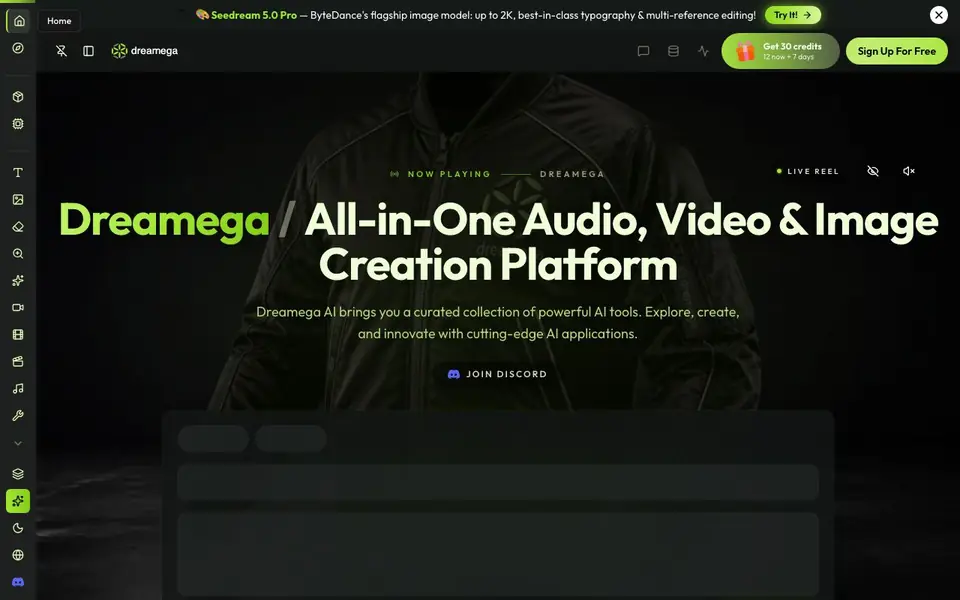
What is Dreamega AI?
Dreamega AI is a single platform that brings together a large collection of AI models for creating images, videos, and music. You can pick from popular models like Flux, GPT-4o, Veo, and Suno, all in one interface. The site also offers many free tools for editing photos and videos, such as background removal, upscaling, and format conversion.
To start, you sign up for free and receive 30 credits, with 12 available immediately and more added over 7 days. Then you choose a tool, such as text to image or text to video, and enter your prompt. The platform routes your request to the selected model and shows the output. You can also use image-to-image, video-to-video, and music generation tools.
This platform suits creators who want access to multiple AI models without switching between websites. It includes a wide range of models, from image generation to video and audio. The site mentions no subscription is required, and you can explore the model showcase to see what each one offers.
Dreamega AI features
- Text to Image: Generate images from text descriptions using models like Flux and GPT-4o.
- Text to Video: Create videos from text prompts with models like Veo and Kling.
- Text to Music: Produce songs and instrumentals using Suno and other audio models.
- Image Editing Tools: Remove backgrounds, upscale, enhance, and retouch photos with one click.
- Video Editing Tools: Erase objects, upscale video, and create product ads or style short films.
What you can do with Dreamega AI
- Create product images for an online store using text prompts.
- Generate music tracks for a video project without composing.
- Remove backgrounds from photos for a marketing campaign.
- Turn a still image into an animated video with motion control.
How to get started with Dreamega AI
- Sign up for a free account to receive 30 credits, with 12 available immediately.
- Choose a tool like text to image or text to video from the AI Tools menu.
- Enter your prompt and select a model, then generate and download your creation.
Tips for better results with Dreamega AI
- Start with the 30 free credits you receive at signup, using 12 immediately and the rest as they arrive over 7 days, to test different models before committing.
- Choose your model deliberately in Dreamega AI, since image, video, and audio tools each route to specific engines like Flux or Veo, affecting output style and quality.
- Use the model showcase on Dreamega AI to compare outputs from different engines for your prompt, so you can pick the one that matches your creative vision best.
- Combine Dreamega AI's free editing tools, like background removal or upscaling, with generated media to refine results without spending extra credits on new generations.
Dreamega AI pricing
Dreamega AI has a free way to start, with paid plans for heavier use. Check dreamega.ai for current limits and prices.
What to check before you rely on Dreamega AI
- Verify how many credits remain after your initial 30, since the site does not state whether free credits renew or if you must pay for more.
- Check if Dreamega AI's free tier includes commercial use rights for generated images, videos, or music, as the website does not specify licensing terms.
- Confirm the export formats and resolution limits for downloads, because the site lists tools but does not state output file types or maximum sizes.
Who Dreamega AI is for
Dreamega AI suits content creators, marketers, designers and hobbyists. If that is not you, the AI image generators below may fit better.
Similar tools compared with Dreamega AI
| Tool | What it is | Pricing |
|---|---|---|
| Dreamega AI | All-in-one AI image, video, and music platform | Freemium |
| SiImageGen | AI image generator and photo editor | Freemium |
| FreeSiTools | Free AI image prompt generator | Free |
| SiPhotoEditor | AI photo editor by description | Paid |
| Civitai | AI art community and model library | Freemium |
Dreamega AI FAQ
Is Dreamega AI free to use?
The website says you can sign up for free and get 30 credits, with 12 available immediately and more over 7 days. It also states no subscription is required, so you can start creating without paying.
What AI models are available on Dreamega?
Dreamega lists over 50 models, including image models like Flux, GPT-4o, and Seedream, video models like Veo and Kling, and audio models like Suno. You can browse the full lineup in the Models section.
Can I edit existing photos or videos with Dreamega?
Yes, the platform includes tools for background removal, image upscaling, photo enhancement, video erasing, and video upscaling. These are listed under AI Tools and Free Tools.
Who is Dreamega AI best suited for?
The platform is designed for anyone who wants to create images, videos, or music using AI. It is useful for content creators, marketers, and designers who need access to multiple models without switching apps.
Does Dreamega AI have a mobile app or does it only work in a web browser?
Dreamega AI is a web-based platform, so you access it through a browser on your computer, tablet, or phone. The website does not mention a dedicated mobile app. For the most current information, check the Dreamega AI website or its app store listings if available.
What can I export or download from Dreamega AI, and in which formats?
Dreamega AI lets you download the images, videos, and music you create. The website does not specify the exact file formats for each output type. To see what formats are available for a specific tool, try generating a sample or check the tool's page on the Dreamega AI website.
Does Dreamega AI require an account, and what does the free plan include?
Yes, you need to sign up for a free account to use Dreamega AI. When you sign up, you receive 30 credits, with 12 available immediately and the rest added over 7 days. The free plan gives you access to all the tools, but each generation uses credits. For details on credit usage, see the Dreamega AI website.


