

What is Demodesk?
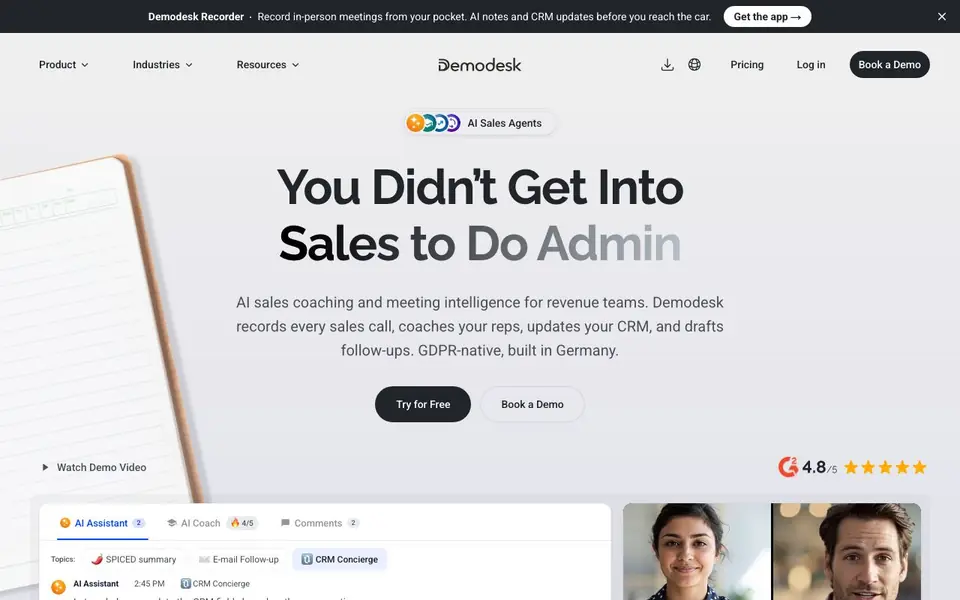
Demodesk is an AI meeting assistant built for sales and revenue teams. It records every sales call you have, whether online, on your phone, or in person. The tool then transcribes the conversation, summarizes it, and drafts follow-up emails for you. It also updates your CRM with notes and deal fields automatically, saving you from manual admin work.
You start by connecting Demodesk to your meeting platforms like Zoom, Teams, or Google Meet. It joins the call, records it, and creates a transcript. You can also use the desktop app for calls at your desk or the mobile app for meetings on the go. After the call, Demodesk generates a summary, scores the conversation against your sales playbook, and suggests next steps. You approve or reject CRM updates before they are logged.
Demodesk suits sales teams that want to reduce admin time and improve coaching. It is GDPR-native, built in Germany, and stores data only in EU data centers. The website mentions it never trains on your data. It works with Salesforce, HubSpot, and Pipedrive. You can also create custom AI agents for specific tasks and ask questions about your deals across connected tools.
Demodesk features
- Call recording: Captures every sales conversation online, on the phone, or in person.
- AI summaries: Generates SPICED-style summaries with pain points, critical events, and decisions.
- CRM auto-updates: Logs notes, next steps, and deal fields into Salesforce, HubSpot, or Pipedrive.
- Sales coaching: Scores every call against your playbook and gives concrete tips to improve.
- Follow-up drafting: Writes email follow-ups based on the conversation, ready for you to send.
What you can do with Demodesk
- Record and transcribe online sales meetings from Zoom, Teams, or Google Meet.
- Update your CRM automatically after each call without manual data entry.
- Coach reps by scoring calls against your sales playbook and sharing feedback.
- Draft follow-up emails to send to prospects right after a conversation.
How to get started with Demodesk
- Sign up for a free account on the Demodesk website.
- Connect your calendar and CRM, then install the desktop or mobile app.
- Let Demodesk join your calls, then review summaries, approve CRM updates, and send follow-ups.
Tips for better results with Demodesk
- Connect Demodesk to your Zoom, Teams, or Google Meet calendar so it joins every sales call automatically, then review the SPICED summary right after the meeting.
- Use Demodesk's mobile app to record in-person meetings or voice notes, then approve the CRM updates before you leave the parking lot to save time later.
- Set up custom AI agents in Demodesk for repetitive tasks like drafting follow-ups or pulling deal updates, and test them on a few real calls to refine their output.
- Review Demodesk's call scores against your sales playbook weekly, and share the concrete tips with your reps to turn recorded calls into coaching moments.
Demodesk pricing
Demodesk has a free way to start, with paid plans for heavier use. Check demodesk.ai for current limits and prices.
What to check before you rely on Demodesk
- Check the freemium plan's recording minutes or number of calls per month, since the website does not list specific limits for free usage.
- Verify that Demodesk's CRM integrations cover your exact Salesforce, HubSpot, or Pipedrive setup, including custom fields and permissions, before relying on auto-updates.
- Confirm your data retention and deletion policies in the EU data centers, as the website states GDPR-native and no training on your data but does not detail storage duration.
Who Demodesk is for
Demodesk suits sales teams, revenue teams, sales managers and business development leads. If that is not you, the AI business tools below may fit better.
Similar tools compared with Demodesk
| Tool | What it is | Pricing |
|---|---|---|
| Demodesk | AI meeting assistant for sales teams | Freemium |
| Tidio | AI customer service and sales platform | Freemium |
| Chatbase | AI customer experience and support agents | Free trial |
| Copy.ai | AI-native go-to-market platform | See website |
| Harvey | AI platform for legal and professional services | See website |
Demodesk FAQ
What does Demodesk do?
Demodesk records sales calls, transcribes them, and creates summaries. It also updates your CRM with notes and deal fields, drafts follow-up emails, and coaches reps by scoring calls against your playbook.
Is Demodesk free?
The website says you can start free. It also offers a paid plan, so it is freemium. You can try it without paying and upgrade for more features.
Which meeting platforms does Demodesk work with?
Demodesk joins online meetings on Zoom, Teams, and Google Meet. It also has desktop apps for Mac and Windows, plus mobile apps for iOS and Android, and a device for phone calls.
Is my data safe with Demodesk?
Demodesk is GDPR-native and built in Germany. It stores data only in EU data centers, is ISO 27001 certified, and never trains on your data, according to the website.
What devices and platforms does Demodesk run on?
Demodesk works on Mac and Windows for desktop calls, and on iOS and Android for mobile use. It also provides a dedicated recorder device for phone calls that don't happen on a screen. The website lists these options but doesn't mention any other platforms.
Does Demodesk integrate with my CRM or other tools?
Demodesk integrates with Salesforce, HubSpot, and Pipedrive for automatic CRM updates. The website also mentions you can create custom AI agents and ask questions about deals across connected tools. It doesn't list other specific integrations beyond these.
What does the free plan of Demodesk include?
The website labels Demodesk as freemium, but it doesn't specify what the free plan includes. To know exactly what you get for free, check the pricing page on demodesk.ai or contact their sales team directly.


