

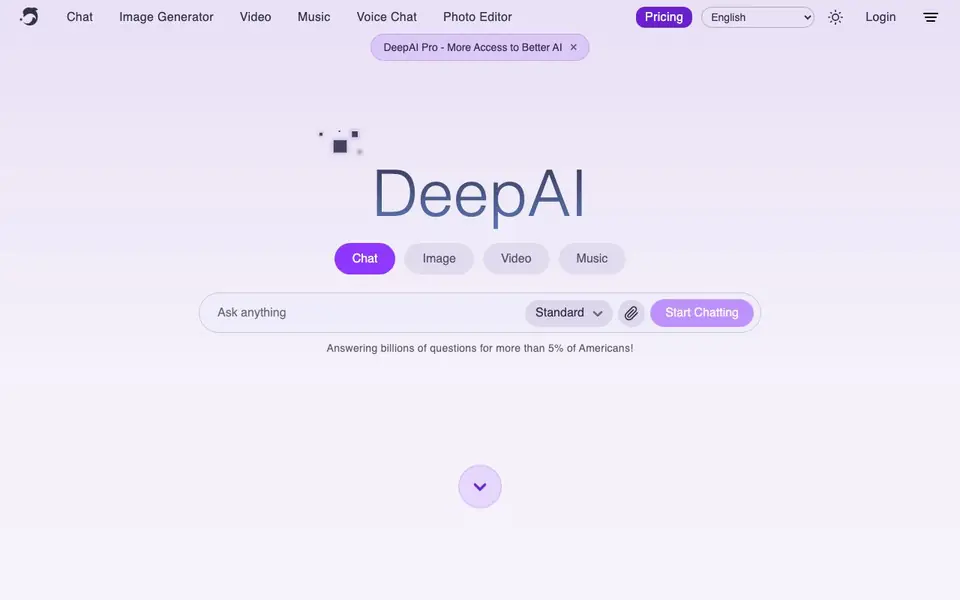
What is DeepAI?
DeepAI is a browser-based platform that bundles many AI tools into one place. You can generate images from text prompts, edit existing photos, chat with an AI that can browse the internet, make short videos, compose music, and talk to a realistic AI using your voice. It started in 2016 with one of the first text-to-image generators and has grown into a broad creative suite.
You can explore DeepAI for free without creating an account. For heavier use, DeepAI Pro costs $9.99 per month and adds high-volume usage, private generations, and an ad-free experience. The platform also offers simple APIs for developers who want to integrate these tools into their own products, plus a mobile app.
The website mentions that DeepAI takes on custom technical projects for governments, nonprofits, and research organizations, focusing on computer vision and conservation work. For everyday users, the tools are designed to be fast and easy, with real email support and full ownership of everything you create.
DeepAI features
- AI Image Generator: Create new images from a text prompt in your browser.
- AI Photo Editor: Edit existing photos with AI-powered adjustments and enhancements.
- Background Remover: Remove backgrounds from images with a single click.
- Colorizer: Add color to black-and-white photos automatically.
- Super Resolution: Upscale and enhance image quality and detail.
- Voice Chat: Talk to a realistic AI using your voice instead of typing.
What you can do with DeepAI
- Generate unique artwork or illustrations from text descriptions.
- Edit and enhance personal photos with background removal or colorization.
- Chat with an AI that can browse the web for answers and research.
- Create short videos or compose original music for creative projects.
- Integrate AI image or chat features into your own app via APIs.
How to get started with DeepAI
- Visit DeepAI's website and choose a tool like Image Generator or Chat.
- Type a prompt or upload a photo to start using the free tools.
- Upgrade to Pro for higher usage limits, private generations, and no ads.
Tips for better results with DeepAI
- Start with the free tier to test each tool before committing to Pro, since DeepAI lets you explore without an account and you can see which features match your workflow.
- Use DeepAI's image generator with specific, detailed prompts that describe subject, style, lighting, and composition, as this yields more accurate results than vague one-word descriptions.
- For photo edits, upload a high-resolution image to DeepAI's editor and background remover, since the tool works best when it has clear visual detail to analyze and adjust.
- Combine DeepAI's chat with its image tools in one session, asking the AI to refine a prompt or describe an edit, then applying that output directly to your next generation.
- Check your generation settings in DeepAI before running heavy tasks like video or music, since the free tier may cap output length or quality, and adjust your expectations accordingly.
DeepAI pricing
DeepAI has a free way to start, with paid plans for heavier use. Check deepai.org for current limits and prices.
What to check before you rely on DeepAI
- Verify whether the free tier includes enough monthly generations for your project, since DeepAI's site does not list specific usage limits for non-Pro users.
- Confirm that your intended use allows commercial or public sharing, as DeepAI states you own creations but does not explicitly detail licensing terms for all tools.
- Review the privacy policy for private generations, since only Pro mentions private output, and the free tier's data handling is not clearly described on the website.
- Check if the mobile app offers the same full feature set as the browser version, because DeepAI's site does not specify which tools are available on each platform.
- Test export formats for your output, since DeepAI's site does not list file types or resolution options for images, videos, or music before you generate.
Who DeepAI is for
DeepAI suits hobbyists, professional artists, developers and conservation organizations. If that is not you, the AI image generators below may fit better.
Similar tools compared with DeepAI
| Tool | What it is | Pricing |
|---|---|---|
| DeepAI | All-in-one creative AI platform | Freemium |
| SiImageGen | AI image generator and photo editor | Freemium |
| FreeSiTools | Free AI image prompt generator | Free |
| SiPhotoEditor | AI photo editor by description | Paid |
| Civitai | AI art community and model library | Freemium |
DeepAI FAQ
What can I do with DeepAI?
You can generate images from text, edit photos, chat with an AI that browses the internet, create short videos, compose music, and talk to an AI using your voice. All tools work directly in your browser.
Is DeepAI free to use?
Yes, you can explore DeepAI for free without creating an account. There is also a paid Pro plan at $9.99 per month that includes higher usage limits, private generations, and an ad-free experience.
Who is DeepAI for?
DeepAI is built for everyone, including hobbyists, professional artists, and developers. The website also mentions custom projects for governments, nonprofits, and research organizations.
Can I use DeepAI's tools in my own product?
Yes, DeepAI offers APIs for developers. The website says many features are available through simple APIs, but it does not list specific pricing or integration details on the homepage.
Does DeepAI have a mobile app, and what can you do on it?
DeepAI offers a mobile app, but the website does not list which specific tools are available on it. You can check the app store listing or the DeepAI website for details on what features are included in the mobile version.
Can DeepAI connect to other apps or export your creations to external platforms?
DeepAI's website does not mention direct integrations with other apps or export options to external platforms. It focuses on browser-based tools and APIs for developers. For specific export capabilities, you would need to try the tools or contact support.
What does the free plan of DeepAI include, and are there any limits?
With DeepAI, you can explore the platform for free without creating an account. The free plan includes access to the tools, but the website does not specify usage limits. For higher volume, private generations, and an ad-free experience, you can upgrade to DeepAI Pro for $9.99 per month.


