

What is Deep Dream Generator?
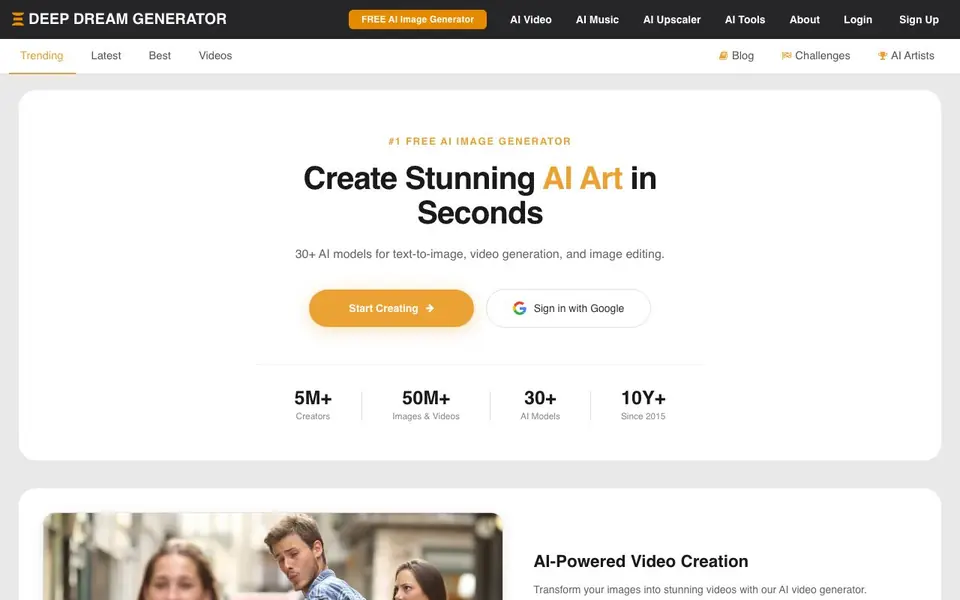
Deep Dream Generator is an AI-powered platform where you can create images and videos using neural networks. It offers over 30 AI models for text-to-image generation, image editing, and video creation. The platform also hosts a community of AI artists who share their creations and inspire each other.
To get started, you can begin creating immediately without signing up. You type a text prompt, choose a model, and generate an image. You can also upload your own images to edit or animate them into videos. Free users receive energy to generate images, and subscription plans offer more generations and advanced features.
The platform suits hobbyists, artists, and anyone exploring AI creativity. It has been around since 2015 and boasts over 5 million creators and 50 million images and videos. You can browse community creations, join challenges, and learn from blog posts with tips and tested models.
Deep Dream Generator features
- 30+ AI models: Choose from models like Nano Banana, Flux, Stable Diffusion, DALL-E, and Ideogram for different styles.
- AI video generation: Transform static images into dynamic videos using models like Veo 3, Kling, and Sora 2.
- AI image editing: Edit existing images with AI tools to enhance or alter them.
- AI upscaler: Increase the resolution of your images for sharper details.
- Community gallery: Browse and try creations from other artists, and share your own work.
What you can do with Deep Dream Generator
- Generate unique artwork from text prompts for personal projects.
- Animate your AI-generated images into short videos.
- Edit and upscale existing photos to improve their quality.
- Explore community creations to find inspiration and new styles.
How to get started with Deep Dream Generator
- Go to the Deep Dream Generator website and start creating without signing up.
- Type a text prompt or upload an image, then choose an AI model.
- Generate your image or video, then save or share it with the community.
Tips for better results with Deep Dream Generator
- Start with a detailed text prompt that describes subject, style, lighting, and composition, then experiment with different models like Nano Banana or Flux to see which matches your vision best.
- Use Deep Dream Generator's community gallery to find images you like, click Try on them, and study the exact prompts and models used to learn what works for your own creations.
- Upload your own photos and apply the AI upscaler to improve resolution before editing or animating, since sharper source images often produce cleaner final results.
- Generate multiple variations of the same prompt by tweaking wording or switching models, then compare outputs side by side to pick the strongest result before spending more energy.
Deep Dream Generator pricing
Deep Dream Generator has a free way to start, with paid plans for heavier use. Check deepdreamgenerator.com for current limits and prices.
What to check before you rely on Deep Dream Generator
- Check your free energy balance and how many generations it covers, since the website does not state specific daily or monthly limits for free users.
- Verify whether the tool's free tier includes commercial use rights for your images, as the site does not clearly explain licensing terms.
- Confirm that your browser and device support the platform's video and upscaling features, and test export formats like file type and resolution before relying on them for final work.
Who Deep Dream Generator is for
Deep Dream Generator suits hobbyist artists, digital creators and AI enthusiasts. If that is not you, the AI image generators below may fit better.
Similar tools compared with Deep Dream Generator
| Tool | What it is | Pricing |
|---|---|---|
| Deep Dream Generator | AI art and video creation platform | Freemium |
| SiImageGen | AI image generator and photo editor | Freemium |
| FreeSiTools | Free AI image prompt generator | Free |
| SiPhotoEditor | AI photo editor by description | Paid |
| Civitai | AI art community and model library | Freemium |
Deep Dream Generator FAQ
Is Deep Dream Generator free to use?
Yes, you can start creating AI images for free without signing up. Free users receive energy to generate images. For more generations and advanced features, there are subscription plans.
What AI models are available?
Deep Dream Generator offers over 30 AI models for images, including Nano Banana, SeeDream, Flux, Stable Diffusion, DALL-E, and Ideogram. For video, it supports Veo 3, Kling, Sora 2, and more.
Can I create AI videos with this tool?
Yes, the AI video generator lets you transform static images into dynamic videos. You can animate your AI-generated artwork or upload your own images to bring them to life.
Do I need to sign up to use it?
No, you can start creating without signing up. However, signing in with Google may give you access to additional features or let you save and share your creations.
What can Deep Dream Generator export or connect to?
Deep Dream Generator lets you download your generated images and videos directly from the site. The website does not mention exporting to external apps or connecting to other platforms. For details on available export options, check your account settings or the help section on the site.
Does Deep Dream Generator run on mobile devices?
Deep Dream Generator is a web-based platform, so you can access it through a browser on your phone or tablet. The website does not mention dedicated mobile apps. For the best experience, use a modern browser and check the site's help pages for any device-specific guidance.
What does the free plan on Deep Dream Generator include?
Deep Dream Generator's free plan gives you energy to generate images without signing up. You can use over 30 AI models, edit and upscale images, and create videos, but free energy is limited. For exact limits and what's included, visit the pricing page on the website.


