

What is cookAIfood?
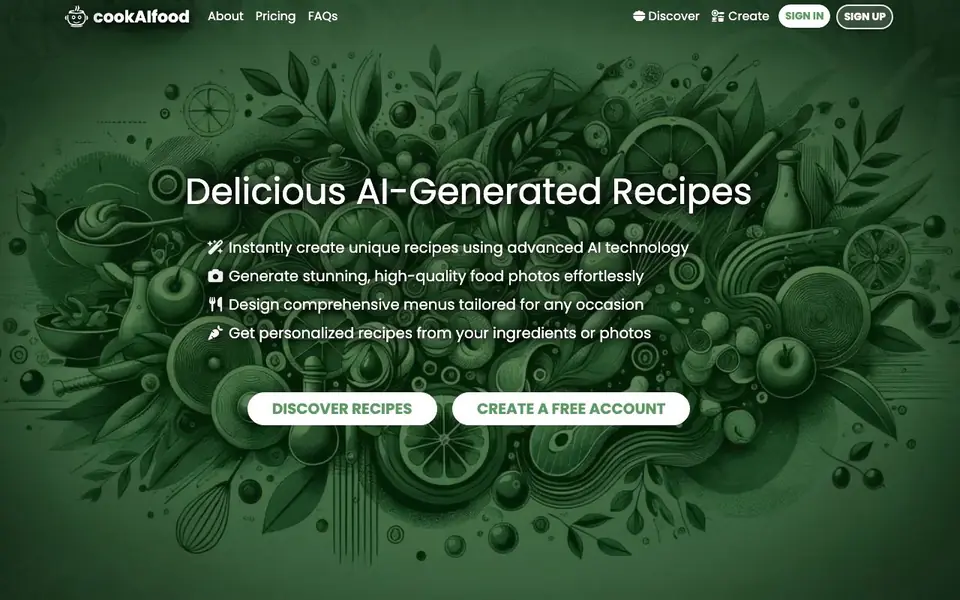
cookAIfood is an AI-powered platform that helps you discover and create unique recipes. You can explore hundreds of AI-generated dishes, from quick meals to desserts, or craft your own by entering names, descriptions, ingredients, and cuisines. The AI can also make selections for you, simplifying the creative process.
To get started, you can upload a photo of a dish, ingredients, or even your refrigerator, and the AI will generate a recipe based on what it sees. You can design full menus for events like dinner parties, generate high-definition food photos, and use advanced tools to calculate ingredients, find nearby restaurants offering your recipes, export recipes to PDF, and download images.
cookAIfood suits home cooks, food bloggers, and professional chefs looking for inspiration or menu development. The platform has a free plan with 3 monthly credits, and paid packages start at $5 for 100 credits. Future tools include weekly menu planning and nutritional information, though these are still under development.
cookAIfood features
- Recipe discovery: Browse hundreds of AI-generated recipes across categories like quick meals and desserts.
- Recipe creation: Input your own recipe details or let the AI choose ingredients, cuisines, and descriptions.
- Photo-to-recipe: Upload a photo of a dish or ingredients, and the AI generates a matching recipe.
- Menu design: Create full menus for events, from intimate dinners to large parties, with tailored dishes.
- HD image generation: Produce high-quality food photos using advanced AI models like Flux-2 and Nano Banana 2.
What you can do with cookAIfood
- Generate a recipe from a photo of your refrigerator's contents.
- Design a three-course menu for a dinner party with AI assistance.
- Create unique dishes for a food blog with HD images.
- Calculate ingredient quantities for a recipe you've created.
How to get started with cookAIfood
- Sign up for a free account to receive 3 free credits.
- Explore existing recipes or click 'Create' to start generating your own.
- Upload a photo or enter ingredients, then let the AI craft your recipe and images.
Tips for better results with cookAIfood
- Upload a clear photo of your ingredients or fridge contents to cookAIfood, and the AI will generate a recipe based on what it sees. Better photos lead to more accurate results.
- When creating a recipe manually in cookAIfood, provide specific names, descriptions, and cuisines. The more detail you give, the more tailored the AI-generated dish will be.
- Use cookAIfood's HD image generation with models like Flux-2 or Nano Banana 2 to get photorealistic food photos. Choose the model that fits your need for speed or detail.
- Design full menus for events by specifying the occasion and number of courses. cookAIfood will suggest dishes that fit the theme, saving you planning time.
cookAIfood pricing
cookAIfood has a free way to start, with paid plans for heavier use. Check cookaifood.com for current limits and prices.
What to check before you rely on cookAIfood
- Check your credit balance before starting. The free plan gives you only 3 monthly credits, and paid packages start at $5 for 100 credits, but the website does not list exact credit costs per feature.
- Verify that the recipe generation from photos works as expected for your use case. The website does not state any limits on photo uploads or file formats.
- Confirm that the advanced tools you need, like PDF export or restaurant finder, are available on your plan. The website does not specify which features are free versus paid.
Who cookAIfood is for
cookAIfood suits home cooks, food bloggers and professional chefs. If that is not you, the AI tools for students below may fit better.
Similar tools compared with cookAIfood
| Tool | What it is | Pricing |
|---|---|---|
| cookAIfood | AI recipe generator and menu planner | Freemium |
| Gauth | AI homework helper with step-by-step answers | Freemium |
| Khanmigo | AI teaching assistant and tutor | Freemium |
| ChatPDF | AI chat and summarizer for PDFs | Freemium |
| Jenni AI | AI academic writing and research assistant | Freemium |
cookAIfood FAQ
How does the credit system work on cookAIfood?
You get 3 free credits when you sign up, and 3 more each month on the free plan. Paid packages offer 100 credits for $5, 225 for $10, and 500 for $20. Basic recipes cost 1 credit, while advanced recipes with HD images cost 3 credits.
Can I generate recipes from photos?
Yes. You can upload a photo of a dish, ingredients, or your refrigerator, and the AI will create a recipe based on what it sees. This feature is available on both free and paid plans.
Who is cookAIfood best suited for?
It's designed for home cooks, food bloggers, and professional chefs. Food bloggers can use it for recipe ideas and HD photos, while chefs can use it for menu development and inspiration.
What payment methods are accepted?
The website lists payment methods as a FAQ question but does not specify which ones are accepted. You can check the FAQs section on cookAIfood's website for details.
Can cookAIfood export recipes to PDF and download images?
Yes, cookAIfood includes advanced tools that let you export recipes to PDF and download recipe images. These features are part of the platform's toolset, so you can save and share your creations easily. For more details, check the pricing page or your account settings.
Does cookAIfood have a free plan and what does it include?
cookAIfood offers a free plan that gives you 3 monthly credits. With these credits, you can generate recipes, create images, and use other features, though advanced tools may consume credits. Paid packages start at $5 for 100 credits, so you can upgrade when you need more.
Can cookAIfood help me find nearby restaurants that serve my recipes?
Yes, cookAIfood includes an advanced tool that can find nearby restaurants offering your chosen recipes. This feature is part of the platform's toolkit, though it may depend on your location and restaurant data. Check the website's feature list for more information.


