
What is ColoringBook AI?
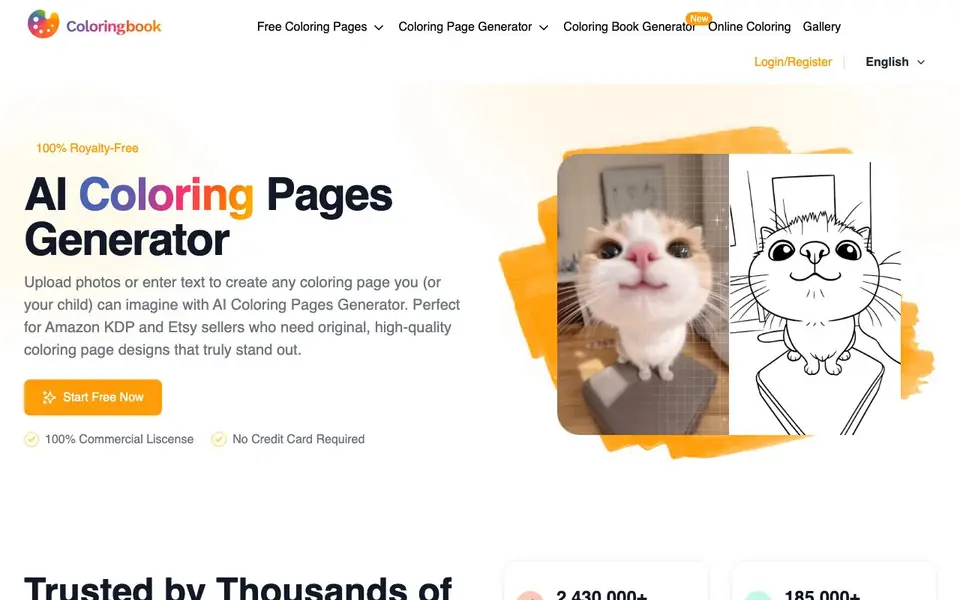
ColoringBook AI is a web-based tool that creates coloring pages from your text descriptions or uploaded photos. It also offers a coloring book generator for multi-page stories and a colorize feature for adding colors to line drawings. The platform is aimed at parents, teachers, and sellers who need original designs quickly.
You start by typing a description or uploading a photo. The AI then produces a clean, print-ready coloring page with crisp lines. You can choose age-specific styles, canvas formats, and templates. For bigger projects, batch mode lets you generate multiple pages or an entire book in one click, with consistent characters and a flowing story.
This tool suits Amazon KDP and Etsy sellers who need commercial-use designs, as well as anyone making personalized gifts or activities. The site mentions a free start with no credit card required, and over 350,000 users have created collections. It supports PDF and PNG downloads, and you can remove borders or watermarks and upscale images for professional printing.
ColoringBook AI features
- Text to Coloring Page: Describe any idea and get a clean, artistic coloring page ready to print or download.
- Photo to Coloring Page: Upload a photo of a pet, family member, or object to turn it into a line drawing.
- Coloring Book Generator: Create up to a 200-page coloring book with a consistent story and characters in one click.
- Batch Generation: Generate multiple coloring pages or full books at once to save time on repetitive work.
- Colorize Drawing: Turn black-and-white sketches into colored art using styles like watercolor, crayon, or marker.
What you can do with ColoringBook AI
- Create original coloring pages for your Amazon KDP books in minutes.
- Turn customer photos into personalized coloring pages for your print-on-demand store.
- Generate a multi-page coloring book with a consistent story for a gift or sale.
- Colorize a child's line drawing with different artistic styles for fun.
How to get started with ColoringBook AI
- Go to the ColoringBook AI website and start with the free option—no credit card is required.
- Enter a text description or upload a photo to generate your first coloring page.
- Choose your preferred style, format, and then download as PDF or PNG, or use batch mode for a full book.
Tips for better results with ColoringBook AI
- Describe your idea with specific details like subject, pose, and background to get cleaner lines and fewer unwanted elements in your coloring page.
- Upload a high-resolution photo with good lighting and a clear subject to improve the accuracy of the photo-to-coloring-page conversion.
- Use ColoringBook AI's batch mode to generate multiple pages at once, ensuring consistent characters and styles across your entire coloring book project.
- Experiment with different age-specific styles and canvas formats in ColoringBook AI to match the complexity and size to your intended audience or print requirements.
ColoringBook AI pricing
ColoringBook AI has a free way to start, with paid plans for heavier use. Check coloringbook.ai for current limits and prices.
What to check before you rely on ColoringBook AI
- Verify the free plan's page limits and whether watermarks are removed only on paid tiers, as the website does not specify these details clearly.
- Confirm the exact pricing for commercial use and any subscription costs, since the site only says 'freemium' and does not list prices.
- Check if your intended export format, such as PDF or PNG, is available on the free tier, as the site mentions these formats but not their access conditions.
Who ColoringBook AI is for
ColoringBook AI suits Amazon KDP sellers, Etsy sellers, parents and teachers. If that is not you, the AI image generators below may fit better.
Similar tools compared with ColoringBook AI
| Tool | What it is | Pricing |
|---|---|---|
| ColoringBook AI | AI coloring page and book generator | Freemium |
| SiImageGen | AI image generator and photo editor | Freemium |
| FreeSiTools | Free AI image prompt generator | Free |
| SiPhotoEditor | AI photo editor by description | Paid |
| Civitai | AI art community and model library | Freemium |
ColoringBook AI FAQ
Is ColoringBook AI free to use?
The website says you can start free with no credit card required, and it mentions free coloring pages. It also offers paid features like batch generation and watermark removal, so it's a freemium model.
Can I use the coloring pages commercially?
Yes, the site states a 100% commercial license and royalty-free usage. This is especially useful for sellers on Amazon KDP and Etsy who need original designs for products.
How do I create a coloring book with multiple pages?
Use the AI Coloring Book Generator. You provide a character and story outline, and the tool creates up to a 200-page book with consistent characters and a flowing story in one click.
What file formats can I download?
The site supports PDF and PNG downloads for coloring pages. It also mentions upscaling for print-ready quality and options to remove borders or watermarks.
Does ColoringBook AI require an account to use?
ColoringBook AI is a web-based tool, so you access it through a browser. The website mentions a login and register section, but it does not specify whether an account is mandatory for all features. To find out if you can try it without signing up, check the site's sign-up flow.
Can I use ColoringBook AI on my phone or tablet?
ColoringBook AI is a web-based tool, so it runs in any browser, including those on phones and tablets. The website does not mention dedicated mobile apps, but you can likely use it on mobile devices through the browser. For the best experience, check the site for any device-specific notes.
What does the free plan of ColoringBook AI include?
ColoringBook AI offers a free start with no credit card required, and over 320,000 users have used free coloring pages. The website does not list exact limits for the free plan, such as number of downloads or features. To see what's included, check the pricing or sign-up page on the site.


