

What is ColorArt?
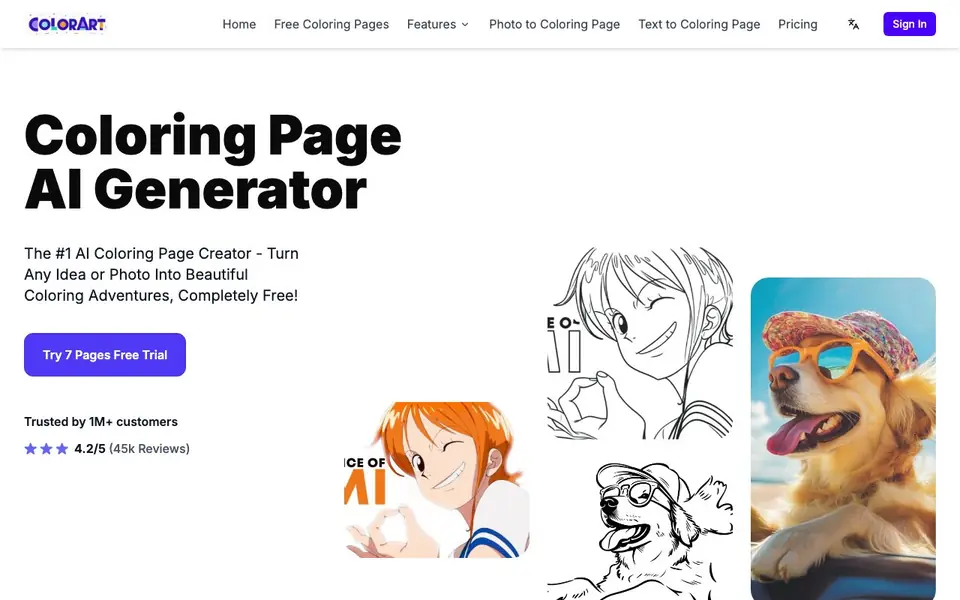
ColorArt is an AI coloring page generator that creates printable line art from text prompts or photos. You can type any idea, like a dinosaur having a tea party, and get a clean coloring page in seconds. Or upload a family photo and the AI detects the outlines, turning it into a colorable page while keeping the details that matter.
You start by choosing text-to-coloring or photo-to-coloring. Describe your concept in plain words, or upload an image. The AI generates the page, and you can use the editor to refine it. For bigger projects, batch generation lets you produce multiple pages at once, and a character library keeps the same character consistent across a series. The KDP builder composes pages into a print-ready coloring book with export files that pass Amazon KDP approval.
ColorArt suits parents making activities for kids, teachers preparing classroom packs, and creators selling coloring books on Etsy or Amazon. The free trial gives you 7 pages to test it. Paid plans start at $6.99 per month for 1,500 credits (about 150 pages), with commercial use included from the Starter plan up. Higher tiers add features like 4K downloads, background removal, and priority support.
ColorArt features
- Text to coloring page: Type any description and generate a clean, printable coloring page instantly.
- Photo to coloring page: Convert any photo into bold, colorable outlines while keeping important details.
- Batch generation: Produce multiple pages in one run for activity packs, classrooms, or full books.
- Consistent characters: Build a character library and reuse the same character across an entire series.
- Amazon KDP builder: Compose pages into a print-ready book and export files that pass Amazon KDP approval.
What you can do with ColorArt
- Create custom coloring pages from your child's favorite cartoon characters or imaginary scenes.
- Turn family photos into coloring activities that capture special moments like a toddler's first smile.
- Generate themed coloring packs for classroom use or kids' party activities in bulk.
- Build and publish a coloring book on Amazon KDP with print-ready files and consistent characters.
How to get started with ColorArt
- Sign in and start with a free trial of 7 pages to test the generator.
- Choose text-to-coloring and type your idea, or upload a photo to convert it.
- Use the editor to refine, then download or export your pages for printing or publishing.
Tips for better results with ColorArt
- Write detailed, specific prompts for text-to-coloring, like 'a dinosaur having a tea party with a teapot and cups,' to get cleaner outlines and more usable pages from ColorArt.
- Upload high-resolution photos with clear subjects and good contrast when using photo-to-coloring, so ColorArt can detect accurate outlines and preserve the details you care about.
- Use the character library in ColorArt to lock in a consistent character design across multiple pages, which is essential when building a series or a full coloring book.
- Test the KDP builder with a few pages early in your project, so you can verify the export files meet Amazon's requirements before committing to a full book with ColorArt.
ColorArt pricing
ColorArt has a free way to start, with paid plans for heavier use. Check colorart.ai for current limits and prices.
What to check before you rely on ColorArt
- Check whether the free trial's 7 pages are enough for your intended use, and confirm what happens to your generated pages after the trial ends.
- Verify if the Starter plan's 1,500 credits per month covers your expected page output, and note that pricing for higher tiers is not listed on the website.
- Review the privacy policy to see how uploaded photos are handled, since the website does not clearly state data retention or usage terms for your images.
Who ColorArt is for
ColorArt suits parents, teachers, coloring book creators and small business owners. If that is not you, the AI image generators below may fit better.
Similar tools compared with ColorArt
| Tool | What it is | Pricing |
|---|---|---|
| ColorArt | AI coloring page generator from text or photos | Freemium |
| SiImageGen | AI image generator and photo editor | Freemium |
| FreeSiTools | Free AI image prompt generator | Free |
| SiPhotoEditor | AI photo editor by description | Paid |
| Civitai | AI art community and model library | Freemium |
ColorArt FAQ
Is ColorArt free to use?
ColorArt offers a free trial of 7 pages. After that, paid plans start at $6.99 per month for 1,500 credits (about 150 pages). There's no permanent free plan mentioned on the site.
Can I sell coloring pages I make with ColorArt?
Yes. Commercial use is included in all paid plans, from Starter up. You can sell what you make on Etsy, KDP, or as merch. The free trial doesn't mention commercial rights.
How does photo to coloring page work?
You upload a photo, and the AI detects the outlines to create a coloring page. It keeps the details that matter, like facial expressions or scenery, so your memories become a colorable activity.
Can I make a full coloring book with ColorArt?
Yes. The KDP builder lets you compose pages into a print-ready coloring book and export files that pass Amazon KDP approval. You can also add special pages like title or dedication pages.
Does ColorArt run on my phone or tablet?
The ColorArt website does not mention a dedicated mobile app. You can use ColorArt in a web browser on any device, including phones and tablets, but for the best experience, a larger screen is recommended. Check the site's help or support pages for more details.
What file formats can I export from ColorArt?
ColorArt's website mentions export files that pass Amazon KDP approval, but it does not specify the exact file formats. For print-ready books, common formats like PDF are likely, but to be sure, check the editor's export options or contact support.
Does ColorArt require an account to use the free trial?
The ColorArt website does not explicitly state whether an account is needed for the free trial. Typically, such trials require signing up, but you can start with the 7-page free trial and see if you're prompted to create an account. Check the sign-in page for details.


