

What is Baby Generator?
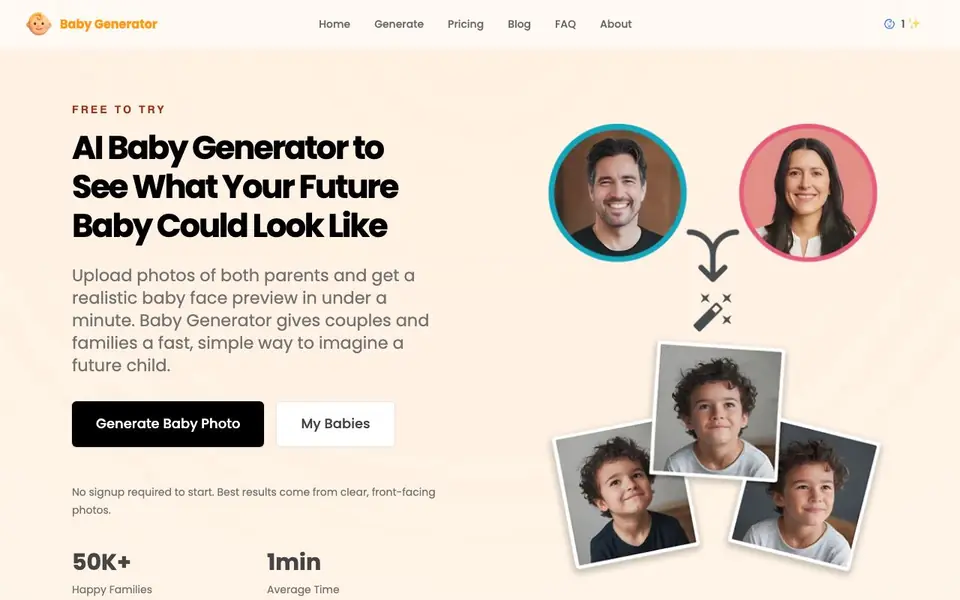
Baby Generator is a web tool that creates a preview of what a future baby could look like. You upload one clear photo of each parent, and the AI analyzes visible facial features to build a believable baby face image. It is designed for fun, curiosity, and sharing, not for scientific prediction.
To start, you upload two front-facing photos with good lighting. The tool compares facial structure, proportions, and details from both images. In under a minute, you get a baby face preview you can save, compare, or share. No signup is required to begin.
It suits couples, families, or anyone curious about a possible future child. The free plan gives you one low-resolution generation. Paid plans offer more generations in HD, plus options to choose gender and age stage. Best results come from recent, bright, front-facing photos with minimal obstructions.
Baby Generator features
- Smart Photo Analysis: Creates a baby face preview based on visible facial traits from two parent photos.
- Fast Baby Preview: Most generations are ready in under a minute, so you can try different photo pairs quickly.
- Natural-Looking Results: Aims for a believable, warm, and soft baby face preview that feels easy to imagine.
- Simple to Use: Upload two photos, generate your result, and keep the process straightforward from start to finish.
- Gender and Age Options: Paid plans let you choose boy or girl and select an age stage for the preview.
What you can do with Baby Generator
- Upload two parent photos to see a possible baby face preview.
- Try different photo pairs to compare how results change.
- Share the generated baby image with your partner or family.
- Use the free plan to test one generation before buying more.
How to get started with Baby Generator
- Upload one clear, front-facing photo of each parent.
- Let the AI analyze visible facial features from both photos.
- Get your baby face preview in under a minute and save or share it.
Tips for better results with Baby Generator
- Use recent, bright, front-facing photos of both parents with neutral expressions and minimal obstructions for the most natural Baby Generator result.
- Match the framing and lighting between the two parent photos so Baby Generator can compare facial structure and proportions more accurately.
- Start with the free plan to test one generation, then upgrade if you want HD results, gender choice, or age stage options.
- Try different photo pairs to see how the preview changes, and save or share the image you like best from Baby Generator.
Baby Generator pricing
Baby Generator has a free way to start, with paid plans for heavier use. Check baby-generator.ai for current limits and prices.
What to check before you rely on Baby Generator
- Check the free plan limits: it gives one low-resolution generation, but the website does not state how many paid generations you get per plan.
- Verify whether your photos are stored or deleted after generation, since the website does not mention data retention or privacy policies.
- Confirm the export formats and resolution available on the free plan, as the website only says paid plans offer HD without listing specific file types.
Who Baby Generator is for
Baby Generator suits couples, families and curious users. If that is not you, the AI image generators below may fit better.
Similar tools compared with Baby Generator
| Tool | What it is | Pricing |
|---|---|---|
| Baby Generator | AI baby face preview generator | Freemium |
| SiImageGen | AI image generator and photo editor | Freemium |
| FreeSiTools | Free AI image prompt generator | Free |
| SiPhotoEditor | AI photo editor by description | Paid |
| Civitai | AI art community and model library | Freemium |
Baby Generator FAQ
What will my baby look like?
The tool gives a visual AI preview based on two parent photos, not a scientific prediction. For a detailed explanation, check the What Will My Baby Look Like guide on Baby Generator's website.
What photos work best?
Clear, front-facing photos with good lighting and minimal obstructions work best. Recent photos with a neutral expression and balanced light usually produce the most natural-looking result.
Is this a scientific prediction?
No. Baby Generator is built for fun, curiosity, and sharing. It creates a visual preview based on visible facial features, but it is not a scientific or genetic prediction.
Is there a free plan?
Yes. The free plan gives you one generation at low resolution with email support. Paid plans start at $5.99 one-time for 10 HD generations, and the Premium plan offers 30 generations for $8.99.
Does Baby Generator require me to create an account or sign up?
No, Baby Generator does not require you to sign up to start. You can upload photos and generate a preview without creating an account. The website states that no signup is required to begin, so you can try the free plan right away.
What can I do with the baby preview image after Baby Generator creates it?
After Baby Generator creates your baby preview, you can save it, compare it with other results, or share it with your partner or family. The website mentions these options in the steps and use cases, so you have flexibility in how you use the generated image.
Does Baby Generator offer a free plan, and what does it include?
Yes, Baby Generator has a free plan that gives you one low-resolution generation. The website lists this in the pricing section and in the FAQ. If you want more generations in HD or options to choose gender and age stage, you would need a paid plan.


