

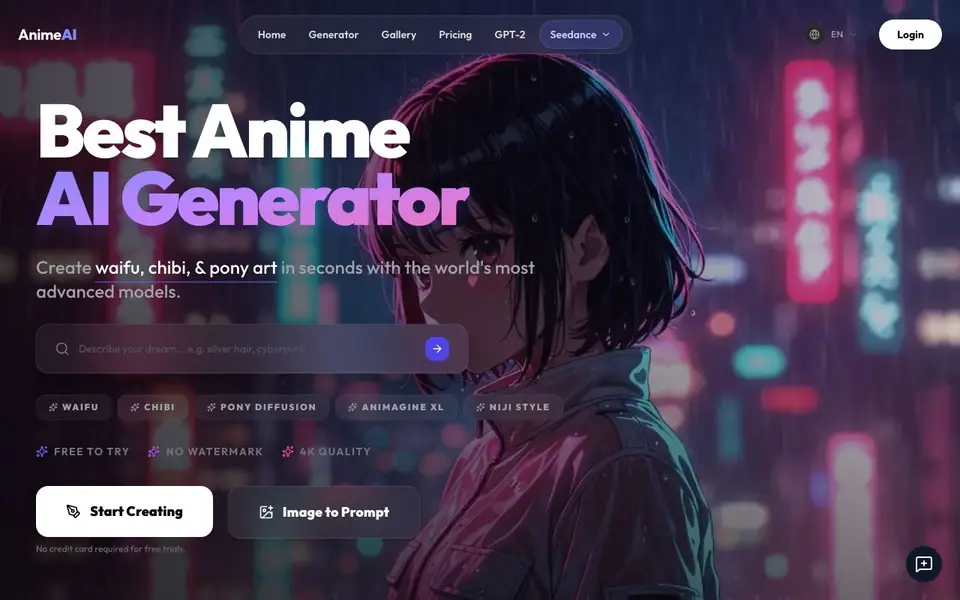
What is AnimeAI?
AnimeAI is a specialized AI image generator focused on anime and manga-style artwork. It lets you create waifus, chibis, pony-style art, cyberpunk scenes, and more using advanced models like Animagine XL and Pony Diffusion V6. The platform is free to try with no watermark on your creations and supports 4K quality output.
Getting started is simple. You describe your vision by typing a prompt or using the smart assistant to craft one. Then you pick a premium model or style from the curated list. After generating, you can upscale, vary, or download your artwork. The site also offers a prompt library with ready-to-use examples for game assets, sprite sheets, and professional character designs.
AnimeAI suits both beginners and pro creators. You can generate full-body characters, consistent character designs, and even photo-to-anime conversions. The platform is optimized for mobile use on iOS and Android. Commercial rights are included, so you own your creations. An anime video workflow is in beta, available by waitlist in supported regions.
AnimeAI features
- Free to try: Generate anime art without a credit card or login required.
- No watermark: Your creations come out clean without any watermark overlay.
- 4K quality: Produce high-resolution anime illustrations with sharp details.
- Advanced models: Access premium models like Animagine XL and Pony Diffusion V6.
- Prompt library: Copy curated prompts for game assets, sprite sheets, and more.
What you can do with AnimeAI
- Create waifu and chibi characters from text prompts.
- Generate consistent character designs for games or comics.
- Transform photos into anime-style portraits.
- Produce cyberpunk or fantasy anime scenes for wallpapers.
How to get started with AnimeAI
- Type a prompt or use the smart assistant to describe your vision.
- Select a premium anime model or style from the curated list.
- Generate, then upscale, vary, or download your high-resolution artwork.
Tips for better results with AnimeAI
- Use the prompt library to copy curated examples, then tweak details like lighting or background to match your vision and save time.
- Start with a clear subject and style in your prompt, such as 'waifu portrait, cyberpunk,' to get sharper results from AnimeAI's models.
- Generate multiple variations of your character by using the vary feature, then pick the best one to upscale for final artwork.
- For consistent character designs, describe the same features in every prompt, like hair color and outfit, to keep AnimeAI outputs aligned.
AnimeAI pricing
AnimeAI has a free way to start, with paid plans for heavier use. Check genanime.art for current limits and prices.
What to check before you rely on AnimeAI
- Check the pricing page for actual plan costs and limits, since the site labels AnimeAI as freemium but does not list specific details.
- Verify what the free tier includes beyond no watermark and 4K output, as the site does not state generation limits or resolution caps.
- Confirm data and privacy practices for your prompts and images, because the site does not mention how your creations are stored or used.
Who AnimeAI is for
AnimeAI suits anime artists, game developers, content creators and hobbyists. If that is not you, the AI image generators below may fit better.
Similar tools compared with AnimeAI
| Tool | What it is | Pricing |
|---|---|---|
| AnimeAI | AI anime art and image generator | Freemium |
| SiImageGen | AI image generator and photo editor | Freemium |
| FreeSiTools | Free AI image prompt generator | Free |
| SiPhotoEditor | AI photo editor by description | Paid |
| Civitai | AI art community and model library | Freemium |
AnimeAI FAQ
Is AnimeAI free to use?
Yes, the site says it is free to try with no credit card required for free trials. It also mentions no watermark on creations. There is a pricing page, so paid plans likely exist for advanced features.
Can I use the generated anime art commercially?
Yes, the website states you get full ownership of your creations for commercial projects. This means you can use the art in products, games, or other business ventures without issues.
Do I need to create an account to generate images?
No, the homepage says you can create anime art for free with no login required. You can start generating right away without signing up.
What anime styles and models are available?
AnimeAI offers models like Animagine XL and Pony Diffusion V6, plus styles for waifu, chibi, niji, and cyberpunk. The prompt library is updated daily with new styles and models.
What can AnimeAI export or connect to?
AnimeAI lets you download your generated artwork directly, and you can upscale or vary images before saving. The website does not mention exporting to other apps or connecting to external platforms. For specific export options, check the generator or download area on the site.
What devices or platforms does AnimeAI run on?
AnimeAI is fully optimized for mobile use on iOS and Android devices, so you can create on your phone or tablet. It also works in a web browser on desktop. The website does not list dedicated desktop apps, but you can access it through any modern browser.
What does the free plan on AnimeAI include?
The free plan on AnimeAI lets you generate anime art without a credit card or login, and your creations come with no watermark. You can try the generator and use the prompt library for free. The website does not specify limits on the number of images or resolution for free users, so check the pricing page for details.


