

What is Allex?
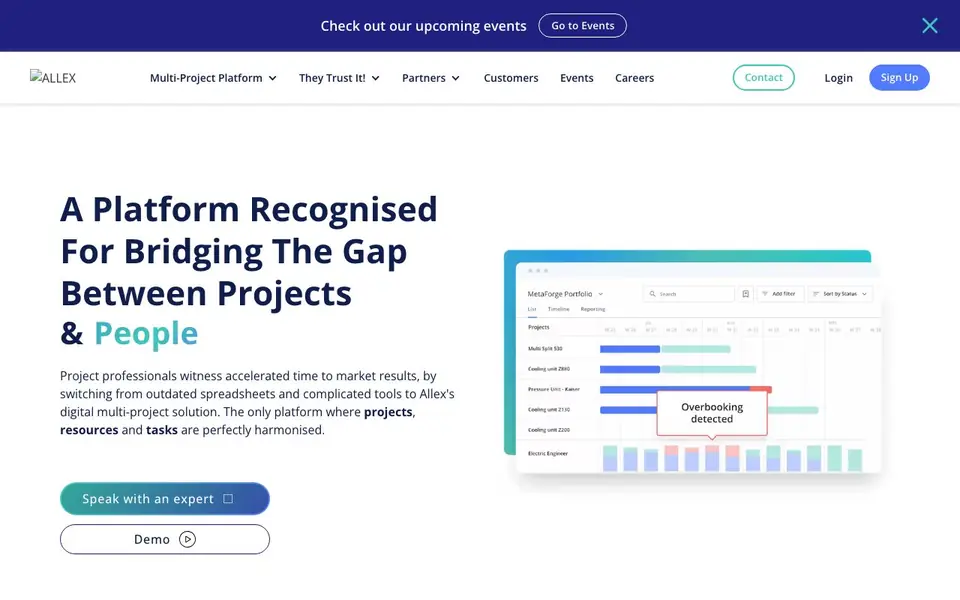
Allex is a digital platform for managing complex, multi-project environments. It replaces spreadsheets and complicated tools by bringing projects, resources, and tasks into one harmonized system. The platform is built for teams that juggle multiple projects at once and need a clear view of who does what, when, and where.
You start by setting up your projects and teams. The AI Assistant can generate projects, tasks, and resources in seconds, so you spend less time on setup. You then get an overview of capacities, spot bottlenecks early, and check new project requests against your current workload. The platform supports different methodologies, from CCPM to Agile, and gives early warning indicators to guide decisions.
Allex suits companies that work with external suppliers and stakeholders, as it supports collaboration across organizational boundaries. It also integrates with most ERP systems, so project data flows to other departments. The website mentions over 10,000 professional users worldwide and offers a free trial, but does not state specific pricing details.
Allex features
- AI Assistant: Generates projects, tasks, and resources in seconds to speed up setup.
- Capacity planning: Lets you securely plan for future workloads and spot bottlenecks early.
- Project overview: Shows who does what, where, and when across all your projects.
- External collaboration: Connects internal teams with suppliers and stakeholders in one place.
- ERP integration: Works with most ERP systems to share project data across departments.
What you can do with Allex
- Plan resources across multiple projects to avoid overloading your team.
- Check new project requests against current capacity before committing.
- Coordinate with external suppliers and stakeholders on shared timelines.
- Switch from spreadsheets to a centralized platform for complex project portfolios.
How to get started with Allex
- Sign up for a free trial on the Allex website.
- Set up your projects, teams, and resources in the platform.
- Use the AI Assistant to generate tasks and resources, then monitor capacity and progress.
Tips for better results with Allex
- Use Allex's AI Assistant to generate projects, tasks, and resources from your existing spreadsheets, then review and adjust the output to match your team's actual workflow before committing.
- Set up all your projects and teams in Allex first, then use the capacity planning view to spot bottlenecks early and test new project requests against your current workload before you say yes.
- Invite external suppliers and stakeholders into Allex for shared timelines and open dialogue, so you keep everyone aligned without relying on email threads or separate tools.
- Connect Allex to your ERP system so project data flows automatically to other departments, reducing manual updates and keeping your whole organization on the same page.
- Before you rely on Allex for real work, check whether your plan includes the AI Assistant and capacity planning features, since the website does not list specific pricing or plan limits.
- Confirm that Allex supports your preferred methodology, like CCPM or Agile, and that your team can export data in the formats you need, as the website does not state export options.
- Verify how Allex handles data privacy and security for your projects, especially when collaborating with external parties, because the website does not detail its data protection policies.
Allex pricing
Allex has a free way to start, with paid plans for heavier use. Check allex.ai for current limits and prices.
What to check before you rely on Allex
- Check if your free plan includes the AI Assistant and capacity planning, as the website does not list specific plan features or limits.
- Verify that Allex integrates with your specific ERP system, since the website only says 'most' ERP systems without naming them.
- Confirm data export formats and privacy policies before loading sensitive project data, as the website does not state these details.
Who Allex is for
Allex suits project managers, operations teams, multi-project organizations and manufacturing companies. If that is not you, the AI business tools below may fit better.
Similar tools compared with Allex
| Tool | What it is | Pricing |
|---|---|---|
| Allex | AI-supported multi-project management platform | Freemium |
| Tidio | AI customer service and sales platform | Freemium |
| Chatbase | AI customer experience and support agents | Free trial |
| Copy.ai | AI-native go-to-market platform | See website |
| Harvey | AI platform for legal and professional services | See website |
Allex FAQ
What does Allex do?
Allex is an AI-supported project management platform for complex, multi-project environments. It helps you plan projects, resources, and tasks in one place, replacing spreadsheets and complicated tools. You get a full overview of who does what and when.
Is Allex free?
The website says "Get Started, It's Free!" and offers a free trial. It also mentions a pricing page in the navigation. So there is likely a free plan or trial, but the site does not state specific pricing details.
Who is Allex for?
Allex is for companies managing multiple projects at once, especially those working with external suppliers and stakeholders. It suits project managers, operations teams, and organizations that need to coordinate resources across departments and methodologies.
Can Allex integrate with other systems?
Yes, Allex integrates with most ERP systems. This lets project data reach stakeholders across multiple departments, so non-project teams can keep using the systems they are familiar with while staying aligned on project timelines.
Does Allex have a mobile app or work on tablets?
The Allex website does not mention a dedicated mobile app or tablet support. It focuses on the web-based platform for managing projects, resources, and tasks. To confirm if a mobile version is available, check the Allex website's features or contact their team directly.
What does the free plan in Allex include?
Allex offers a free trial, but the website does not specify what the free plan includes or its duration. It highlights that you can get started for free, but for exact limits or features, you would need to sign up or contact Allex directly to see what the free access provides.
Can Allex export data to Excel or other formats?
The Allex website does not mention specific export options like Excel or CSV. It focuses on integrations with ERP systems and internal collaboration. For details on data export capabilities, you should check the Allex website's documentation or reach out to their support team for clarification.


