

What is AI Line Art?
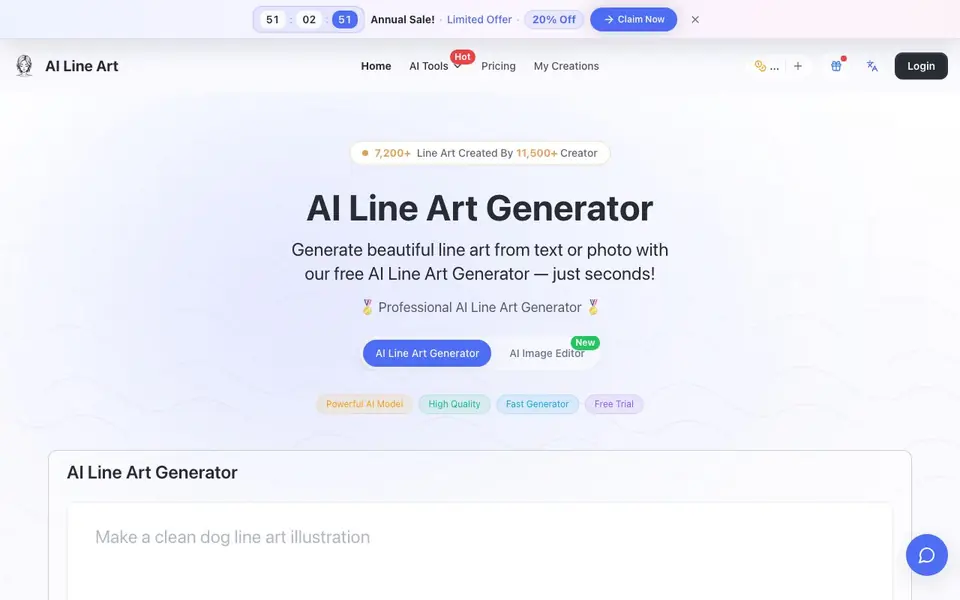
AI Line Art Generator turns your photos or text descriptions into clean line art drawings. It supports styles like sketching, pencil, woodcut, watercolor, and minimalist. You can upload an image as a reference or describe what you want, and the AI handles the technical details.
To use it, you upload a photo or enter a prompt, optionally adjust advanced settings like aspect ratio and lighting, then click generate. The tool extracts edges and key details to produce crisp contours while reducing noise. Results appear in seconds and can be downloaded in high resolution.
This tool suits graphic designers, illustrators, tattoo artists, architects, and fashion designers who need line art for branding, portfolios, or concept sketches. The site mentions a free trial and a free-to-start option, with paid plans available. It also includes an AI image editor feature for further tweaks.
AI Line Art features
- One-Click Generation: Create line art illustrations with a single click, no manual tracing or cleanup needed.
- Multiple Art Styles: Choose from sketching, pencil, woodcut, watercolor, or minimalist looks for your output.
- Image Upload Support: Feed your own photos as references to transform them into line art or inspire new compositions.
- Advanced Customization: Adjust prompts, aspect ratios, composition, and lighting to fine-tune your results.
- High-Resolution Export: Download print-ready, high-contrast line drawings for crafts, worksheets, or design projects.
What you can do with AI Line Art
- Convert a portrait photo into a clean line drawing for a tattoo design.
- Generate architectural line sketches from structural photos for early design concepts.
- Create fashion illustrations that capture garment outlines and folds from reference images.
- Produce minimalist line art for branding projects or social media posts.
How to get started with AI Line Art
- Upload a photo or enter a text prompt describing what you want.
- Adjust advanced settings like style, aspect ratio, and lighting if needed.
- Click the generate button and download your high-resolution line art.
Tips for better results with AI Line Art
- Upload a high-contrast photo with clear edges to help AI Line Art extract crisp contours, and reduce background clutter for cleaner results.
- Experiment with the advanced settings like aspect ratio and lighting in AI Line Art to fine-tune composition and match your intended style.
- Try different styles such as sketching or woodcut on the same image in AI Line Art to see which look best fits your project before downloading.
- Use the prompt field to describe specific changes you want, like 'simplify details' or 'emphasize folds', to guide the AI Line Art output.
AI Line Art pricing
AI Line Art has a free way to start, with paid plans for heavier use. Check ailineart.com for current limits and prices.
What to check before you rely on AI Line Art
- Check the free trial limits and what the paid plans include, since the site mentions free-to-start but does not list specific quotas or prices.
- Verify the export formats available for downloaded images, as the site only states high-resolution output without specifying file types.
- Review the privacy policy for how uploaded photos are stored or used, since the site does not state data handling practices.
Who AI Line Art is for
AI Line Art suits graphic designers, illustrators, tattoo artists and architects. If that is not you, the AI image generators below may fit better.
Similar tools compared with AI Line Art
| Tool | What it is | Pricing |
|---|---|---|
| AI Line Art | AI line art generator from text or photo | Freemium |
| SiImageGen | AI image generator and photo editor | Freemium |
| FreeSiTools | Free AI image prompt generator | Free |
| SiPhotoEditor | AI photo editor by description | Paid |
| Civitai | AI art community and model library | Freemium |
AI Line Art FAQ
Can I use my own photos with this tool?
Yes. You can upload an image directly as a reference, and the AI will transform it into line art or use it to inspire new creations with similar composition. The site highlights image upload support as a key feature.
What art styles are available?
The generator supports multiple styles including sketching, pencil, woodcut, watercolor, and minimalist. You can choose the look you want before generating, and advanced settings let you fine-tune the output further.
Is there a free plan or trial?
The site says 'Free to start' and mentions a free trial, with paid plans available. It also shows an annual sale with 20% off. Exact free limits aren't stated on the homepage, so check the pricing page for details.
How fast is the generation process?
The tool is described as a fast generator that delivers results in seconds, not minutes. It uses optimized AI models to ensure high-quality output with minimal waiting time, according to the website.
Can AI Line Art export images in formats other than PNG?
The AI Line Art website mentions PNG as the default output format, but it does not specify other export formats. For details on available export options, check the site's documentation or contact support.
Does AI Line Art work on mobile devices?
The AI Line Art website does not mention specific device support, but it is a web-based tool, so you can likely use it through a mobile browser. For best performance, check the site on your device or contact support.
What does the free plan on AI Line Art include?
AI Line Art offers a free trial and a free-to-start option, but the website does not specify the exact limits of the free plan. To know what's included, visit the pricing page or start using the tool to see what's available.


