

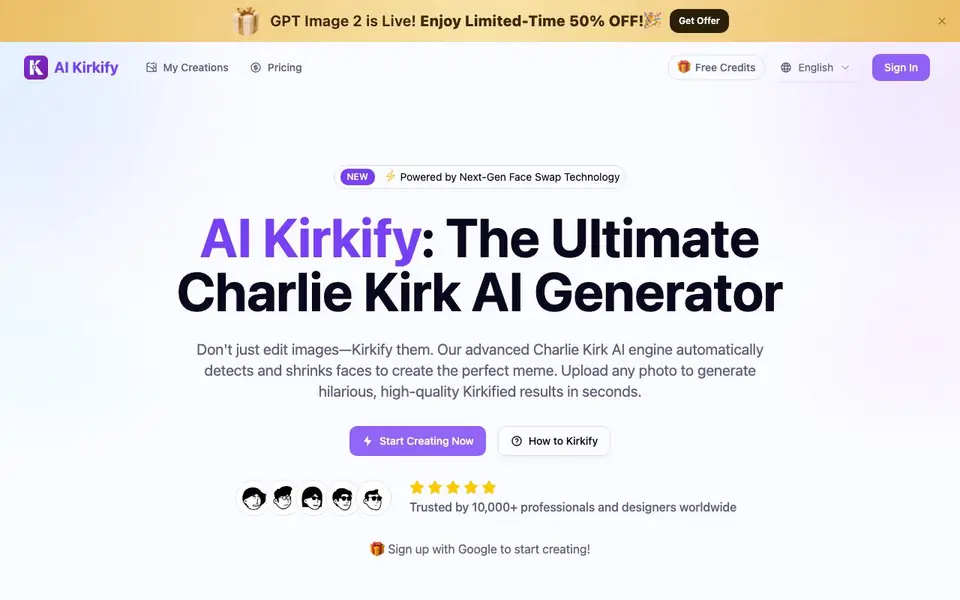
What is AI Kirkify Meme Generator?
AI Kirkify is a specialized face swap tool that turns any portrait into a viral Kirkified meme. It applies the famous 'Tiny Face' effect, shrinking facial features to comical proportions using AI trained on the original viral image style. You don't need Photoshop or complex prompts—just upload a photo and the engine handles the rest.
To use it, you upload a clear portrait in JPG, PNG, or WebP format. The AI automatically detects facial landmarks, applies the Kirkify effect with one click, and lets you download a high-quality, watermark-free result. The process takes seconds, and the tool supports both friends and celebrities in your photos.
This tool suits meme creators, social media users, and anyone who wants to make funny content quickly. The website mentions it is trusted by 10,000+ professionals and designers, and offers free credits to start. It focuses on the Charlie Kirk face template, so it is not a general-purpose face swap tool.
AI Kirkify Meme Generator features
- Smart Face Lock: Automatically detects facial landmarks so the face swap applies perfectly without manual cropping.
- Iconic Tiny Face Effect: Trained on the exact Charlie Kirk face ratio to produce authentic shrunken-face memes.
- Instant Rendering: Cloud-based processing turns your upload into a Kirkified meme in milliseconds.
- HD & Watermark-Free: Download crisp, high-resolution images without any watermarks on your creations.
- No Prompts Needed: Works directly from your photo upload, so you never have to type a description.
What you can do with AI Kirkify Meme Generator
- Create a Kirkified meme of a friend's portrait for a laugh.
- Turn a celebrity photo into a viral tiny face meme for social media.
- Make a personalized meme of yourself to share with your followers.
- Generate a high-quality Kirkified image for a Reddit or Twitter post.
How to get started with AI Kirkify Meme Generator
- Sign up with Google to get free credits and access the generator.
- Upload a clear portrait or headshot in JPG, PNG, or WebP format.
- Click 'Kirkify Now' to apply the effect, then download your watermark-free result.
Tips for better results with AI Kirkify Meme Generator
- Upload a clear, front-facing portrait with good lighting so the AI detects facial landmarks accurately and produces a cleaner Kirkified result without distortion.
- Use AI Kirkify on high-resolution photos to get sharper meme exports; low-quality images may blur the tiny face effect and reduce the final download quality.
- Test AI Kirkify with a friend's photo first to learn how the face ratio looks on different angles, then adjust your uploads for the best comedic impact.
- Pick a photo where the face is large and centered, since AI Kirkify works best when facial features are fully visible and not obstructed by hair or hands.
AI Kirkify Meme Generator pricing
AI Kirkify Meme Generator has a free way to start, with paid plans for heavier use. Check aikirkify.com for current limits and prices.
What to check before you rely on AI Kirkify Meme Generator
- Check your free credit balance before starting, since each Kirkify generation costs 20 credits and the website does not state how many free credits you receive.
- Verify the pricing page for post-free-credit costs, as the site labels the tool freemium but does not list exact paid plan prices or limits.
- Confirm your photo is JPG, PNG, or WebP, and note that the website does not state whether it stores or deletes your uploaded images after processing.
Who AI Kirkify Meme Generator is for
AI Kirkify Meme Generator suits meme creators, social media users, content creators and casual users. If that is not you, the AI image generators below may fit better.
Similar tools compared with AI Kirkify Meme Generator
| Tool | What it is | Pricing |
|---|---|---|
| AI Kirkify Meme Generator | AI face swap meme generator | Freemium |
| SiImageGen | AI image generator and photo editor | Freemium |
| FreeSiTools | Free AI image prompt generator | Free |
| SiPhotoEditor | AI photo editor by description | Paid |
| Civitai | AI art community and model library | Freemium |
AI Kirkify Meme Generator FAQ
What does AI Kirkify do?
It turns any portrait photo into a Kirkified meme by applying the 'Tiny Face' effect, shrinking facial features to comical proportions. You upload a photo, and the AI handles the face swap automatically in seconds.
Is AI Kirkify free to use?
The website offers free credits when you sign up, so you can generate your first meme without paying. There is also a paid pricing page, but the exact costs are not stated on the homepage.
Do I need Photoshop or prompt-writing skills?
No. The tool is designed for zero-skill creation—you just upload a photo and click a button. No complex prompts or manual editing are required.
What image formats are supported?
You can upload JPG, PNG, and WebP files. The system supports clear portraits or headshots for the best face swap results.
What can I do with the AI Kirkify Meme Generator besides making memes of friends?
AI Kirkify Meme Generator is built specifically for creating the Tiny Face effect on portraits. You can also use it on celebrity photos or your own selfies to make viral content for social media. It is not a general-purpose face swap tool, so it only works with the Charlie Kirk face template.
Does AI Kirkify Meme Generator work on my phone or only on a computer?
The AI Kirkify Meme Generator website does not specify whether it works on mobile devices or which operating systems it supports. Since it is a web-based tool, you can try accessing it from your phone's browser, but for the best experience, check the site for any device requirements or contact support if needed.
What does the free plan of AI Kirkify Meme Generator include?
AI Kirkify Meme Generator offers free credits to start, and you can sign up with Google to get them. The free plan likely lets you generate a limited number of memes, but the exact number of credits is not mentioned on the website. For details on what the free plan includes, check the pricing page or your account after signing up.


