

What is Adobe Firefly?
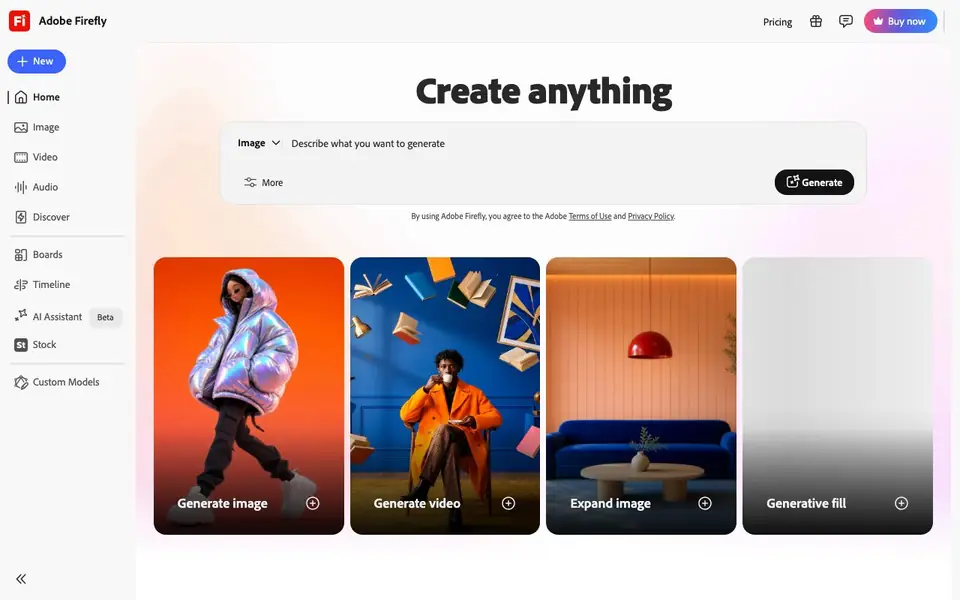
Adobe Firefly is Adobe's generative AI app, available at firefly.adobe.com and built into Photoshop, Illustrator, Express, and other Adobe apps. It lets you create images, video clips, sound effects, and vector graphics from simple text prompts. You can also edit existing images with tools like Generative Fill and Generative Expand, which add or extend content seamlessly.
To use Firefly, you start with a text description or an image you want to edit. The app offers over 30 AI models to choose from, including Adobe's own Firefly models and partner models for certain tasks. You type your prompt, pick a style or model, and Firefly generates the content. For editing, you select an area of an image and use Generative Fill to replace or add elements.
Firefly suits creators, designers, and marketers who want fast, high-quality visuals without starting from scratch. Adobe trains its own models on licensed and public-domain content, positioning them as safe for commercial use. There is a free plan with a limited number of generative credits, and paid Firefly or Creative Cloud plans include more credits.
Adobe Firefly features
- Text-to-image generation: Create images from detailed text prompts with multiple style options.
- Generative Fill: Add or replace objects in existing photos by selecting an area and describing what you want.
- Generative Expand: Extend images beyond their original borders to change composition or aspect ratio.
- Text-to-video: Generate short video clips from text prompts using Firefly video models.
- Vector and audio generation: Produce vector graphics and sound effects from text descriptions.
What you can do with Adobe Firefly
- Create marketing visuals for social media posts and ads.
- Edit product photos by removing or adding elements with Generative Fill.
- Generate storyboard images for video projects.
- Produce sound effects for videos or presentations from text prompts.
How to get started with Adobe Firefly
- Go to firefly.adobe.com and sign in with a free Adobe account.
- Choose a generation tool, such as text-to-image or Generative Fill.
- Type your prompt or select an image area, then generate and download your result.
Tips for better results with Adobe Firefly
- Write detailed prompts that specify subject, lighting, style, and composition, and Firefly will return more accurate results than short vague phrases.
- Use Generative Fill by selecting a precise area in your image and describing the replacement clearly, so Firefly blends the new content naturally.
- Compare results across Firefly's 30+ models, including partner models, to find the one that best matches your intended style or task.
- Start with the free plan to test Firefly's output quality and credit usage before committing to a paid plan for larger projects.
Adobe Firefly pricing
Adobe Firefly has a free way to start, with paid plans for heavier use. Check firefly.adobe.com for current limits and prices.
What to check before you rely on Adobe Firefly
- Check the exact number of generative credits included in the free plan, since the website does not state a specific limit.
- Verify whether your intended commercial use is covered by Firefly's license terms, as Adobe's safety claim is not a guarantee.
- Confirm which output formats and file types Firefly supports for images, video, and vectors, as the website does not list them explicitly.
Who Adobe Firefly is for
Adobe Firefly suits creators, designers, marketers and content teams. If that is not you, the AI image generators below may fit better.
Similar tools compared with Adobe Firefly
| Tool | What it is | Pricing |
|---|---|---|
| Adobe Firefly | AI creative studio for images, video, audio | Freemium |
| SiImageGen | AI image generator and photo editor | Freemium |
| FreeSiTools | Free AI image prompt generator | Free |
| SiPhotoEditor | AI photo editor by description | Paid |
| Civitai | AI art community and model library | Freemium |
Adobe Firefly FAQ
What can I create with Adobe Firefly?
You can generate images, video clips, sound effects, and vector graphics from text prompts. You can also edit existing images with tools like Generative Fill and Generative Expand.
Is Adobe Firefly free to use?
Yes, there is a free plan with a limited number of generative credits. Paid Firefly plans and Creative Cloud plans include more credits for heavier use.
Who is Adobe Firefly for?
It's for anyone who needs to create or edit visual content, including designers, marketers, and content creators. It's also built into Adobe apps like Photoshop and Illustrator for existing users.
Can I use Firefly images for commercial projects?
Adobe states that its own Firefly models are trained on licensed and public-domain content and are positioned as safe for commercial use. However, the website does not detail specific licensing terms, so check Adobe's terms for exact usage rights.
What file formats can Adobe Firefly export or save my generated images in?
The Adobe Firefly website does not list specific export file formats. You can download your generated images directly from the app, and if you use Firefly inside Photoshop or Illustrator, you can save in those apps' standard formats. Check the download options in Firefly or the Adobe help pages for details.
Does Adobe Firefly work on mobile devices or only on desktop browsers?
Adobe Firefly is available at firefly.adobe.com as a web app, so you can access it from a browser on most devices, including tablets and phones. The website does not mention a dedicated mobile app. For the best experience, Adobe recommends using a desktop browser, but you can try it on your mobile browser.
What exactly does the free plan of Adobe Firefly include each month?
The Adobe Firefly free plan gives you a limited number of generative credits each month, which you use to create images, video, audio, and vectors. The website does not specify the exact number of credits or which features are restricted. To see your current credit balance and limits, log in to your Adobe account and check the Firefly plan details.


