

What is Accordio AI?
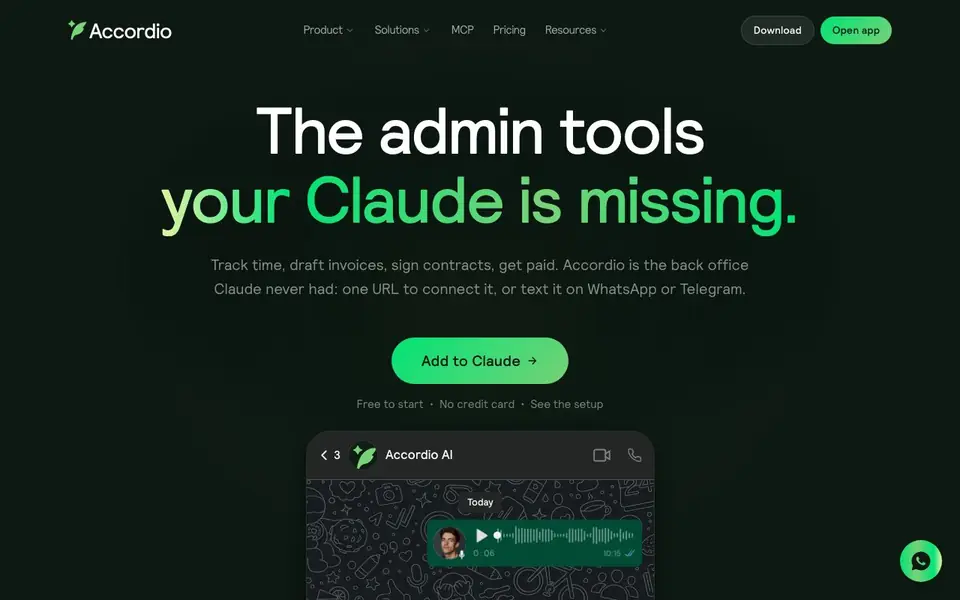
Accordio is an all-in-one back-office assistant for independent professionals. It combines time tracking, invoicing, contract signing, expense filing, meeting recording, and inbox management into one chat-based app. You can talk to it on WhatsApp, Telegram, Slack, or through Claude, and it handles the admin tasks you'd rather skip.
Getting started is simple. You connect Accordio to your calendar, bank, and email. Then you chat with it like a colleague. Ask it to track your hours, draft a contract, or send an invoice. It pulls context from your existing data, so you don't have to repeat yourself. For Claude users, you paste one MCP URL and Claude can read your business data and act on it, though sending, signing, and payments stay in the app for your approval.
Accordio suits founders, consultants, solo agency owners, designers, and fractional CXOs who want to automate their back office. It offers proactive alerts like morning briefings and overdue reminders. The website notes it's free to start with no credit card required, and the MCP connector is free forever.
Accordio AI features
- Automatic time tracking: Your Mac tracks your day, and you can ask what you worked on and turn it into an invoice.
- Contract drafting and signing: Describe a project, get a contract, and send it for signature in about two minutes.
- Bank syncing: Connect your bank with Plaid, match deposits to invoices, and keep receipts filed for tax time.
- Meeting recorder: Auto-join calls, transcribe everything, and extract action items so you stay present.
- Inbox management: Reads new mail, drafts replies in your voice, and flags what needs your attention.
What you can do with Accordio AI
- Track billable hours across clients and turn them into invoices.
- Draft and send contracts for retainer agreements.
- Chase overdue payments with automated reminders.
- Book meetings by sharing your scheduling link.
How to get started with Accordio AI
- Sign up for Accordio and connect your calendar, bank, and email.
- Chat with Accordio on WhatsApp, Telegram, Slack, or Claude to manage tasks.
- For Claude users, paste the MCP URL into Claude's connectors to enable full access.
Tips for better results with Accordio AI
- Connect Accordio to your calendar, bank, and email first so it can pull context automatically, then ask it to track hours, draft contracts, or send invoices without repeating yourself.
- Use Accordio's Mac time tracking to log your day, then ask what you worked on and turn that into an invoice, which keeps your billing accurate and saves manual entry.
- For contract work, describe the project in Accordio and let it draft the contract, then review and send it for signature directly in the app, which takes about two minutes.
- Set up Accordio's proactive alerts for morning briefings and overdue reminders so you catch late payments and deadlines before they become problems, and act on them from chat.
Accordio AI pricing
Accordio AI has a free way to start, with paid plans for heavier use. Check accordio.ai for current limits and prices.
What to check before you rely on Accordio AI
- Check whether Accordio's freemium plan includes all features you need, like bank syncing and meeting recording, since the website only states it's free to start with no credit card.
- Verify what data Accordio can access from your connected calendar, bank, and email, and confirm its privacy policy, as the website does not detail data handling or retention.
- Confirm which platforms Accordio supports for your workflow, such as WhatsApp, Telegram, Slack, or Claude, and whether the Mac time tracker is required, since the site lists these but not all limits.
Who Accordio AI is for
Accordio AI suits founders, consultants, solo agency owners and designers and creators. If that is not you, the AI business tools below may fit better.
Similar tools compared with Accordio AI
| Tool | What it is | Pricing |
|---|---|---|
| Accordio AI | AI back-office assistant for freelancers | Freemium |
| Tidio | AI customer service and sales platform | Freemium |
| Chatbase | AI customer experience and support agents | Free trial |
| Copy.ai | AI-native go-to-market platform | See website |
| Harvey | AI platform for legal and professional services | See website |
Accordio AI FAQ
What does Accordio do?
Accordio is an AI back-office assistant that handles time tracking, invoicing, contracts, expenses, meetings, and inbox management. You chat with it on WhatsApp, Telegram, Slack, or Claude, and it uses your connected data to complete tasks without asking for context.
Is Accordio free?
The website says it's free to start with no credit card required. The MCP connector for Claude is free forever. It doesn't specify if there are paid plans, so check the pricing page for details.
Who is Accordio for?
It's built for founders, consultants, solo agency owners, designers, creators, and fractional CXOs who want to automate their back office. It's especially useful if you work with multiple clients and need to track time, send invoices, and manage contracts.
How does Accordio work with Claude?
Accordio speaks MCP, so you paste one URL into Claude's connectors. Claude can then read your business data like hours, meetings, and clients, and act on it. Sending, signing, and payments stay in the Accordio app, so you approve before anything goes out.
What platforms and devices does Accordio AI run on?
Accordio AI is a chat-based app you can use on WhatsApp, Telegram, Slack, or through Claude. The website mentions that your Mac tracks your time automatically, but it does not specify whether the app runs on other operating systems or mobile devices. Check the official docs or app store for the full list.
Can Accordio AI export data or connect to other tools beyond the built-in integrations?
Accordio AI connects to your calendar, bank via Plaid, and email, and it works with Claude through an MCP URL. The website lists integrations for tools like HoneyBook, Bonsai, and others, but it does not detail specific export formats or a full integration catalog. For exact export options, see the Integrations page on accordio.ai.
What does the free plan of Accordio AI include, and are there any limits?
Accordio AI is free to start with no credit card required, and the MCP connector is free forever. The website does not specify what features are included in the free plan or if there are usage limits. For detailed plan features, check the Pricing page on accordio.ai.


