

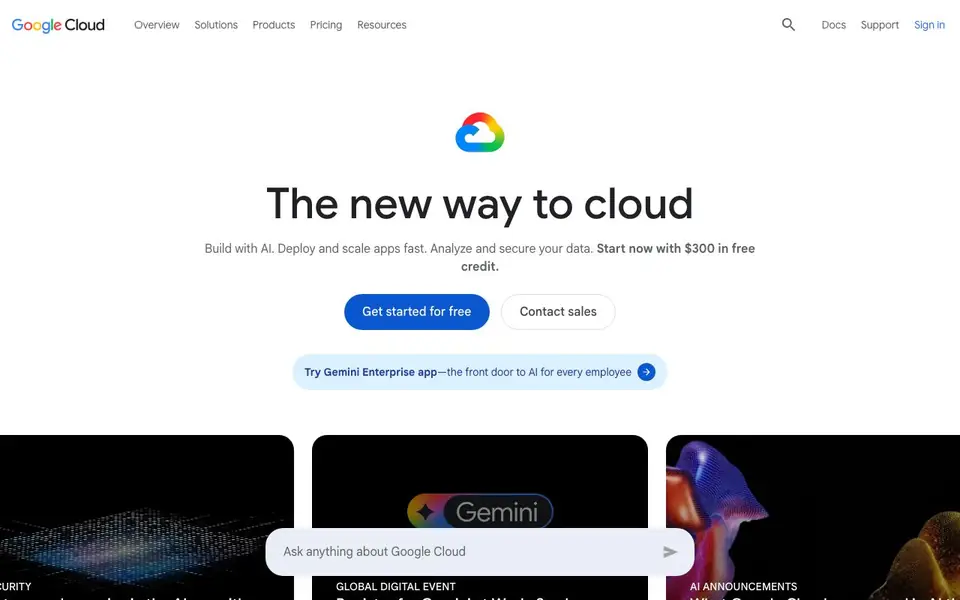
What is Vertex AI?
Vertex AI is Google Cloud's platform for building and managing AI applications and agents. It gives you access to Agent Studio and over 200 foundation models, so you can create generative AI apps without managing the underlying infrastructure. The platform also includes tools for data analytics, security, and hybrid or multi-cloud setups.
To get started, you sign up for a Google Cloud account. New customers receive $300 in free credits, and you can use over 20 products for free. From there, you can use Agent Platform to build a working application with Gemini 3 in under 10 minutes, following the provided tutorials. You can also architect multi-agent systems and securely share AI agents across your organization.
Vertex AI suits developers and business leaders who want to deploy AI at scale. It is used by companies like Target, The Home Depot, Volkswagen, and MLB for tasks such as improving advertising performance, customer service, and real-time data analysis. The platform also offers industry-specific solutions for retail, financial services, healthcare, and more.
Vertex AI features
- Agent Platform: Fully-managed environment to build and manage AI applications and agents.
- 200+ foundation models: Access a wide range of models, including Gemini 3, for various tasks.
- Agent Studio: Tool for developing and refining AI agents with built-in orchestration.
- Data Cloud integration: Connect your data for analytics and power AI-driven actions.
- Security tools: Protect your AI systems with Google AI Threat Defense and other measures.
What you can do with Vertex AI
- Build a customer service virtual assistant for your website or app.
- Analyze large datasets in real time to gain player or customer insights.
- Create AI agents that automate internal processes like translations or ad copy.
- Deploy generative AI apps that scale across your organization.
How to get started with Vertex AI
- Sign up for Google Cloud and claim your $300 in free credits for new customers.
- Explore the Agent Platform and choose from over 200 foundation models for your project.
- Follow the tutorial to build a working application with Gemini 3 in under 10 minutes.
Tips for better results with Vertex AI
- Start with the provided tutorials to build a working application using Vertex AI and Gemini 3 in under 10 minutes, then customize it for your specific use case.
- Use Vertex AI's Agent Studio to refine your AI agents with built-in orchestration, testing different model configurations to improve performance before deployment.
- Leverage Vertex AI's integration with Data Cloud to connect your datasets for real-time analytics, ensuring your AI agents act on current information rather than stale data.
- Begin with the $300 free credits and free usage of over 20 products to experiment with Vertex AI's 200+ models, scaling up only after you validate your approach.
Vertex AI pricing
Vertex AI has a free way to start, with paid plans for heavier use. Check cloud.google.com for current limits and prices.
What to check before you rely on Vertex AI
- Verify your Google Cloud account's free tier limits and $300 credit expiration, as the website does not specify exact durations or usage caps.
- Check Vertex AI's pricing for specific models and features beyond the free tier, since the site lacks detailed cost breakdowns for all services.
- Confirm data privacy and security settings for your AI agents, as the website mentions security tools but does not detail compliance or data residency options.
Who Vertex AI is for
Vertex AI suits developers, business leaders, data scientists and enterprise teams. If that is not you, the AI developer platforms below may fit better.
Similar tools compared with Vertex AI
| Tool | What it is | Pricing |
|---|---|---|
| Vertex AI | AI and cloud computing platform | Freemium |
| SiVideoAPI | Unified API for top AI video models | Freemium |
| OpenSI | AI model comparison and pricing tool | See website |
| OpenRouter | Unified API for many AI models | Freemium |
| Ollama | Run open models locally or cloud | Freemium |
Vertex AI FAQ
What is Vertex AI?
Vertex AI is Google Cloud's platform for building and managing AI applications and agents. It provides access to over 200 foundation models, including Gemini, and tools like Agent Studio for development and orchestration.
Is Vertex AI free to use?
Google Cloud offers free usage of over 20 products, and new customers get $300 in free credits on signup. Beyond that, pricing depends on the specific services and usage, which you can check on Google Cloud's pricing page.
Who is Vertex AI for?
It is designed for developers and business leaders who want to build and scale AI applications. It is also used by enterprises in retail, financial services, healthcare, and other industries for custom AI solutions.
What can I build with Vertex AI?
You can build generative AI apps, multi-agent systems, virtual assistants, and data analysis tools. The platform supports tasks like language translation, ad copywriting, and real-time data comparisons, as shown in customer examples.
Does Vertex AI run on my own hardware or only in Google Cloud?
Vertex AI is a Google Cloud platform, so it runs in Google Cloud's infrastructure. The website does not mention running it on your own hardware. If you need on-premises or hybrid options, check the Google Cloud documentation or contact sales for details.
Can Vertex AI connect to my existing data sources like BigQuery or external databases?
Vertex AI integrates with Google Cloud's Data Cloud, which includes BigQuery, for analytics and AI-driven actions. The website does not list specific external database connections. For a full list of supported data sources, check the Google Cloud documentation.


