
What is ui?
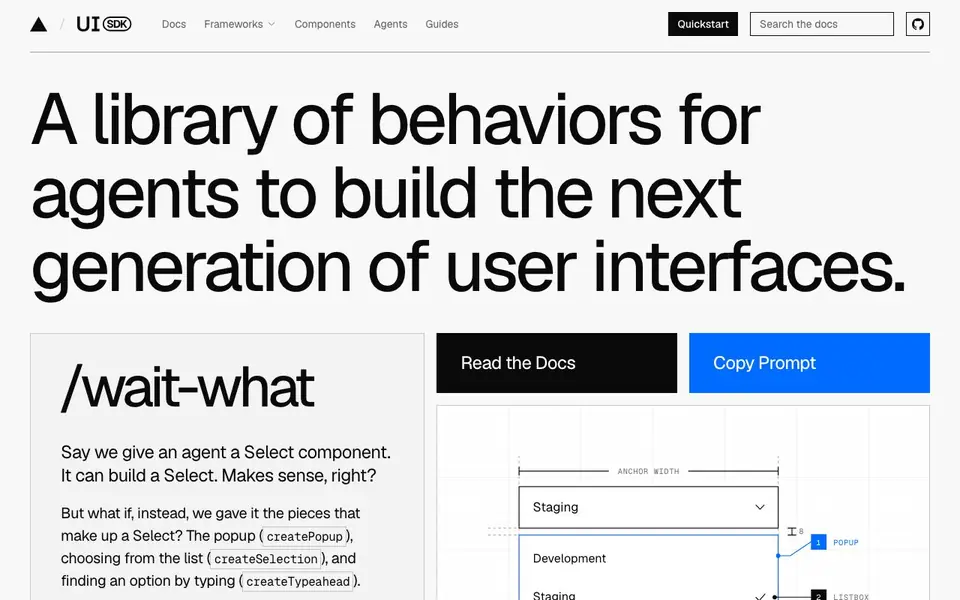
UI SDK is a library of behaviors that AI agents use to build user interfaces. Instead of giving an agent a finished component like a Select, it provides the building blocks—popups, selection, typeahead, roving focus, and more. Agents combine these behaviors to create new components, including ones you haven't thought of yet.
You start by asking your agent for a component, like a picker for assigning a teammate. The agent picks the behaviors it needs and assembles them in your framework. You get a working component in React, Vue, Svelte, Solid, or Web Components. The library includes 50+ behaviors and a starter component library built from them.
The behaviors handle complex interactions: keyboard navigation, focus management, popups, drag and drop, and screen reader support. This means the components your agent builds are accessible and work like native UI. It suits developers who want AI to generate UI code without losing control over the details.
ui features
- Behavior library: Reusable UI behaviors like popup, selection, and typeahead that agents combine.
- Framework support: Works with React, Vue, Svelte, Solid, and Web Components.
- Accessibility built-in: Behaviors include keyboard navigation, focus, and screen reader support.
- Starter components: Pre-built components like color picker, slider, and command palette made from behaviors.
- Agent-friendly: Agents are taught to pick and assemble behaviors for your requests.
What you can do with ui
- Ask an agent to build a custom picker for assigning tasks.
- Generate an accessible combobox with typeahead and popup behaviors.
- Create a resizable panel layout using the resize behavior.
- Build a virtualized list that renders only visible rows.
How to get started with ui
- Go to ui-sdk.dev and read the docs or quickstart guide.
- Copy a prompt to ask your agent to build a component.
- Let the agent assemble behaviors and output code in your framework.
Tips for better results with ui
- Describe the exact behavior you need, like popup, selection, or typeahead, so the agent picks the right building blocks for your component.
- Ask UI SDK for a component in your framework, such as React or Vue, and it will assemble the behaviors into working code for you.
- Start with a starter component like a color picker or slider, then modify it by adding or removing behaviors to match your needs.
- Test the generated component's keyboard navigation and screen reader support, since UI SDK builds accessibility into every behavior.
ui pricing
ui’s homepage does not list prices. Check ui-sdk.dev for current plans.
What to check before you rely on ui
- Check whether the library's pricing is listed on the site, since the website does not state any plan or cost information.
- Verify that your target framework is supported, as UI SDK works with React, Vue, Svelte, Solid, and Web Components.
- Review the documentation for export formats and integration details, as the site does not specify how to use the components outside those frameworks.
Who ui is for
ui suits developers, frontend engineers, AI agent users and UI designers. If that is not you, the AI developer platforms below may fit better.
Similar tools compared with ui
| Tool | What it is | Pricing |
|---|---|---|
| ui | UI behavior library for AI agents | See website |
| SiVideoAPI | Unified API for top AI video models | Freemium |
| OpenSI | AI model comparison and pricing tool | See website |
| OpenRouter | Unified API for many AI models | Freemium |
| Ollama | Run open models locally or cloud | Freemium |
ui FAQ
What exactly is UI SDK?
It's a library of behaviors—like popup, selection, and typeahead—that AI agents use to build UI components. Instead of giving agents finished components, it gives them the pieces to create custom ones.
How do I use it?
You ask your agent to build a component, like a picker. The agent picks the behaviors it needs and puts them together in your framework. You get the code in React, Vue, Svelte, Solid, or Web Components.
Is it free?
The website doesn't state pricing details. Check the docs or contact them for licensing and cost information.
Who is it for?
It's for developers who want AI to generate UI components with proper accessibility and interaction handling, without writing all the boilerplate themselves.
Can UI SDK export components to my existing React, Vue, Svelte, Solid, or Web Components project?
Yes, UI SDK is designed to work with React, Vue, Svelte, Solid, and Web Components. The agent assembles behaviors into components in your chosen framework, so you can integrate them directly into your project. The website shows code examples for each framework, confirming this support.
Does UI SDK run on any specific devices or platforms, like desktop or mobile?
The UI SDK website does not mention specific device or platform support. It focuses on framework compatibility and behavior libraries. For details on runtime environments, check the documentation or contact the team, as the site doesn't specify.
What does the free plan of UI SDK include?
The website does not mention a free plan or pricing details. It describes the library and its features but doesn't specify what's included in any free tier. To learn about pricing or free access, check the docs or reach out to the UI SDK team for current information.


