
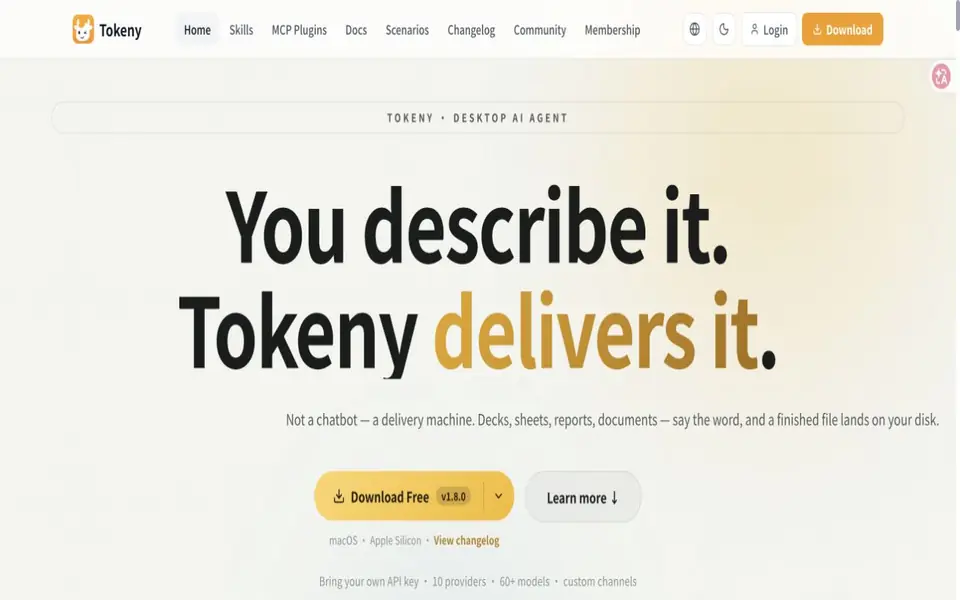
What is Tokeny?
Tokeny is a desktop AI agent for Windows, macOS and Linux. It connects language models to a selected workspace so tasks can read and write files, prepare documents, spreadsheets and presentations, and use connected tools. Skills describe reusable workflows, while MCP integrations extend the tools an agent can call. The desktop application supports your own provider API keys and custom compatible endpoints, with optional paid access to built-in models.
Tokeny features
- Workspace file reading and writing
- Document, spreadsheet and presentation workflows
- Skills and MCP tool connections
- Scheduled tasks and multi-agent collaboration
- Own API keys and custom model endpoints
What you can do with Tokeny
- Prepare working documents from source files
- Analyze spreadsheet data in a project folder
- Run recurring workspace tasks
How to get started with Tokeny
- Install the desktop app for your platform.
- Configure a model provider and choose a workspace folder.
- Describe a task and review the resulting files and tool actions.
Tokeny pricing
The desktop app is free with your own provider API keys, with model usage billed by that provider. Optional built-in model plans cost CNY 69, 199 or 699 per 30 days. Subscription points expire with the plan, while top-up points remain valid.
Who Tokeny is for
Tokeny suits Knowledge workers and Developers. If that is not you, the AI agents below may fit better.
Similar tools compared with Tokeny
| Tool | What it is | Pricing |
|---|---|---|
| Tokeny | Desktop agents for workspace files and connected tools | Freemium |
| n8n | AI workflow automation platform | Freemium |
| Lindy | AI teammate for team workflows | Freemium |
| Zapier | AI workflow and agent orchestration platform | Freemium |
| LM Studio | Local AI agent for work and code | See website |
Tokeny FAQ
Is Tokeny free?
The desktop app and local workspace features are free. Your own model provider bills API usage separately. Optional paid plans supply built-in model points.
Which platforms are supported?
Official downloads cover Windows x64, macOS Apple Silicon and Intel, and Linux x64.
Does all processing stay on my computer?
Workspace data can be stored locally, while model endpoints, account services and enabled tools determine what is sent online.


