

What is Sno?
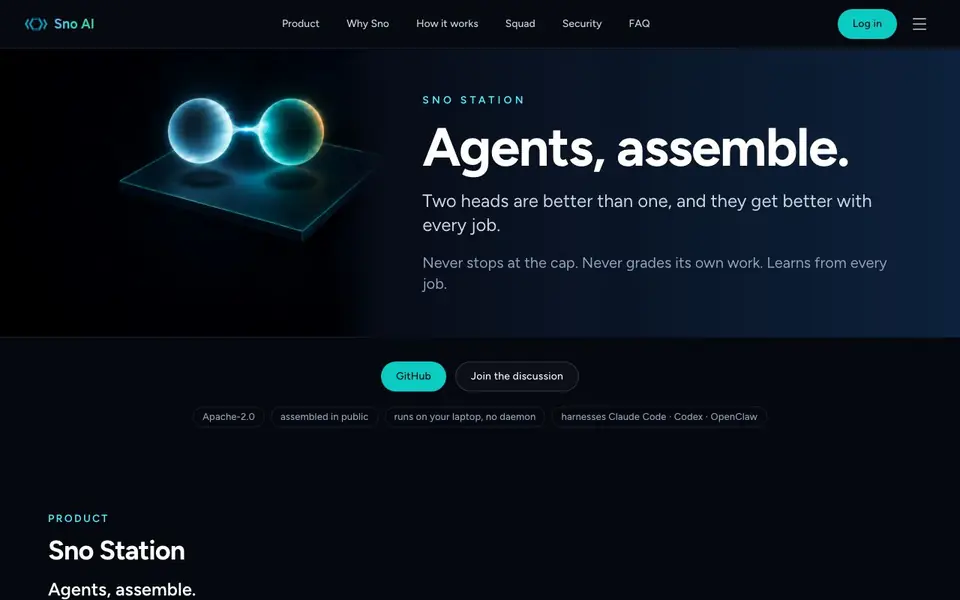
Sno Station is open-source software that runs on your laptop and connects AI agents like Claude Code and Codex into a single squad. It gives them a shared memory, a mailbox for communication, and a set of skills they follow and improve. No daemon or cloud is needed; everything stays on your machine.
You start by installing Sno and saying "Sno onboarding" inside any supported agent conversation. The agent sets up shared memory, Sno Reach, and the Duo skills automatically. After each job, the squad distills its memory, proposes skill improvements, and waits for your approval before applying changes.
Sno Station suits developers who already use AI coding agents and want them to work together more effectively. It includes features like rotation when one agent hits its cap, peer review from a different lab, and nightly learning loops. the website says it is Apache-2.0 licensed and assembled in public on GitHub.
Sno features
- Shared memory: One encrypted memory for the squad that gets distilled after each run to stay sharp.
- Sno Reach: Agents can call each other, hand off tasks, or ask for reviews using plain files.
- Duo skills: Peer review, handoff, orchestration, reflection, and assembly skills for any agent.
- RSI loop: Nightly review of sessions proposes skill changes that you must accept before they apply.
- Rotation: When one agent hits its cap, the other takes over with the same memory and context.
What you can do with Sno
- Run two coding agents side by side and have them share context without manual copying.
- Get a second opinion on your code from a different AI lab to catch blind spots.
- Split a job into planning and building phases, each handled by the agent best suited.
- Let the squad learn from past mistakes and improve its own skills overnight.
How to get started with Sno
- Install Sno Station on your laptop from GitHub.
- Start a conversation with Claude Code, Codex, or OpenClaw and say "Sno onboarding".
- The agent sets up shared memory, Sno Reach, and skills automatically; then you work as usual.
Tips for better results with Sno
- Install Sno Station and run the Sno onboarding command inside your agent conversation to set up shared memory, Sno Reach, and Duo skills automatically before starting any squad work.
- Use Sno's rotation feature when one agent hits its cap; the other takes over with the same memory and context, so your job continues without manual handoff or context loss.
- Let the squad run its nightly RSI loop, but review and approve each proposed skill change; this keeps improvements aligned with your workflow and prevents unwanted behavior shifts.
- Split a task into planning and building phases, assigning each to a different agent via Sno Reach; this leverages each lab's strengths and catches blind spots early in the process.
Sno pricing
Sno’s homepage does not list prices. Check sno.ai for current plans.
What to check before you rely on Sno
- Check the GitHub repository and README for installation steps and system requirements, since the website does not list specific supported operating systems or hardware needs.
- Verify how the encrypted shared memory is stored and whether it meets your data privacy requirements, as the site mentions encryption but not key management or recovery details.
- Confirm the pricing and any subscription plans directly on the website or GitHub, because the site does not state costs or limits for using Sno Station.
Who Sno is for
Sno suits developers, AI enthusiasts and teams using coding agents. If that is not you, the AI agents below may fit better.
Similar tools compared with Sno
| Tool | What it is | Pricing |
|---|---|---|
| Sno | Open-source AI agent workstation | See website |
| n8n | AI workflow automation platform | Freemium |
| Lindy | AI teammate for team workflows | Freemium |
| Zapier | AI workflow and agent orchestration platform | Freemium |
| LM Studio | Local AI agent for work and code | See website |
Sno FAQ
What does Sno Station do?
Sno Station is open-source software that connects AI agents like Claude Code and Codex into a single squad on your laptop. It gives them shared memory, communication, and skills to work together on tasks.
Is Sno Station free?
The website does not state pricing details. It is open-source under Apache-2.0, so you can likely use it freely, but check the GitHub repository for any costs or licensing specifics.
Who is Sno Station for?
It is for developers who already use AI coding agents and want them to collaborate better. You need to have Claude Code, Codex, or OpenClaw installed and be comfortable with command-line tools.
How do I get started with Sno Station?
Install Sno from GitHub, then say "Sno onboarding" inside any supported agent conversation. The agent will set up shared memory, Sno Reach, and the Duo skills automatically.
Does Sno Station work with OpenClaw or only with Claude Code and Codex?
Sno Station is designed to connect AI agents like Claude Code and Codex, and the website also mentions OpenClaw as a supported agent. It runs on your laptop with no daemon or cloud, so you can use it with any agent that works in a similar local setup. For the full list, check the GitHub README.
Can I use Sno Station on Windows or macOS, or is it Linux-only?
The Sno Station website does not specify which operating systems it supports. It says the software runs on your laptop and is assembled in public on GitHub, so you can check the repository for platform details. If you need a specific OS, look at the README or open an issue on GitHub.
What does Sno Station export or connect to beyond the agents it supports?
The Sno Station website does not mention any exports or integrations with other tools or services. It focuses on connecting AI agents like Claude Code and Codex, with features like shared memory and agent communication. For any integration details, check the GitHub repository or the FAQ section on the website.


