

What is Skyvern?
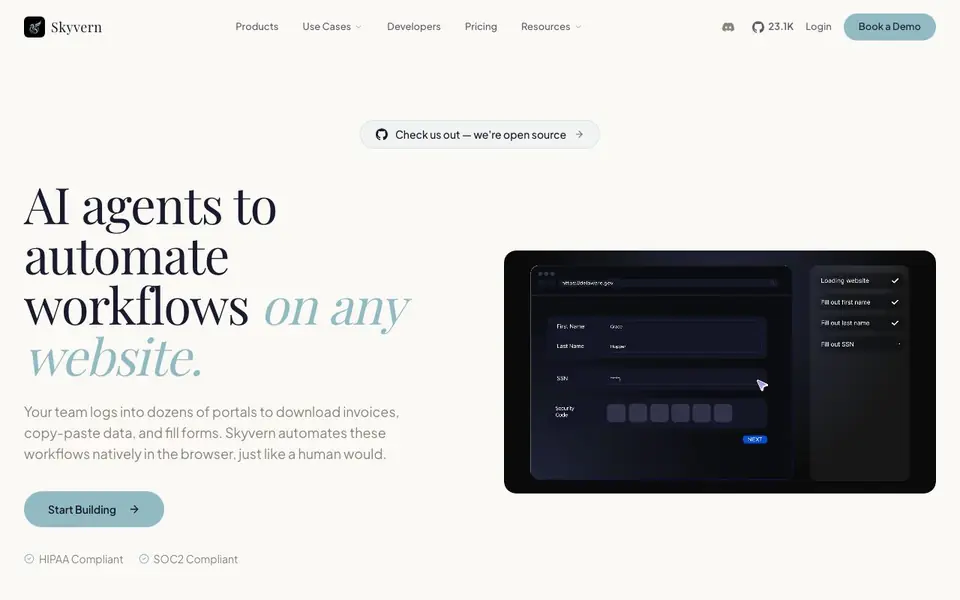
Skyvern is an AI-powered browser automation platform that handles complex workflows on any website. Instead of relying on fragile selectors or custom scripts, it uses AI agents that interact with pages just like a human would. This means you can automate tasks across portals, behind logins, CAPTCHAs, and 2FA, without constant maintenance.
You describe what you want in plain English, or upload SOPs, and Skyvern's Copilot turns it into a structured workflow. You can also record a browser session once and run it forever, or use the visual builder to refine steps. For developers, there are Python and TypeScript SDKs, Docker for self-hosting, and integrations with tools like Zapier, Make, and n8n.
Skyvern is built for teams that deal with repetitive browser tasks—like downloading invoices from vendor portals, extracting data from sites without APIs, or submitting forms at scale. It's HIPAA and SOC2 compliant, backed by Y Combinator, and has over 30,000 users. The site mentions it's open source, so you can also check out the code yourself.
Skyvern features
- CAPTCHA Support: Skyvern solves CAPTCHAs natively, so your automations keep running without third-party services.
- Two-Factor Authentication: Handles 2FA and TOTP logins, letting you automate within your existing tech stack.
- Explainable AI: Every run includes summaries of each action the AI takes and why, for full observability.
- Data Extraction: Pull structured data from any site and return it as JSON or CSV in your chosen schema.
- Document Processing: Download, parse, classify, and route documents from portals, with OCR and structured output.
What you can do with Skyvern
- Automate invoice downloads from hundreds of vendor portals behind logins and CAPTCHAs.
- Extract pricing, product catalogs, or public records from sites without APIs.
- Submit applications, registrations, and compliance forms across any site at scale.
- Find contacts and enrich profiles for lead generation and outreach campaigns.
How to get started with Skyvern
- Sign up for a free account on Skyvern's website.
- Describe your workflow in plain English via Copilot Chat, or record a browser session.
- Run the workflow and monitor each action with Skyvern's built-in summaries.
Tips for better results with Skyvern
- Describe your workflow in plain English with specific details like page names, fields, and expected outputs, so Skyvern can map the steps accurately without guessing.
- Use Skyvern's run summaries to review each action it took and why, then adjust your instructions to correct any missteps before scaling the workflow.
- Record a browser session once for repetitive tasks like invoice downloads, then let Skyvern replay it, saving you from rebuilding steps each time.
- Test Skyvern on a small sample of sites first, especially those with CAPTCHAs or 2FA, to confirm it handles the authentication flow before you rely on it.
Skyvern pricing
Skyvern has a free way to start, with paid plans for heavier use. Check skyvern.com for current limits and prices.
What to check before you rely on Skyvern
- Check the pricing page for plan limits on runs, pages, or data extraction, since the site labels Skyvern as freemium but does not list specific quotas.
- Verify whether your target websites allow automated access, as Skyvern's terms or the site's policies may restrict bots even if the tool handles logins.
- Confirm the export formats and schema options match your needs, since the site mentions JSON and CSV but does not detail all output types or integrations.
Who Skyvern is for
Skyvern suits operations teams, developers, data analysts and QA engineers. If that is not you, the AI agents below may fit better.
Similar tools compared with Skyvern
| Tool | What it is | Pricing |
|---|---|---|
| Skyvern | AI browser automation for any website | Freemium |
| n8n | AI workflow automation platform | Freemium |
| Lindy | AI teammate for team workflows | Freemium |
| Zapier | AI workflow and agent orchestration platform | Freemium |
| LM Studio | Local AI agent for work and code | See website |
Skyvern FAQ
What can Skyvern automate?
Skyvern can automate any browser workflow, including logins, form fills, data extraction, document processing, and testing. It handles CAPTCHAs and 2FA natively, so you can automate tasks on sites that require authentication.
Is Skyvern free to use?
The website says you can 'Get Started Free', which suggests there's a free plan or free credits. For full pricing details, you'd need to check their pricing page or book a demo.
Who is Skyvern for?
Skyvern is for teams that deal with repetitive browser tasks—like accounts payable, data extraction, lead gen, and QA testing. It's developer-first, with SDKs and self-hosting options, but also offers no-code paths like Copilot Chat and visual builder.
Can I integrate Skyvern with my existing tools?
Yes, Skyvern integrates with Zapier, Make, Clay, n8n, and Workato. It also offers Python and TypeScript SDKs, webhooks, and event streaming, so you can plug it into your existing automation stack.
What can Skyvern export or connect to?
Skyvern can export extracted data as JSON or CSV in a schema you choose. For connections, the website mentions integrations with Zapier, Make, and n8n, plus Python and TypeScript SDKs. It does not list other specific export destinations or integrations, so check the site's integrations page for the full list.
Which devices or platforms does Skyvern run on?
Skyvern runs in the browser and can be self-hosted with Docker, so it works on any device that supports a modern browser and Docker. The website does not specify mobile apps or specific operating systems, so for platform details, check the developer documentation or GitHub.
What does the free plan of Skyvern include?
The website labels Skyvern as freemium and offers a 'Get Started Free' option, but it does not detail what the free plan includes. For specifics on limits or features, visit the pricing page or contact their sales team. The site does mention it's open source, so you can also explore the code for capabilities.


