

What is Sigma AI Browser?
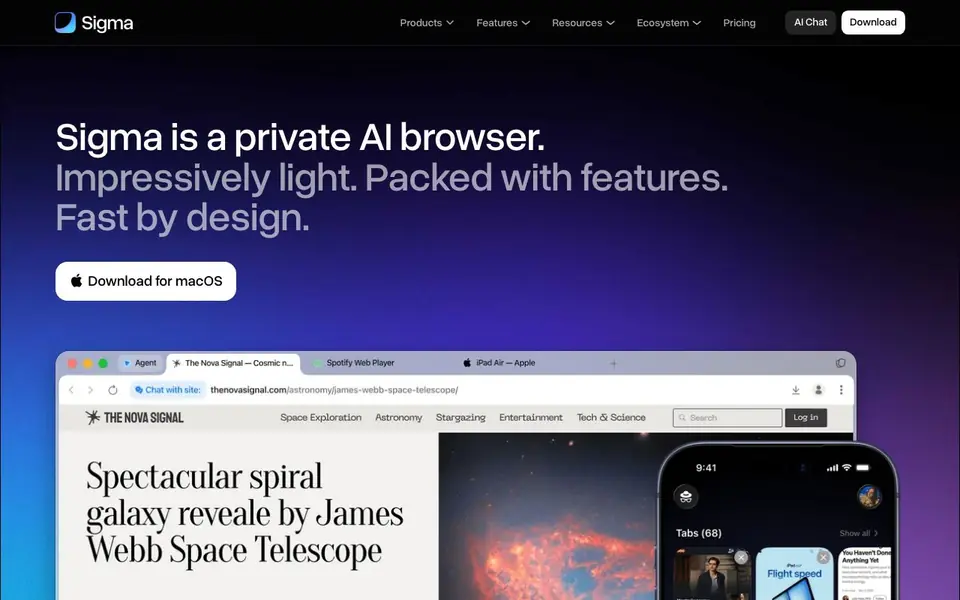
Sigma is a private AI browser built on Chromium. It combines a fast, secure browsing experience with built-in AI tools. You get an AI agent that can act on your behalf, an AI chat for research and creation, and a local LLM called Eclipse that runs offline on your device. The browser also includes an ad blocker, phishing protection, and end-to-end encryption for your data and conversations.
To get started, you download Sigma for macOS from the website. Once installed, you can use the AI agent by describing a goal, and it will navigate pages, fill forms, and manage tasks for you. You can also open AI Chat to ask questions, run deep research, or generate images and text. For offline use, Eclipse lets you ask questions and summarize pages without sending data to any server.
Sigma suits privacy-conscious users who want AI assistance without cloud processing. It offers private profiles secured by a 12-word phrase, quick translation, and the ability to chat with any page. The browser is free, and its code is open-source. Performance tests on a MacBook Pro M4 show it is faster than several popular browsers, but the website does not mention Windows or Linux versions.
Sigma AI Browser features
- AI agent: Describe a goal and the agent handles steps like filling forms and managing tasks.
- AI chat: Ask questions, run deep research, generate images, and create text in one place.
- Eclipse local LLM: Run a private AI model offline on your device with no cloud processing.
- Built-in ad blocker: Filters intrusive ads for a cleaner, more focused browsing experience.
- Chat with page: Turn any website into a conversation for instant summaries and questions.
What you can do with Sigma AI Browser
- Delegate repetitive web tasks to the AI agent to save time.
- Research topics deeply using AI chat without leaving the browser.
- Summarize long articles by chatting with the page directly.
- Browse privately with encrypted data and a built-in ad blocker.
How to get started with Sigma AI Browser
- Download Sigma for macOS from the website.
- Install the browser and set up your private profile with a recovery phrase.
- Use the AI agent, AI chat, or Eclipse to handle tasks and questions.
Tips for better results with Sigma AI Browser
- Use the AI agent for multi-step tasks like filling forms or managing repetitive actions, and describe your goal in clear, specific language to get accurate results.
- For private research, switch to Eclipse when you want offline answers or page summaries, since Sigma keeps your data on-device and avoids cloud processing.
- Try the chat-with-page feature on long articles to get instant summaries, and ask follow-up questions to drill into details without leaving the page.
- Set up separate private profiles for work and personal browsing in Sigma, and use the 12-word phrase to keep each space's data encrypted and organized.
Sigma AI Browser pricing
Sigma AI Browser is free to use according to its website.
What to check before you rely on Sigma AI Browser
- Check that you are on macOS, because the Sigma website only offers a download for macOS and does not mention Windows or Linux versions.
- Verify the free plan's limits, since the website labels Sigma as free but does not state any caps on AI agent usage, chat requests, or Eclipse features.
- Review the privacy policy to confirm how end-to-end encryption and local processing apply to your data, as the website does not detail data retention or sharing practices.
Who Sigma AI Browser is for
Sigma AI Browser suits privacy advocates, researchers, web3 users and productivity seekers. If that is not you, the AI agents below may fit better.
Similar tools compared with Sigma AI Browser
| Tool | What it is | Pricing |
|---|---|---|
| Sigma AI Browser | Private AI browser with built-in agent | Free |
| n8n | AI workflow automation platform | Freemium |
| Lindy | AI teammate for team workflows | Freemium |
| Zapier | AI workflow and agent orchestration platform | Freemium |
| LM Studio | Local AI agent for work and code | See website |
Sigma AI Browser FAQ
Is Sigma really free?
Yes, the website says Sigma is a free private AI browser. There is a pricing page, but the homepage clearly states it is free. You can download it for macOS directly.
How does the AI agent work?
You describe a goal, and the agent takes actions on your behalf. It can navigate pages, fill forms, and manage tasks end-to-end. The website does not detail specific setup steps beyond that.
What is Eclipse?
Eclipse is a local LLM built into the browser. It runs offline on your device, so your data stays local with no cloud processing. You can ask questions, summarize pages, and write without sending prompts to servers.
Does Sigma support extensions and Web3?
Yes, Sigma supports browser extensions like any modern browser. It also has Web3 integration, letting you connect to decentralized apps, manage wallets, and interact with blockchain networks directly.
Does Sigma AI Browser work on Windows or Linux?
The Sigma AI Browser website only mentions a download for macOS. It does not list Windows or Linux versions. If you need Sigma on another operating system, check the official website or their release notes for any updates on platform availability.
What can Sigma AI Browser export or connect to?
Sigma AI Browser supports extensions and Web3, so you can connect to decentralized apps and manage wallets. The website does not mention specific export formats or integrations with other services. For details on exports or connections, check the browser's settings or the official documentation.
Does Sigma AI Browser require an account to use?
The Sigma AI Browser website does not state whether an account is required. You can download it for macOS directly. To find out if you need to create an account during setup, check the download page or the browser's onboarding process after installation.


