
What is ryugi?
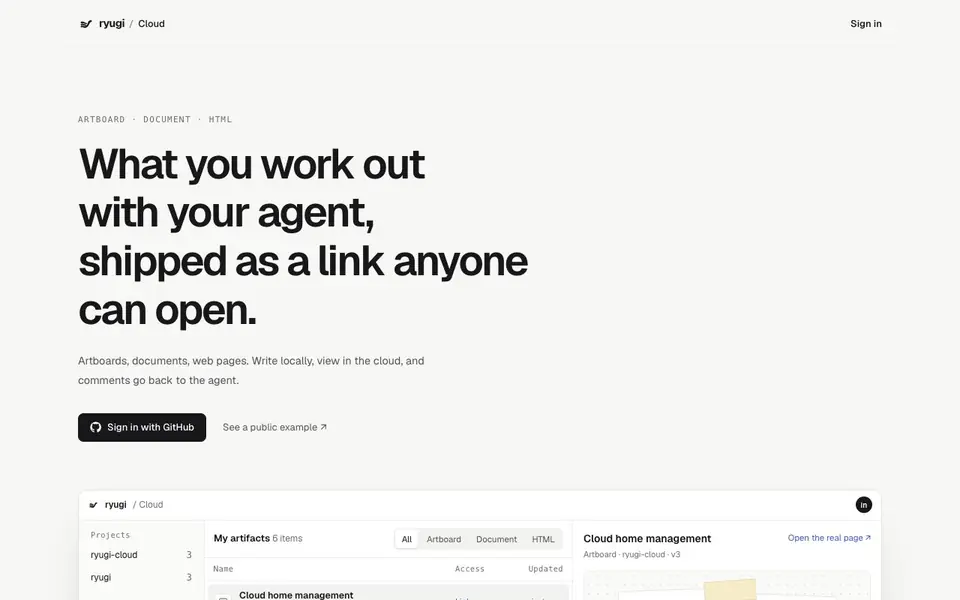
Ryugi Cloud is a platform for sharing the work you produce with AI coding agents. You write files locally on your machine, then publish them to the cloud as a link anyone can open. It supports three artifact types: artboards, documents, and HTML pages. Comments left on a shared artifact go straight back to your agent, which can edit the website and reply in the same place.
To use it, you sign in with GitHub, then publish an artifact from your local project. Each publish gives you a link with visibility options: only you, or anyone with the link. When you edit locally, the cloud copy syncs automatically. You can simulate a local edit to see how syncing works. Deleting a cloud copy never touches your local source files.
The platform is built around collaboration between you and your agent. On artboards, you can lay out design options side by side and mark up your preference. Documents keep decision context, from trade-offs to final calls, with comments attached to specific spots. HTML pages run as-is, so you can tune values and share a working page. Publishing access opens up gradually; you apply by signing in.
ryugi features
- Artboard sharing: Lay out design options side by side and compare them in the cloud.
- Document publishing: Keep decision context in one document with comments attached to specific spots.
- HTML page hosting: Share a page that runs as-is, with controls for tuning values.
- Comment sync: Comments go back to your agent, which edits the website and replies in the artifact.
- Visibility control: Choose between only-me or anyone-with-the-link for each published artifact.
What you can do with ryugi
- Publish a design artboard with layout options for client feedback.
- Share a decision document where comments feed back to your coding agent.
- Host an HTML prototype as a link for quick stakeholder review.
- Sync local edits to a published artifact without manual re-uploading.
How to get started with ryugi
- Sign in with GitHub to get publishing access.
- Publish an artifact from your local project as an artboard, document, or HTML page.
- Share the generated link; comments on it go back to your agent for edits.
Tips for better results with ryugi
- Publish each artifact with a clear name and version so you and your agent can track which round of feedback a link refers to.
- Use Ryugi's simulate local edit feature before sharing to confirm the sync behavior and avoid sending outdated links to reviewers.
- Set visibility to only me while iterating, then switch to anyone with the link when you are ready for external feedback on Ryugi.
- Leave comments directly on specific spots in documents or artboards so your agent can act on precise feedback without extra explanation.
ryugi pricing
ryugi’s homepage does not list prices. Check ryugi.innei.dev for current plans.
What to check before you rely on ryugi
- Check whether the free tier or plan limits the number of artifacts you can publish, since the website does not list pricing or quotas.
- Verify that your local files are backed up elsewhere, because deleting a cloud copy only removes it from Ryugi, not your machine.
- Confirm that the GitHub sign-in is acceptable for your team, as the website does not state other login or SSO options.
Who ryugi is for
ryugi suits developers, designers and AI agent users. If that is not you, the AI developer platforms below may fit better.
Similar tools compared with ryugi
| Tool | What it is | Pricing |
|---|---|---|
| ryugi | Cloud sharing for agent-made artifacts | See website |
| SiVideoAPI | Unified API for top AI video models | Freemium |
| OpenSI | AI model comparison and pricing tool | See website |
| OpenRouter | Unified API for many AI models | Freemium |
| Ollama | Run open models locally or cloud | Freemium |
ryugi FAQ
What can I publish with Ryugi Cloud?
You can publish three types of artifacts: artboards for design options, documents for decision context, and HTML pages that run as-is. Each gets a shareable link.
How do comments work?
Comments left on a shared artifact go back to your agent. The agent reads the spot and original text, edits the website, and replies in the same artifact. The discussion stays attached to what it's about.
Is Ryugi Cloud free?
The website doesn't state pricing details. It says publishing opens up gradually and you sign in to apply. Opening a public share needs no account.
What happens if I delete a cloud copy?
Deleting removes only the cloud copy. Your local source files stay untouched.
What can I export or download from Ryugi Cloud?
The Ryugi Cloud website does not mention any export or download options for published artifacts. You can view and interact with them online, but for local files, you work on them on your machine. Check the app's interface or documentation for any future export features.
Does Ryugi Cloud work on mobile devices?
The Ryugi Cloud website does not specify supported devices or platforms. Since it's a web-based cloud service, it likely works in any modern browser, but for the best experience, especially with artboards and HTML pages, a desktop or laptop is recommended. Check the site for any device-specific notes.
What does the free plan of Ryugi Cloud include?
The Ryugi Cloud website does not mention any paid plans or pricing, so it appears to be free to use. You can sign in with GitHub, publish artifacts, and manage visibility. However, the site does not detail any limits on storage or number of artifacts, so check the app for any usage caps.


