

What is Portkey?
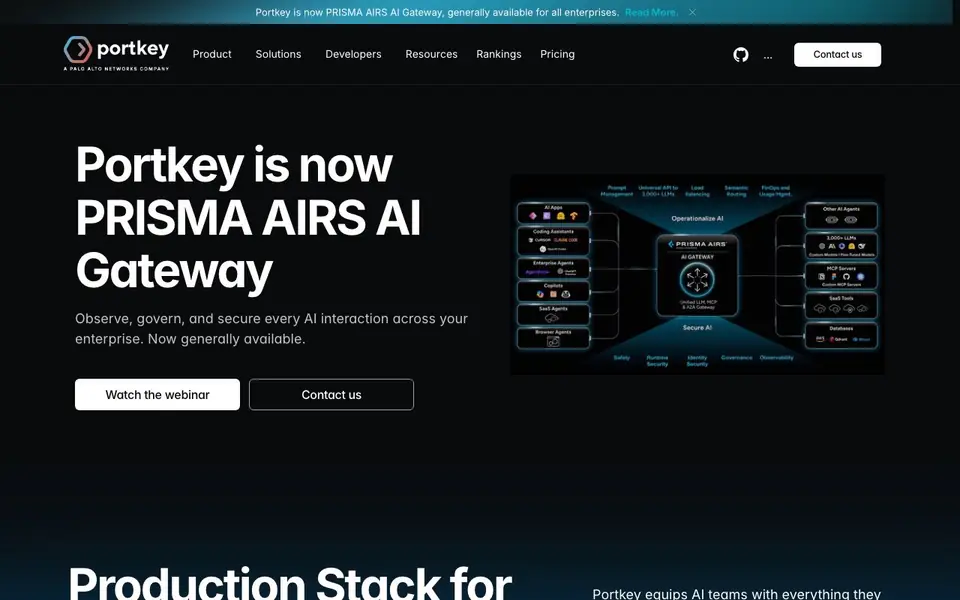
Portkey is a production stack for AI builders. It brings together AI Gateway, Observability, Guardrails, Governance, and Prompt Management in one platform. You can access over 1,600 LLMs through a single API, so you don't need to integrate each model separately. The platform also includes a real-time observability dashboard to monitor model behavior, catch anomalies, and manage usage proactively.
Getting started is quick. You integrate Portkey with just three lines of code in Node.js, Python, or other languages. Once connected, you can route requests to different models, cache responses to save costs, and set budget limits. The platform also supports role-based access control, so multiple teams can collaborate securely while following your governance rules.
Portkey suits AI teams that need to move from experimentation to production. It helps you keep AI outputs in check with guardrails, redact sensitive data automatically, and track every action with detailed activity logs. The website mentions it powers over 3,000 GenAI teams and processes trillions of tokens daily, but it does not list specific pricing plans.
Portkey features
- Unified API: Access 1,600+ LLMs through a single integration, saving you time on model management.
- Real-time observability: Monitor LLM behavior, catch anomalies early, and manage usage proactively with a live dashboard.
- Automatic caching: Save money by caching repeated requests, reducing costs without changing your workflow.
- PII redaction: Automatically remove sensitive data from requests before they reach the LLM.
- Role-based access control: Manage resources with a clear hierarchy for secure collaboration across teams.
What you can do with Portkey
- Route requests to different LLMs based on cost, performance, or your specific needs.
- Monitor model usage and costs in real time to optimize your AI spending.
- Set budget limits and enforce governance rules across your organization.
- Secure access to MCP tools with centralized authentication and observability.
How to get started with Portkey
- Sign up on Portkey's website and create your account.
- Install the Portkey SDK in your preferred language, like Node.js or Python.
- Add three lines of code to your existing application to start routing requests through the gateway.
Tips for better results with Portkey
- Start with Portkey's three-line integration in Node.js or Python to connect your existing stack quickly, then test routing between a few models before scaling up.
- Use Portkey's automatic caching for repeated requests to cut costs immediately, but verify cache invalidation settings so stale responses don't reach your users.
- Set budget limits and role-based access control in Portkey early, so multiple teams can collaborate without exceeding spend or violating governance rules.
- Leverage Portkey's real-time observability dashboard to spot anomalies in model behavior, then adjust routing rules based on cost and performance data you see there.
Portkey pricing
Portkey’s homepage does not list prices. Check portkey.ai for current plans.
What to check before you rely on Portkey
- Check whether Portkey's pricing plans fit your expected token volume, since the website does not list specific pricing or free tier limits.
- Confirm which of the 1,600+ LLMs you need are actually supported in Portkey's model catalog, as coverage may vary by provider.
- Review Portkey's data handling and PII redaction policies to ensure they meet your compliance requirements, as the website does not detail data residency or retention.
Who Portkey is for
Portkey suits AI engineers, ML teams, DevOps and AI product managers. If that is not you, the AI developer platforms below may fit better.
Similar tools compared with Portkey
| Tool | What it is | Pricing |
|---|---|---|
| Portkey | AI gateway and observability platform | See website |
| SiVideoAPI | Unified API for top AI video models | Freemium |
| OpenSI | AI model comparison and pricing tool | See website |
| OpenRouter | Unified API for many AI models | Freemium |
| Ollama | Run open models locally or cloud | Freemium |
Portkey FAQ
What does Portkey do?
Portkey is a production platform for AI teams. It provides an AI gateway, observability, guardrails, governance, and prompt management in one place. You can access many LLMs through a single API and monitor all your AI interactions.
How do I integrate Portkey with my existing code?
You integrate Portkey with just three lines of code. The website shows examples for Node.js and Python. You import the Portkey client, create an instance, and then use it to make chat completions with your chosen model.
Is Portkey free or paid?
The website does not state pricing details. It mentions a pricing page but does not list specific plans. You would need to check the pricing section on Portkey's website for current costs and any free tier.
Who is Portkey for?
Portkey is for AI teams that need to take models to production. It suits engineers, ML teams, and organizations managing multiple AI projects. It helps with governance, cost control, and observability across different teams.
What can Portkey export or connect to?
Portkey connects to over 1,600 LLMs through a single API, so you can route requests to different models. It also supports the Model Context Protocol (MCP) for secure access to MCP tools. The website does not mention specific export formats or integrations with other platforms, so check Portkey's documentation for details.
Which devices or platforms does Portkey run on?
Portkey is a cloud-based platform, so you access it through a web dashboard. It provides SDKs for Node.js, Python, and other languages, and you can integrate it with just three lines of code. The website does not mention any desktop or mobile apps, so you use it via your browser.
Does Portkey require an account to use?
Yes, Portkey requires you to create an account to use its platform. You sign up on their website, and then you can integrate the SDK into your code. The website does not specify if there is a free trial or how the account tiers work, so check their pricing page for that information.


