
What is pagesift?
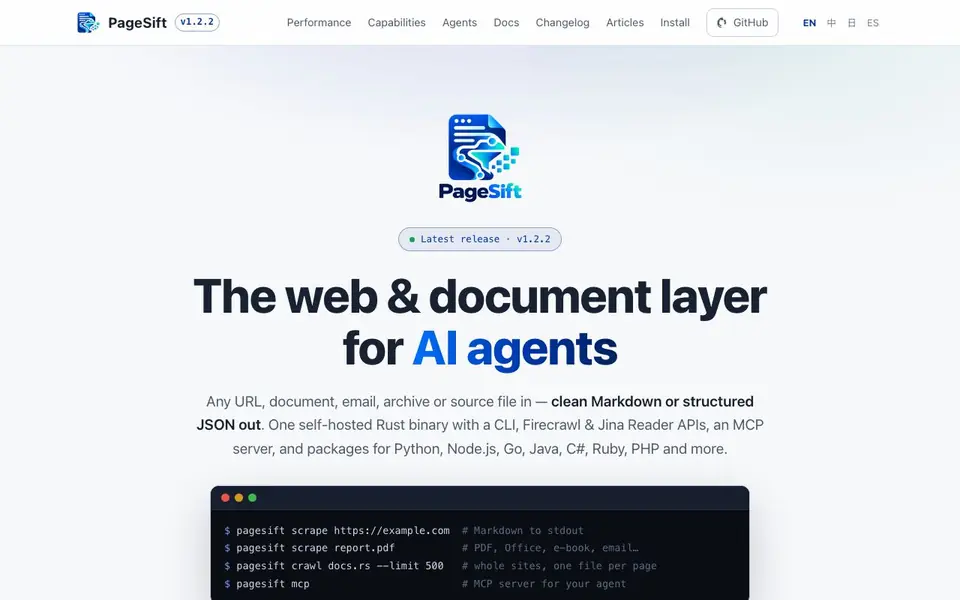
PageSift is a self-hosted Rust engine that converts web pages, PDFs, Office files, emails, archives, and source code into clean Markdown or structured JSON. It is designed for AI agents and LLM pipelines that need reliable, fast, and structured data from various sources.
You can use PageSift through a command-line interface, an HTTP API, an MCP server, or SDKs for Python, Node.js, Go, Java, C#, Ruby, PHP, and more. The tool scrapes single pages, crawls entire sites, maps URLs, processes batches, monitors changes, and runs research runs. It handles JavaScript rendering only when it adds content, respects robots.txt and rate limits, and includes SSRF guards.
PageSift is built for developers and teams who need a fast, self-hosted alternative to hosted scraping services. It claims to be significantly faster than popular tools like pypdf and Turndown, with lower memory usage. The project is open-source and available on GitHub, with over 250 stars.
pagesift features
- Scrape: Extracts main content from any URL or file into Markdown or JSON.
- Crawl: Crawls entire websites with sitemaps, trap handling, and per-host limits.
- Map: Discovers all URLs of a site before fetching them.
- Batch: Processes many URLs in one job with persistence and webhooks.
- Monitor: Tracks changes on pages and sends webhooks when content actually changes.
What you can do with pagesift
- Feed clean web content into your AI agent's context window.
- Convert PDFs and Office documents into Markdown for LLM pipelines.
- Crawl documentation sites to build a searchable knowledge base.
- Monitor competitor pages for content changes and get alerts.
How to get started with pagesift
- Install PageSift by downloading the binary or using a package manager like crates.io, PyPI, or npm.
- Run the CLI command 'pagesift scrape <url>' to convert a page to Markdown.
- Use the MCP server or SDKs to integrate PageSift into your AI agent or pipeline.
Tips for better results with pagesift
- Use PageSift's crawl command with a limit to map and fetch entire documentation sites, producing one Markdown file per page for building searchable knowledge bases.
- Feed PageSift PDFs and Office files directly through the CLI to convert them into clean Markdown, avoiding the need for separate parsing libraries in your pipeline.
- Leverage PageSift's MCP server to integrate it directly with your AI agent, enabling it to fetch and structure web content on demand without custom glue code.
- When scraping dynamic pages, let PageSift decide when to render JavaScript by relying on its built-in logic, which only activates rendering when it adds content to the output.
- Use PageSift's batch processing with webhooks to monitor multiple URLs for changes, ensuring your alerts trigger only when content actually updates.
pagesift pricing
pagesift’s homepage does not list prices. Check pagesift.tech for current plans.
What to check before you rely on pagesift
- Check the pricing page on PageSift's website, as the pricing label is unknown and no cost details are listed in the documentation or source.
- Verify the license terms and self-hosting requirements on the GitHub repository, since PageSift is open-source but you must run it yourself.
- Confirm the export formats you need are supported, as PageSift outputs Markdown and JSON, but the website does not mention other formats like CSV or HTML.
- Review the rate limits and robots.txt handling in the docs, as PageSift respects these by default, but you should ensure they match your scraping needs.
- Test PageSift with your specific file types, like emails or archives, to confirm they work as expected, since the website lists them but does not provide detailed examples.
Who pagesift is for
pagesift suits developers, AI engineers, data teams and automation specialists. If that is not you, the AI developer platforms below may fit better.
Similar tools compared with pagesift
| Tool | What it is | Pricing |
|---|---|---|
| pagesift | Self-hosted web and document extraction engine | See website |
| SiVideoAPI | Unified API for top AI video models | Freemium |
| OpenSI | AI model comparison and pricing tool | See website |
| OpenRouter | Unified API for many AI models | Freemium |
| Ollama | Run open models locally or cloud | Freemium |
pagesift FAQ
What does PageSift do?
PageSift turns any URL, document, email, archive, or source file into clean Markdown or structured JSON. It's built for AI agents and LLM pipelines that need reliable, fast data extraction from the web and local files.
Is PageSift free to use?
PageSift is open-source and self-hosted, so you can run it yourself without paying a subscription. The website does not mention any paid plans, but you should check the GitHub repository for licensing details.
Who is PageSift for?
PageSift is for developers and teams who need a self-hosted, high-performance web scraping and document conversion tool. It's especially useful for AI engineers building agents or pipelines that require clean, structured data from various sources.
What can I build with PageSift?
You can build AI agents that answer questions from the web, crawl documentation sites, monitor pages for changes, or process batches of documents. It also provides an MCP server for integration with AI assistants.
What output formats can PageSift export besides Markdown and JSON?
PageSift can export Markdown or structured JSON, and it also provides links and WARC output. The website lists these as the main output options. If you need a specific format not mentioned, check the documentation or the GitHub repository for the latest details on supported exports.
Does PageSift run on Windows, macOS, and Linux?
PageSift is a self-hosted Rust binary, which typically compiles for Windows, macOS, and Linux. The website does not explicitly list supported operating systems. To confirm platform support, check the installation options in the official docs or the GitHub release page for available binaries.
What does the free plan of PageSift include?
PageSift is open-source and available on GitHub, so you can self-host it for free. The website does not mention a separate free plan or pricing tiers. For details on what the open-source version includes, review the GitHub repository and the documentation.


