

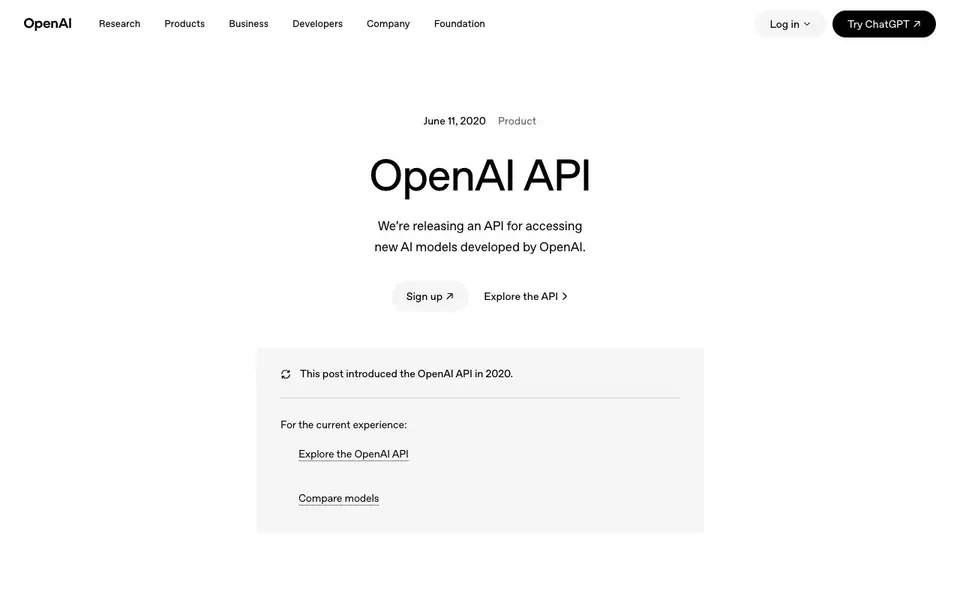
What is OpenAI API?
The OpenAI API gives you a general-purpose text-in, text-out interface. You send a prompt, and the API returns a text completion that tries to match the pattern you gave. It is built for developers, product teams, and researchers who want to add AI capabilities without building models from scratch.
To use it, you sign up for access, then send prompts through the API. You can show a few examples to guide the model, or train it on your own dataset for specific tasks. The API also supports learning from human feedback to improve performance. It runs models from the GPT-3 family with speed and throughput improvements.
The API is designed to be simple for anyone but flexible for machine learning teams. It is currently in private beta, so you need to request access. OpenAI will terminate access for harmful uses like harassment, spam, or radicalization. They are also researching ways to reduce harmful bias and give users more control over content.
OpenAI API features
- General-purpose interface: Works on virtually any English language text task, from answering questions to generating content.
- Prompt programming: You can guide the model by showing it a few examples of what you want it to do.
- Custom training: Train the API on your own dataset, large or small, to improve performance on specific tasks.
- Human feedback learning: Use feedback from users or labelers to refine how the model responds.
- GPT-3 models: Access models from the GPT-3 family with speed and throughput improvements.
What you can do with OpenAI API
- Integrate AI text generation into your existing product or service.
- Build a new application that uses natural language processing.
- Explore the strengths and limits of GPT-3 for research purposes.
- Create a custom assistant or tool that learns from your data.
How to get started with OpenAI API
- Sign up for access to the OpenAI API on their website.
- Review the documentation and explore the API to understand how to send prompts.
- Start integrating the API into your product or application, or test it with your own tasks.
Tips for better results with OpenAI API
- Start with a few clear examples in your prompt to show the OpenAI API the pattern you want, and adjust the examples if the output misses the mark.
- For specific tasks, train the OpenAI API on your own dataset, even a small one, to improve accuracy beyond what prompt examples alone can achieve.
- Use human feedback from users or labelers to refine the OpenAI API's responses over time, especially for nuanced or subjective outputs.
- Test the OpenAI API on simple tasks first to gauge its baseline performance, then scale up complexity gradually to avoid wasted effort.
OpenAI API pricing
OpenAI API’s homepage does not list prices. Check openai.com for current plans.
What to check before you rely on OpenAI API
- Check the OpenAI API pricing page directly, as the website does not list costs or plan limits in the provided information.
- Verify the current access status, since the API launched in private beta and may require an access request or approval.
- Review the terms of service for data usage and privacy, as the website does not specify how your prompts or training data are handled.
Who OpenAI API is for
OpenAI API suits developers, product teams, researchers and machine learning teams. If that is not you, the AI developer platforms below may fit better.
Similar tools compared with OpenAI API
| Tool | What it is | Pricing |
|---|---|---|
| OpenAI API | API for OpenAI AI models | See website |
| SiVideoAPI | Unified API for top AI video models | Freemium |
| OpenSI | AI model comparison and pricing tool | See website |
| OpenRouter | Unified API for many AI models | Freemium |
| Ollama | Run open models locally or cloud | Freemium |
OpenAI API FAQ
What does the OpenAI API do?
It provides a general-purpose text-in, text-out interface. You give it a text prompt, and it returns a text completion that tries to match the pattern you provided. You can use it for many English language tasks.
Who is the OpenAI API for?
It is for developers, product teams, and researchers who want to integrate AI text generation into their products, build new applications, or explore the technology's capabilities. It is also used by machine learning teams to focus on research rather than infrastructure.
How do I get access to the OpenAI API?
The API is currently in private beta. You need to sign up and request access through the OpenAI website. The site does not state specific pricing or a free plan, so check the current details there.
Can I train the OpenAI API on my own data?
Yes, the API allows you to train on a dataset of examples you provide, whether small or large. You can also use human feedback from users or labelers to improve performance on specific tasks.
What can the OpenAI API export or connect to?
The OpenAI API returns text completions from your prompts, but the website does not mention specific export formats or integrations with other services. You can use the API to build your own applications that handle the output as needed. For details on integrations, check the OpenAI documentation or contact support.
What devices or platforms does the OpenAI API run on?
The OpenAI API is a cloud service, so it runs on any device or platform that can make HTTP requests, such as web servers, mobile apps, or desktop software. The website does not list specific device requirements. You can access it from anywhere with an internet connection and a supported programming language.
Does the OpenAI API have a free plan?
The website does not mention a free plan for the OpenAI API. It is currently in private beta, and you need to request access. Pricing details are not provided on this page. For the latest information on plans and costs, visit the OpenAI website or contact their sales team.


