

What is OpenAI API?
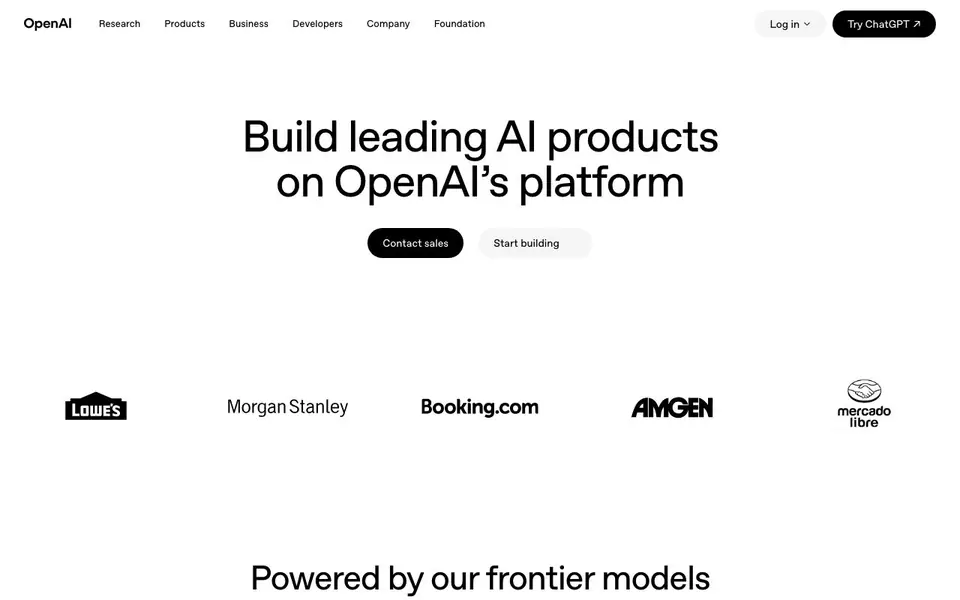
OpenAI's API platform gives you access to their latest frontier models, including the GPT-6 series (Astra, Sol, Luna) with multimodal capabilities and long context lengths. You can build AI-powered products for coding, customer support, recommendations, research, content generation, and education. The platform also includes tools for building agents that can act across your systems.
You start by choosing a model and testing it in the Playground. Then you use the API documentation and developer resources to integrate the models into your app. For agents, you can use the Agents SDK and Responses API to create workflows, add voice with GPT-Live-1, and connect to business systems via tools like web search, file search, and remote MCP servers.
The platform offers enterprise-grade features like security controls (SOC 2 Type 2, HIPAA compliance), data privacy options (no training on your data, zero data retention by request), and administrative controls for managing access and usage. Pricing is pay-as-you-go, with rates per million tokens varying by model. The site also provides prompting guidance and migration support for moving from older models.
OpenAI API features
- Frontier models: Access GPT-6 series models with multimodal intelligence and up to 1.05M context length.
- Agents SDK: Build agent workflows that use your context and tools to get work done across systems.
- Voice with GPT-Live-1: Create real-time voice experiences that listen and respond naturally.
- Built-in tools: Ground agents with web search, file search, and remote MCP servers.
- Enterprise security: SOC 2 Type 2, HIPAA compliance, data encryption, and SSO/MFA controls.
What you can do with OpenAI API
- Accelerate coding with models that write, review, debug, and refactor code.
- Deliver faster customer support with models that resolve issues autonomously.
- Surface personalized recommendations to drive engagement and revenue.
- Turn complex data into clear insights for research and analysis.
How to get started with OpenAI API
- Sign up or log in to the OpenAI API platform.
- Test models in the Playground to find the right fit for your use case.
- Use the API documentation and developer resources to integrate models into your product.
Tips for better results with OpenAI API
- Start in the Playground to test GPT-6 models with your own prompts before writing code, so you can see which model and settings fit your task best.
- For production, use the Agents SDK with built-in tools like web search or file search to ground responses, reducing hallucinations and improving accuracy for real-world queries.
- Match the model to your workload: use GPT-6 Luna for high-volume simple tasks to cut costs, and reserve Astra for complex reasoning where quality matters most.
- Keep prompts under 272K context to avoid higher standard rates, and review the prompting guidance for GPT-6 to structure instructions for maximum performance.
- Test batch processing if your use case tolerates delayed responses, as it can lower token costs significantly compared to standard real-time API calls.
OpenAI API pricing
OpenAI API is a paid product. Check openai.com for current plans and whether a demo or trial is offered.
What to check before you rely on OpenAI API
- Check the pricing page for each GPT-6 model, as input and output rates vary widely by model, and confirm your expected token usage fits your budget.
- Verify whether your data handling needs require zero data retention or no training on your data, since these options may not be automatic for all plans.
- Confirm the API supports your required platforms and languages, and review the documentation for integration details, as the site does not list all SDKs explicitly.
- Check if you need HIPAA compliance or SOC 2 reports for your industry, and confirm with sales that your planned use case qualifies for these enterprise features.
Who OpenAI API is for
OpenAI API suits developers, product teams, enterprises and startups. If that is not you, the AI developer platforms below may fit better.
Similar tools compared with OpenAI API
| Tool | What it is | Pricing |
|---|---|---|
| OpenAI API | API platform for frontier AI models | Paid |
| SiVideoAPI | Unified API for top AI video models | Freemium |
| OpenSI | AI model comparison and pricing tool | See website |
| OpenRouter | Unified API for many AI models | Freemium |
| Ollama | Run open models locally or cloud | Freemium |
OpenAI API FAQ
What models are available on the OpenAI API?
The platform offers the GPT-6 series (Astra, Sol, Luna) with different pricing and capabilities, plus other models like GPT-5.6 and GPT-5.5. Each model has a knowledge cut-off date and supports up to 128K max output tokens.
How much does the OpenAI API cost?
Pricing is pay-as-you-go per million tokens. For example, GPT-6 Astra costs $10.00 input and $50.00 output per 1M tokens, while GPT-6 Luna costs $0.10 input and $0.50 output. The site notes standard rates apply for context lengths under 272K.
Can I build AI agents with this platform?
Yes. You can use the Agents SDK and Responses API to create agent workflows, add voice with GPT-Live-1, and connect agents to business systems securely. Built-in tools like web search and file search help ground agents with relevant context.
Is there a free plan or trial?
The website does not state a free plan or trial. It mentions simple pay-as-you-go pricing and a Playground for testing, but you should check the pricing page or contact sales for details on any free credits.
Can the OpenAI API be used for real-time voice applications?
Yes, the OpenAI API includes GPT-Live-1, which lets you build voice experiences that listen and respond naturally in real time. You can add voice to agent workflows alongside the Agents SDK and Responses API. The website highlights this as a core feature for creating interactive voice applications.
Does the OpenAI API offer data privacy and security features?
The OpenAI API provides enterprise-grade security controls, including SOC 2 Type 2 and HIPAA compliance, data encryption, and SSO/MFA. You can also request zero data retention and no training on your data. These options are mentioned on the site as part of the platform's enterprise offerings.
What integrations does the OpenAI API support for connecting to business systems?
The OpenAI API supports built-in tools like web search, file search, and remote MCP servers, which let you ground agents with relevant context. You can also connect agents securely to business systems to take action across workflows. The website describes these as ways to extend agent capabilities.


