

What is NVIDIA AI?
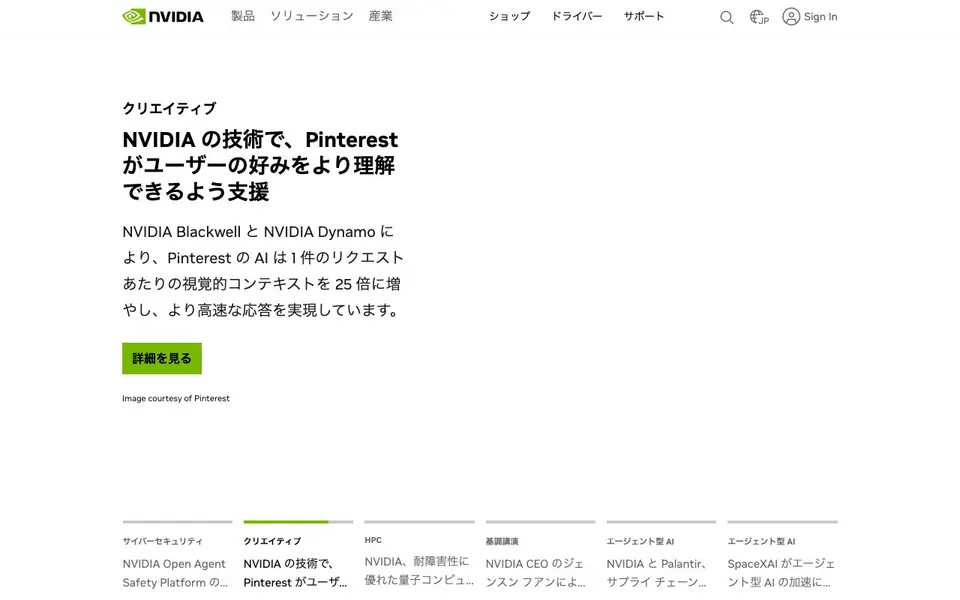
NVIDIA is a leading company in AI computing, known for inventing GPUs. Its technology powers advances in AI, high-performance computing (HPC), gaming, creative design, autonomous vehicles, and robotics. The website highlights how NVIDIA's hardware and software help businesses and researchers build and run AI applications.
You can explore NVIDIA's products and solutions, from GPU hardware to AI frameworks like NIM and Omniverse. The site shows how these tools accelerate generative AI, enable agentic AI workflows, and support simulation and digital twins. You can also find news about partnerships with companies like Adobe, Palantir, and TSMC.
NVIDIA serves a wide range of users, including developers, engineers, scientists, and creative professionals. The website mentions specific tools like the Synthetic Video Detector for media verification and Cosmos Edge for edge AI. While it doesn't list pricing, it offers many resources for learning and getting started.
NVIDIA AI features
- GPU hardware: Powerful graphics processing units for AI, gaming, and creative workloads.
- NIM microservices: Simplify and accelerate the deployment of generative AI models.
- Omniverse platform: Build and operate 3D simulations and digital twin applications.
- CUDA-Q quantum platform: Supports quantum computing research and hybrid systems.
- Agentic AI tools: Develop and deploy AI agents for enterprise and industrial use.
What you can do with NVIDIA AI
- Train and deploy large AI models for enterprise applications.
- Build simulation environments for robotics and autonomous vehicles.
- Create digital twins of real-world systems for industrial automation.
- Accelerate scientific research in climate, materials, and quantum computing.
How to get started with NVIDIA AI
- Visit the NVIDIA website and explore products and solutions.
- Choose a specific technology, like NIM or Omniverse, to learn more.
- Access documentation, blogs, and announcements to get started.
Tips for better results with NVIDIA AI
- Start with NVIDIA's NIM microservices to deploy generative AI models quickly, as they simplify integration and reduce setup time for common use cases like inference and agent workflows.
- Use NVIDIA Omniverse for simulation and digital twin projects, but begin with their provided templates and sample scenes to understand the platform's workflow before building custom environments.
- For edge AI tasks, explore NVIDIA Cosmos Edge, which handles text, image, video, and sound; test it with your own data to see if it fits your specific application needs.
- Check NVIDIA's developer resources and blogs for step-by-step guides on tools like NIM and Omniverse, as they often include practical examples that save you time when you're getting started.
- checks
NVIDIA AI pricing
NVIDIA AI’s homepage does not list prices. Check nvidia.com for current plans.
What to check before you rely on NVIDIA AI
- Verify whether the NVIDIA tool you plan to use has a free tier or trial, since the website does not list pricing or plan limits for any product.
- Confirm the specific hardware requirements for the NVIDIA software you choose, as some tools may need certain GPUs or system specs that are not detailed on the main site.
- Check data privacy and export options for your use case, because the website does not state how data is handled or what formats are supported for outputs like simulations or AI models.
Who NVIDIA AI is for
NVIDIA AI suits developers, engineers, researchers and creative professionals. If that is not you, the AI developer platforms below may fit better.
Similar tools compared with NVIDIA AI
| Tool | What it is | Pricing |
|---|---|---|
| NVIDIA AI | AI computing and GPU platform | See website |
| SiVideoAPI | Unified API for top AI video models | Freemium |
| OpenSI | AI model comparison and pricing tool | See website |
| OpenRouter | Unified API for many AI models | Freemium |
| Ollama | Run open models locally or cloud | Freemium |
NVIDIA AI FAQ
What does NVIDIA offer for AI development?
NVIDIA provides GPUs, software like NIM microservices, and frameworks for building and deploying AI models. It supports generative AI, agentic workflows, and simulation, with resources for developers and researchers.
Is NVIDIA AI free to use?
The website does not state pricing for its AI products. You would need to check specific product pages or contact NVIDIA for cost details.
Who is NVIDIA AI for?
It's for developers, engineers, scientists, and creative professionals who need high-performance computing for AI, simulation, robotics, and design work.
What can you build with NVIDIA's tools?
You can build AI agents, digital twins, simulation environments, and custom generative models. The site also mentions tools for video detection and edge AI.
Can NVIDIA AI run on a regular laptop or desktop computer?
NVIDIA AI includes both cloud-based services and local tools like DGX Spark, which is a desktop system. The website does not specify minimum hardware requirements for all tools. Check the product pages for each tool to see if it supports your device.
Does NVIDIA AI offer a free plan or trial for individual developers?
The NVIDIA website does not list pricing or a free plan. It mentions many resources for learning and getting started, but you need to sign in to access some features. For specific pricing or trial options, visit the NVIDIA developer or product pages.
Can NVIDIA AI be used for robotics and autonomous vehicle development?
Yes, NVIDIA AI supports robotics and autonomous vehicles. The website highlights tools like Omniverse for simulation and digital twins, and mentions Physical AI Data Factory Blueprint for robotics and self-driving cars. These help you build and test systems in virtual environments before real-world deployment.


