

What is NBot AI?
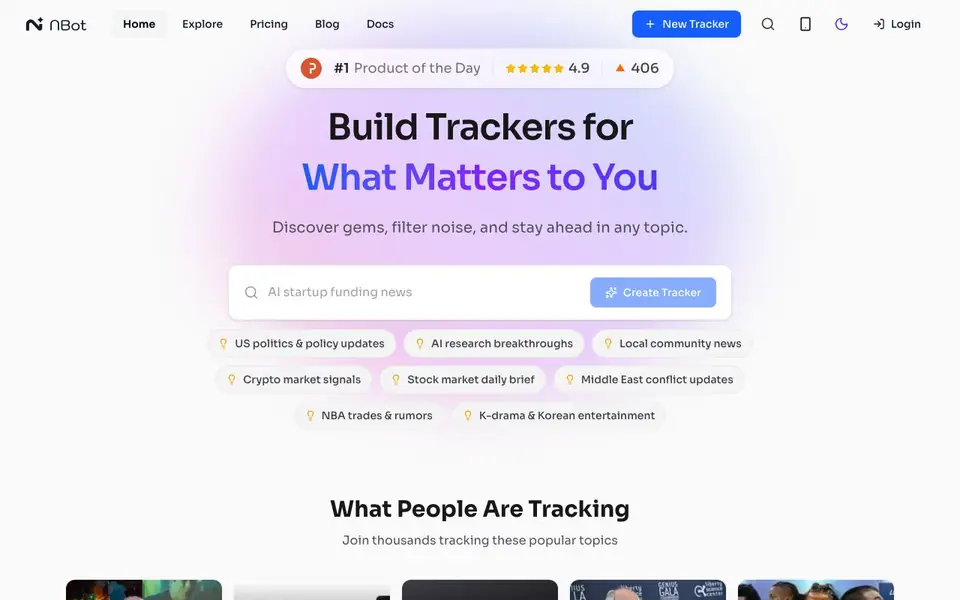
NBot AI lets you create custom trackers that watch the web for content on any topic you choose. You describe what interests you in plain language, and it builds a tracker that pulls from news outlets, blogs, RSS feeds, social media, and websites. It then filters out noise and highlights the insights that matter.
To get started, you describe your topic in a simple sentence, like tracking solid-state battery manufacturing. NBot identifies top sources and suggests related areas to expand coverage. Your tracker then monitors those sources continuously, providing AI summaries that explain why each piece matters, with direct links to verify the original material.
You can refine your tracker by chatting with it. Ask questions about your feed, or tell it to change focus, like prioritizing engineering blogs over financial reports. It suits researchers, investors, news junkies, and anyone who wants to stay ahead in a niche without manually checking multiple sites. The website mentions a free plan to start tracking.
NBot AI features
- Plain-language setup: Describe your topic in a sentence and NBot builds the tracker for you.
- Source discovery: Automatically identifies top sources and suggests related topics to broaden coverage.
- AI summaries: Context-aware summaries explain why each piece of content matters to you.
- Direct source links: One click takes you to the original article or post for verification.
- Feed chat: Ask questions or adjust your tracker's focus in real-time through built-in chat.
What you can do with NBot AI
- Track AI research breakthroughs and get summaries of new papers.
- Monitor crypto market signals for investment opportunities.
- Follow local community news without checking multiple sites.
- Stay updated on sports trades and rumors like NBA deals.
How to get started with NBot AI
- Go to the website and click Create Tracker or New Tracker.
- Describe your topic in plain language, like tracking a specific industry.
- Review suggested sources and adjust your tracker via chat as needed.
Tips for better results with NBot AI
- Start with a specific, detailed sentence about your topic, like naming a process or company, so NBot AI builds a focused tracker instead of a broad one.
- Use the chat feature to refine your tracker by asking for more engineering blogs or fewer financial reports, and NBot AI adjusts its sources in real time.
- Review the AI summaries and click the direct source links to verify the original material, ensuring the insights NBot AI highlights are accurate and relevant.
- Ask NBot AI to suggest related topics during setup, like patent filings, to expand your tracker's coverage without manually adding sources yourself.
NBot AI pricing
NBot AI has a free way to start, with paid plans for heavier use. Check nbot.ai for current limits and prices.
What to check before you rely on NBot AI
- Check whether the free plan includes enough trackers and sources for your needs, since the website does not specify limits or what the paid tier adds.
- Verify if NBot AI supports the specific sources you care about, like YouTube or Reddit, since the website lists options but not full coverage details.
- Confirm how your tracker data is stored and whether you can export or delete it, as the website does not state data retention or export formats.
Who NBot AI is for
NBot AI suits researchers, investors, news enthusiasts and content curators. If that is not you, the AI agents below may fit better.
Similar tools compared with NBot AI
| Tool | What it is | Pricing |
|---|---|---|
| NBot AI | Custom AI web trackers for any topic | Freemium |
| n8n | AI workflow automation platform | Freemium |
| Lindy | AI teammate for team workflows | Freemium |
| Zapier | AI workflow and agent orchestration platform | Freemium |
| LM Studio | Local AI agent for work and code | See website |
NBot AI FAQ
How does NBot AI build a tracker?
You describe your topic in plain language, and NBot identifies top sources like academic journals, news sites, and blogs. It also suggests related topics to expand coverage, so you don't need to set up complex search strings or manage RSS feeds manually.
Is NBot AI free to use?
The website says you can start tracking for free, which suggests a free plan is available. It also has a Pricing page, so there are likely paid tiers with more features, but the site doesn't detail what those include.
What sources can NBot AI monitor?
NBot tracks news outlets, newsletters, RSS feeds, niche blogs, and social media discussions. You can also connect your own favorite sources like YouTube, X/Twitter, Reddit, or any website, according to the homepage.
Can I adjust my tracker after creating it?
Yes. Your tracker acts as an active agent with built-in chat. You can ask questions about your feed, like summarizing arguments against an approach, or change its focus, such as prioritizing engineering blogs over financial reports.
Can NBot AI export or integrate with other tools like Slack or email?
The NBot AI website does not mention any export options or integrations with external tools like Slack or email. To find out if such features are available, check the NBot AI docs or contact their support team directly.
What devices or platforms does NBot AI run on?
NBot AI is a web-based tool, so you can access it from any device with a browser and an internet connection. The website does not mention dedicated mobile apps or desktop software, so you'll likely use it through your web browser.
Does NBot AI require creating an account to use it?
The NBot AI website mentions a free plan to start tracking, but it does not specify whether an account is required. Since it's a freemium service, you likely need to sign up to create and manage trackers. Check the pricing or sign-up page for details.


