

What is Mnemom?
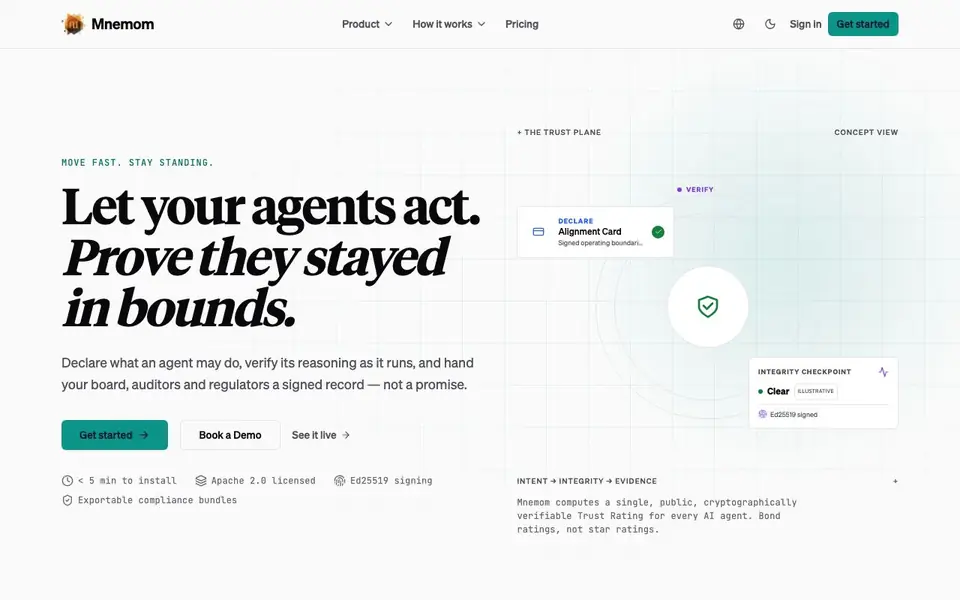
Mnemom is a platform that adds a trust layer to AI agents. It lets you declare what an agent may do, verify its reasoning as it runs, and sign a cryptographic record of every action. This gives you a tamper-evident proof of agent behavior, not just a promise.
You start by creating an Alignment Card that sets out the agent's operating boundaries in plain, versioned, signed terms. Then, as the agent works, Mnemom checks each decision against that card in real time. If the agent drifts from its boundaries, you catch it immediately. Finally, Mnemom signs the result with Ed25519 cryptography, creating a portable Trust Rating anyone can verify.
Mnemom suits teams that need to show regulators, auditors, or boards what their agents actually did. It installs in under five minutes and is Apache 2.0 licensed. The website mentions exportable compliance bundles and a five-layer stack, but does not state specific pricing or integrations.
Mnemom features
- Alignment Cards: Declare what an agent may and may not do in plain, versioned, signed terms.
- In-flight verification: Check every agent decision against its card as it runs, catching drift immediately.
- Ed25519 signing: Sign each record with tamper-evident cryptography for verifiable proof.
- Trust Ratings: Get a public, cryptographically verifiable rating for any agent, like a bond rating.
- Compliance bundles: Export signed records and evidence for auditors and regulators.
What you can do with Mnemom
- Prove to auditors that your AI agents stayed within their declared boundaries.
- Give your board a signed record of agent actions instead of a verbal promise.
- Verify a third-party agent's reasoning before you integrate it into your workflow.
- Catch policy breaks in real time as your agents operate, not after the fact.
How to get started with Mnemom
- Sign in and get started on the Mnemom website.
- Create an Alignment Card that declares what your agent may do.
- Install Mnemom in under five minutes and run your agent with in-flight verification.
Tips for better results with Mnemom
- Start by writing an Alignment Card that states your agent's boundaries in plain language, then version it and sign it before running any agent with Mnemom.
- Use Mnemom's in-flight verification to monitor your agent's decisions in real time, so you can catch policy drift the moment it happens instead of after the fact.
- Export Mnemom's compliance bundles after each run to keep a signed record of agent actions, which you can share directly with auditors or your board.
- Before integrating a third-party agent, run it under Mnemom with a test Alignment Card to verify its reasoning and see if it stays within your declared limits.
Mnemom pricing
Mnemom’s homepage does not list prices. Check mnemom.ai for current plans.
What to check before you rely on Mnemom
- Check whether the Mnemom website lists pricing or plan limits, since it does not state any specific costs or usage caps for the platform.
- Confirm which AI agent frameworks or platforms Mnemom integrates with, as the website does not mention specific integrations or compatibility details.
- Verify how Mnemom handles data privacy and storage for your agent records, because the site does not explain data residency or retention policies.
Who Mnemom is for
Mnemom suits compliance officers, AI platform teams, enterprise developers and security engineers. If that is not you, the AI developer platforms below may fit better.
Similar tools compared with Mnemom
| Tool | What it is | Pricing |
|---|---|---|
| Mnemom | Trust and verification platform for AI agents | See website |
| SiVideoAPI | Unified API for top AI video models | Freemium |
| OpenSI | AI model comparison and pricing tool | See website |
| OpenRouter | Unified API for many AI models | Freemium |
| Ollama | Run open models locally or cloud | Freemium |
Mnemom FAQ
What does Mnemom do exactly?
Mnemom declares what an AI agent may do, verifies its reasoning as it runs, and signs a cryptographic record of every action. You get a tamper-evident proof of agent behavior, not just a promise.
How does the verification work?
You set an Alignment Card with the agent's boundaries. Every decision is checked against that card in real time. If the agent drifts, you catch it immediately. The result is an Ed25519-signed record.
Who is Mnemom for?
It's for teams that need to show regulators, auditors, or boards what their agents did. That includes compliance officers, security engineers, and enterprise developers running AI agents.
Is Mnemom free or paid?
The website does not state pricing details. It does mention the platform is Apache 2.0 licensed and installs in under five minutes. Check the Pricing page on Mnemom's website for current plans.
What can Mnemom export or connect to?
Mnemom lets you export compliance bundles that contain signed records and evidence for auditors and regulators. The website mentions these exportable bundles but does not list specific integrations or connections to other tools. To see if Mnemom integrates with a particular system, check the integration docs linked in the website footer.
Which platforms or devices does Mnemom run on?
Mnemom installs in under five minutes and is Apache 2.0 licensed, but the website does not specify which operating systems, browsers, or devices it supports. For details on platform requirements, check the documentation or contact Mnemom directly through the contact information on their site.
Does Mnemom require an account to use?
The Mnemom website shows a sign-in option and a get started button, which suggests you may need an account to use the platform. However, the site does not explicitly state whether an account is required for all features. To confirm, try the get started flow or check the docs for account requirements.


