

What is Middleware?
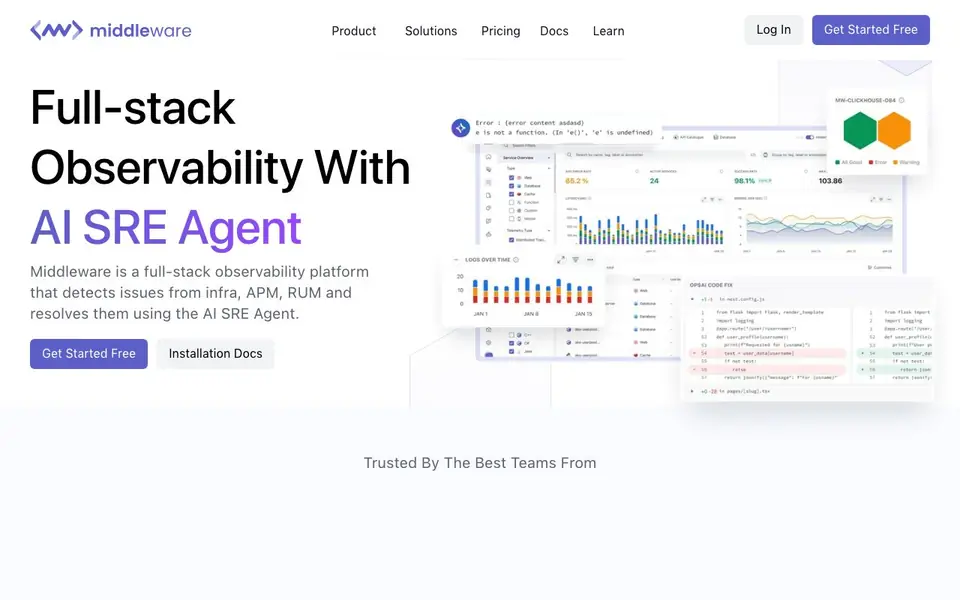
Middleware is a full-stack observability platform that brings together infrastructure monitoring, application performance monitoring (APM), real user monitoring (RUM), logs, and synthetic browser testing in one place. Its standout feature is OpsAI, an AI SRE agent that not only detects production issues but also pinpoints the root cause and opens a pull request with fixes.
You start by installing a lightweight agent in about a minute, with support for manual and auto instrumentation across languages, frameworks, and clouds. All telemetry data—logs, metrics, and traces—is ingested without sampling and lives on a single timeline. Traces, logs, metrics, and frontend sessions are automatically linked by trace ID, so you can go from symptom to root cause in seconds.
You can also ask questions in plain English to generate dashboards, charts, or queries without learning a custom query language. Middleware claims to reduce debugging time by nearly 90% and observability costs by 50%, based on customer testimonials. It offers a free tier with no strings attached, and you can book a demo or check installation docs to get started.
Middleware features
- OpsAI SRE Agent: Automatically detects production issues, finds the exact line of code, and opens a pull request with fixes.
- Unified Telemetry: Logs, metrics, and traces from all sources live on a single timeline for easy correlation.
- AI Prompt Visualization: Ask in plain English to get dashboards, charts, or queries without learning a query language.
- Auto-Instrumentation: Install a lightweight agent in a minute with no code changes, supporting manual and auto instrumentation.
- Full-Stack Coverage: Monitor infrastructure, APM, RUM, synthetic browser testing, and LLM observability from one platform.
What you can do with Middleware
- Detect and resolve production incidents automatically with the AI SRE agent.
- Monitor application performance across AWS, Azure, GCP, and Kubernetes.
- Correlate traces, logs, and frontend sessions to find root causes faster.
- Generate dashboards and queries using natural language prompts.
- Track LLM calls, tokens, and RAG pipelines with OpenTelemetry.
How to get started with Middleware
- Sign up for a free account on Middleware's website.
- Install the lightweight agent using the one-command setup, with manual or auto instrumentation.
- Start ingesting telemetry data and use OpsAI to detect and fix issues automatically.
Tips for better results with Middleware
- Start with the auto-instrumentation agent to get full telemetry flowing in minutes, then verify that logs, metrics, and traces appear on the single timeline before exploring deeper features.
- Use OpsAI to investigate production incidents: let it detect the issue, review the root cause it identifies, and inspect the pull request it opens before merging any automated fix.
- Ask Middleware for dashboards or queries in plain English, then refine the generated output manually to match your exact monitoring needs, since AI results may need adjustment.
- Link your frontend sessions with backend traces by ensuring trace IDs are propagated correctly, so Middleware can correlate RUM data with APM and logs for faster root cause analysis.
Middleware pricing
Middleware has a free way to start, with paid plans for heavier use. Check middleware.io for current limits and prices.
What to check before you rely on Middleware
- Confirm what the free tier includes, since the website lists freemium pricing but does not specify data retention, user limits, or feature restrictions on that plan.
- Verify data retention and sampling policies for your logs and metrics, as the site claims no sampling but does not state how long data is stored or any volume caps.
- Check export and integration options for your existing stack, because the website does not list supported data formats or whether you can export telemetry to other tools.
Who Middleware is for
Middleware suits DevOps engineers, SRE teams, Engineering managers and Platform teams. If that is not you, the AI developer platforms below may fit better.
Similar tools compared with Middleware
| Tool | What it is | Pricing |
|---|---|---|
| Middleware | Full-stack observability with AI SRE agent | Freemium |
| SiVideoAPI | Unified API for top AI video models | Freemium |
| OpenSI | AI model comparison and pricing tool | See website |
| OpenRouter | Unified API for many AI models | Freemium |
| Ollama | Run open models locally or cloud | Freemium |
Middleware FAQ
What does Middleware do?
Middleware is a full-stack observability platform that monitors infrastructure, applications, and user experience. It collects logs, metrics, and traces, and uses an AI SRE agent called OpsAI to automatically detect production issues, find root causes, and even open pull requests with fixes.
Is Middleware free?
Yes, Middleware offers a completely free plan with no strings attached, according to its website. You can get started free and explore the platform. For advanced features or team needs, you can book a demo to discuss options.
Who is Middleware for?
Middleware is designed for engineering teams, DevOps engineers, SREs, and platform teams who need to monitor their entire stack and resolve incidents quickly. It's especially useful for teams that want AI-assisted root cause analysis and automated fixes in production.
What can I monitor with Middleware?
You can monitor infrastructure, applications (APM), real user experience (RUM), logs, databases, containers, serverless functions, and even LLM calls. It also supports synthetic monitoring and browser testing. All telemetry data is unified on a single timeline for easy correlation.
What integrations or exports does Middleware support?
Middleware works across languages, frameworks, and clouds like AWS, Azure, GCP, and Kubernetes. The website does not list specific export destinations or third-party integrations beyond OpenTelemetry for LLM tracing. For a full list, check the Middleware documentation or contact their team directly.
Which devices or platforms can I run Middleware on?
Middleware is a cloud-based platform accessed through a browser, with a lightweight agent you install on your servers or applications. The website does not mention native mobile or desktop apps. You can run the agent on any system that supports its installation, as detailed in the installation docs.
What does the Middleware free plan include?
Middleware offers a free tier with no strings attached, but the website does not specify its exact limits, such as data volume or user count. To know what's included, sign up for the free plan or check the pricing page. The free tier is designed to let you start without upfront costs.


