

What is Maxim?
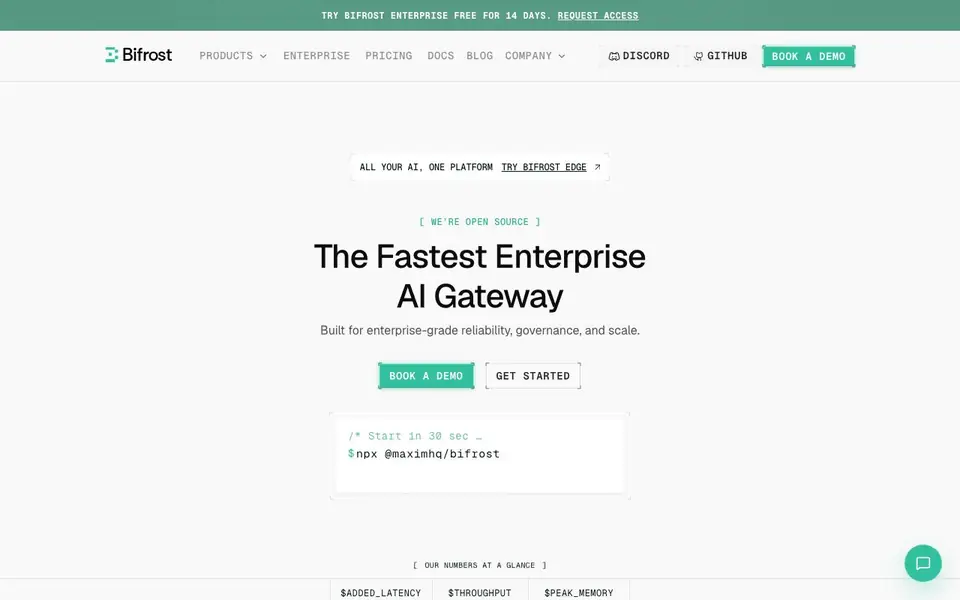
Bifrost is an enterprise-grade AI gateway that sits between your applications and AI models. It gives you a single control plane for routing requests to 8+ providers and 1000+ models, managing budgets, enforcing guardrails, and tracking performance. The open-source version is free, and the enterprise edition adds advanced governance and support.
Getting started is quick. You install it with a single command, then change one line of code in your existing AI SDK setup. It works as a drop-in replacement for OpenAI, Anthropic, Vercel AI SDK, LangChain, and more. Once connected, you can switch models without rewriting code, set spending limits per team or virtual key, and enable automatic failover between providers for high availability.
Bifrost suits engineering teams building AI features at scale. the website highlights benchmarks showing it is faster and more memory-efficient than LiteLLM. It also includes a built-in MCP gateway so agents can safely use external tools. The website mentions over 1,000 teams use it, and enterprise pricing is available through a 14-day free trial.
Maxim features
- Model Catalog: Access 8+ providers and 1000+ models through one unified interface, including custom deployments.
- Budgeting: Set spending limits and track costs across teams, projects, and individual models.
- Provider Fallback: Automatic failover between providers keeps your applications running with 99.99% uptime.
- MCP Gateway: Centralize all MCP tool connections with governance, security, and policy enforcement for agents.
- Built-in Observability: OpenTelemetry support and a dashboard give you quick insights without complex setup.
What you can do with Maxim
- Route LLM requests across multiple providers to avoid vendor lock-in.
- Enforce spending limits and access control for different teams or projects.
- Add guardrails to block unsafe outputs and keep agents compliant.
- Monitor latency, throughput, and errors across all your AI calls.
How to get started with Maxim
- Install Bifrost with the command npx @maximhq/bifrost to start locally.
- Change one line of code in your existing AI SDK to point to Bifrost.
- Configure providers, budgets, and guardrails through the control plane.
Tips for better results with Maxim
- Start with the open-source version to test Bifrost against your existing AI SDK setup before committing to enterprise features like SSO or advanced guardrails.
- Use Bifrost's virtual keys to separate budgets and access controls per team or project, so you can track spending without mixing usage across environments.
- Configure provider fallback in Bifrost for critical workloads, and test failover scenarios to confirm your app stays up when a provider has an outage.
- Enable Bifrost's built-in observability dashboard early to monitor latency and errors, then adjust routing rules based on real performance data.
Maxim pricing
Maxim offers a free trial before you pay. Check getmaxim.ai for current plans.
What to check before you rely on Maxim
- Check whether the 14-day enterprise trial includes all features you need, since the website does not list what the trial limits are.
- Verify that Bifrost supports your specific model providers and custom deployments before relying on it, as the catalog lists 8+ providers but not all names.
- Confirm your data privacy requirements against Bifrost's policies, because the website does not state how your prompts or logs are stored or processed.
Who Maxim is for
Maxim suits backend developers, platform engineers and AI infrastructure teams. If that is not you, the AI developer platforms below may fit better.
Similar tools compared with Maxim
| Tool | What it is | Pricing |
|---|---|---|
| Maxim | Enterprise AI gateway for LLM and agent traffic | Free trial |
| SiVideoAPI | Unified API for top AI video models | Freemium |
| OpenSI | AI model comparison and pricing tool | See website |
| OpenRouter | Unified API for many AI models | Freemium |
| Ollama | Run open models locally or cloud | Freemium |
Maxim FAQ
What is Bifrost?
Bifrost is an open-source AI gateway that sits between your app and LLM providers. It handles routing, governance, guardrails, and observability. You use it to manage all your AI traffic from one place, whether you call OpenAI, Anthropic, or other models.
How much does Bifrost cost?
The open-source version is free under Apache 2.0. The enterprise edition offers a 14-day free trial, but the website does not list specific pricing. You can request a license or book a demo to get details.
Can Bifrost integrate with my existing AI stack?
Yes. It is a drop-in replacement for OpenAI, Anthropic, Vercel AI SDK, LangChain, and more. You change just one line of code. It also supports custom deployed models and MCP tools, so it fits into most setups.
How can I get started with Bifrost?
Run the install command, then update your client code to use Bifrost. The website says you can start in 30 seconds. For enterprise features, you can request a 14-day free trial or book a demo.
Does Maxim offer a free plan or only a trial?
Maxim's open-source version is free, but the website does not detail a separate free plan for the enterprise edition. The enterprise edition is available through a 14-day free trial. For specifics on free tiers, check the pricing page or contact sales.
What data does Maxim collect and how is it handled?
Maxim's website does not explicitly detail data collection or handling practices. As an enterprise gateway, it likely processes AI requests, but you should review the privacy policy or contact Maxim directly for specifics on data retention, security, and compliance.
Can Maxim run on-premises or only in the cloud?
Maxim's website does not specify deployment options. It is open-source, which suggests you can self-host, but the enterprise edition may offer cloud or on-prem options. Check the documentation or contact sales for deployment details.


