

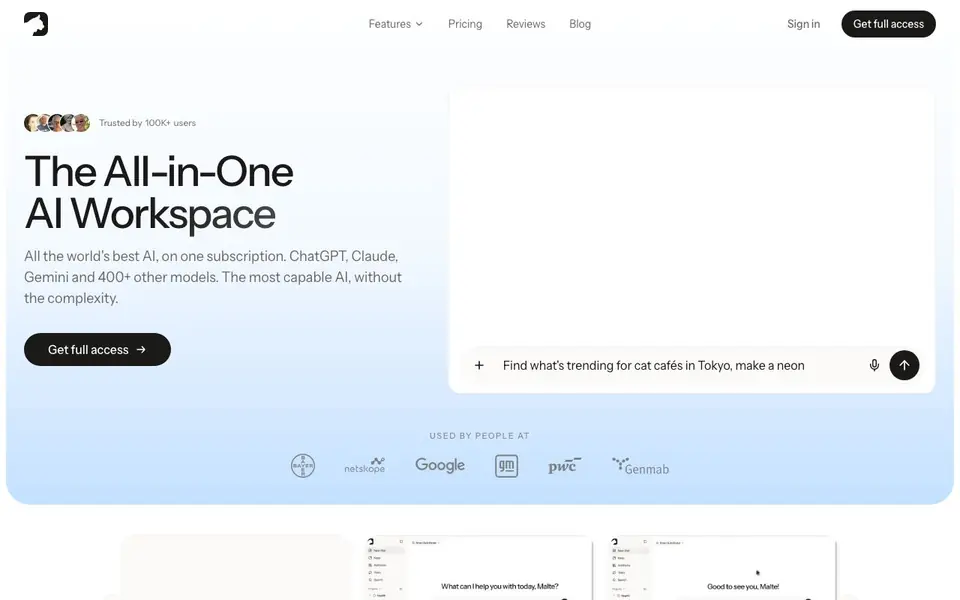
What is Krater.ai?
Krater is an all-in-one AI workspace that brings ChatGPT, Claude, Gemini, Grok, and 400+ other models into a single subscription. You can chat, generate images and videos, create audio, write code, and research the web without juggling multiple tools. It is built for people who want powerful AI without the complexity of managing many subscriptions.
You start by picking a model or letting the Auto Router choose the best one for your task. You can switch models mid-chat. Describe what you want, and Krater can build visuals, slides, or websites as editable artifacts with live previews. You can also connect your apps like Gmail, Slack, Notion, and GitHub, and set up Tasks that run on a schedule.
Krater learns how you work with Memory and Projects, keeping your context and files ready. You can drop in PDFs, URLs, or videos and get summaries and answers. The platform is EU-hosted, GDPR compliant, and does not train on your data. It is available natively in 12 languages.
Krater.ai features
- Auto Router: Automatically picks the best AI model for your task from 400+ options.
- Multi-model chat: Switch between ChatGPT, Claude, Gemini, Grok, and others mid-conversation.
- Image and video generation: Create, edit, and upscale visuals using top image and video models.
- App connections: Connect Gmail, Slack, Notion, GitHub, and hundreds more to take action inside them.
- Memory and Projects: Keeps your context, style, and files ready so Krater learns how you work.
What you can do with Krater.ai
- Generate lead magnets, social media ads, and blog content quickly.
- Create and edit images and videos for marketing or personal projects.
- Write, debug, and run code with live previews to build working apps.
- Summarize PDFs, URLs, or videos by dropping them into Krater.
How to get started with Krater.ai
- Sign in or get full access on the Krater website.
- Pick a model or let Auto Router choose the best one for your task.
- Describe what you want, connect your apps, and let Krater run the work.
Tips for better results with Krater.ai
- Start with the Auto Router when you are unsure which model fits your task, then switch models mid-chat in Krater if the output feels off.
- Use Krater's Memory and Projects to store your context and files, so it can reuse your style and preferences across sessions.
- Drop PDFs, URLs, or videos directly into Krater to get summaries and answers, and check the saved findings in Keep for deep research tasks.
- Connect Gmail, Slack, Notion, or GitHub in Krater to run scheduled Tasks, and describe your goal once to let it plan and execute the work.
Krater.ai pricing
Krater.ai’s homepage does not list prices. Check krater.ai for current plans.
What to check before you rely on Krater.ai
- Check whether the subscription covers all 400+ models or if some require extra fees, since the website does not list pricing details.
- Verify which of the 300+ app connections work with your specific tools, as the website does not provide a full list of supported apps.
- Confirm your data privacy expectations against Krater's EU hosting and GDPR compliance, but note the website does not state data retention policies.
Who Krater.ai is for
Krater.ai suits marketers, developers, students and content creators. If that is not you, the AI agents below may fit better.
Similar tools compared with Krater.ai
| Tool | What it is | Pricing |
|---|---|---|
| Krater.ai | All-in-one AI workspace with 400+ models | See website |
| n8n | AI workflow automation platform | Freemium |
| Lindy | AI teammate for team workflows | Freemium |
| Zapier | AI workflow and agent orchestration platform | Freemium |
| LM Studio | Local AI agent for work and code | See website |
Krater.ai FAQ
What does Krater do?
Krater is an all-in-one AI workspace. It gives you access to 400+ AI models for chat, images, video, audio, code, and research. You can switch models mid-chat and connect your apps to automate tasks.
How much does Krater cost?
The website mentions one subscription for full access but does not list specific prices. You can check the Pricing page on Krater's website for current plans and details.
Who is Krater for?
Krater suits marketers, developers, students, and content creators. It is designed for anyone who wants many AI tools in one place without juggling multiple subscriptions.
Can I use my own apps with Krater?
Yes. Krater connects with Gmail, Slack, Notion, GitHub, and hundreds of other apps. You can let Krater take action inside them and run tasks on a schedule.
Can Krater.ai export my work to other apps or files?
Krater.ai lets you connect apps like Gmail, Slack, Notion, and GitHub, and you can take actions inside them. The website does not detail specific export formats or file destinations. For exact export options, check the app's settings or help center after signing in.
Does Krater.ai work on mobile devices or only in a browser?
Krater.ai is described as an all-in-one AI workspace, but the website does not mention dedicated mobile apps or specific device support. It likely works in a web browser on any device, but for confirmed platform availability, check the official site or contact support.
Is Krater.ai free to use, or does it require a paid plan?
Krater.ai does not list a free plan on its website. The pricing label is unknown, and the site only shows a 'Get full access' button. To know if there is a free tier or trial, visit the pricing page or sign up to see available options.


