

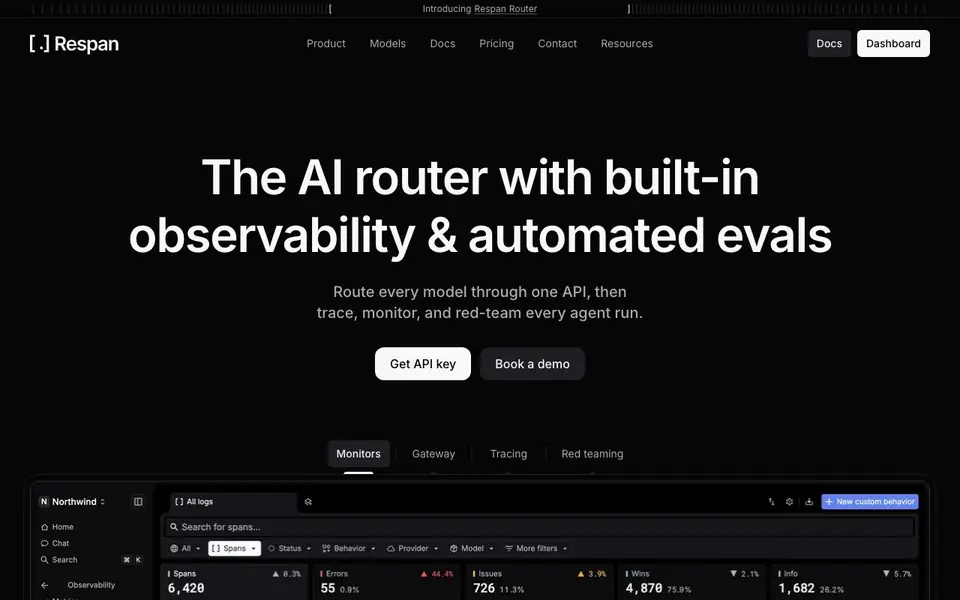
What is Keywords AI?
Respan is an AI router that gives you a single endpoint for reaching over 1,000 models from major providers. You can switch between models by changing one word, set automatic fallbacks, and add response caching to cut costs. It also includes spend limits and budgets at the key, customer, or org level.
Beyond routing, Respan helps you evaluate and monitor your AI agents. You can score outputs using LLM judges, code checks, or human reviewers, and compare versions side by side before shipping. It samples real production traffic for testing, so you know how changes perform with actual user requests.
The monitoring dashboard tracks requests, errors, cost, latency, and tokens. Alerts go to Slack, email, or webhooks when metrics cross thresholds. Respan suits teams building AI agents or applications who need reliability, cost control, and quality assurance in one place.
Keywords AI features
- One API for many models: Reach 1,000+ models from every major provider through a single endpoint.
- Automatic fallbacks: List backup models and Respan switches instantly if one errors or rate-limits.
- Response caching: Serve repeat requests from cache to cut cost and latency to near zero.
- Budgets and limits: Set spend caps per key, customer, or org-wide and get warned as you approach them.
- Production evals: Score live traffic with LLM judges, code checks, or human review to catch regressions.
What you can do with Keywords AI
- Route all your AI calls through one API to simplify provider management.
- Set fallbacks so your app stays up when a model fails or rate-limits.
- Compare model versions side by side to ship the one that scores best.
- Monitor cost and errors in real time and get alerted to anomalies.
How to get started with Keywords AI
- Get an API key from Respan's website.
- Point your existing SDK at Respan's endpoint.
- Set fallbacks, budgets, and evals from the dashboard.
Tips for better results with Keywords AI
- Set up automatic fallbacks for your critical models in Respan so a rate limit or error never takes your app down, and test the failover behavior with a simulated outage.
- Use Respan's response caching on repeat requests to cut latency and cost, but remember to set an appropriate cache expiry so stale responses don't linger.
- Sample real production traffic into your Respan evals instead of only using synthetic test cases, so you score outputs against the actual requests your users send.
- Configure spend limits and budgets at the key or customer level in Respan before scaling, and review the warning thresholds so you get alerted before costs run away.
Keywords AI pricing
Keywords AI’s homepage does not list prices. Check respan.ai for current plans.
What to check before you rely on Keywords AI
- Check whether Respan's pricing page lists plan costs or if it only offers a demo, since the website does not state any pricing details.
- Verify which of the 1,000+ models you need are actually supported by Respan, since the website does not list every provider or model explicitly.
- Confirm how Respan handles your data privacy and retention for cached responses and production traffic samples, as the website does not state these policies.
Who Keywords AI is for
Keywords AI suits AI engineers, ML teams and product teams building AI agents. If that is not you, the AI developer platforms below may fit better.
Similar tools compared with Keywords AI
| Tool | What it is | Pricing |
|---|---|---|
| Keywords AI | AI router with observability and evals | See website |
| SiVideoAPI | Unified API for top AI video models | Freemium |
| OpenSI | AI model comparison and pricing tool | See website |
| OpenRouter | Unified API for many AI models | Freemium |
| Ollama | Run open models locally or cloud | Freemium |
Keywords AI FAQ
What does Respan do?
Respan is an AI router that lets you send all your model requests to one endpoint, reaching over 1,000 models. It also provides observability, automated evals, and monitoring for AI agent runs.
Is there a free plan?
The website does not state pricing details or a free plan. You can get an API key and book a demo, but you should check the Pricing page for specifics.
Who is Respan for?
It's for teams building AI agents or applications who need reliable model routing, cost control, and quality evaluation. Engineers and ML teams would find it most useful.
Can I use my existing SDK?
Yes. Respan says you can point the SDK you already use at one endpoint, so you don't need to rewrite your code to start routing through them.
What data does Keywords AI (respan.ai) collect about my requests?
The website does not specify what data it collects or how it handles your request data. For details on data retention, privacy, and security, check the Privacy Policy or contact Respan directly.
Does Keywords AI (respan.ai) offer an on-premise or self-hosted version?
The website does not mention any on-premise or self-hosted deployment option for Respan. It appears to be a cloud service. To confirm, contact Respan or check the documentation for deployment details.
Can Keywords AI (respan.ai) integrate with my existing monitoring tools like Datadog or New Relic?
The website does not list integrations with external monitoring tools. Respan provides its own dashboard and alerts via Slack, email, or webhooks. For a full list of supported integrations, check the docs or contact Respan.


