

What is iGPT?
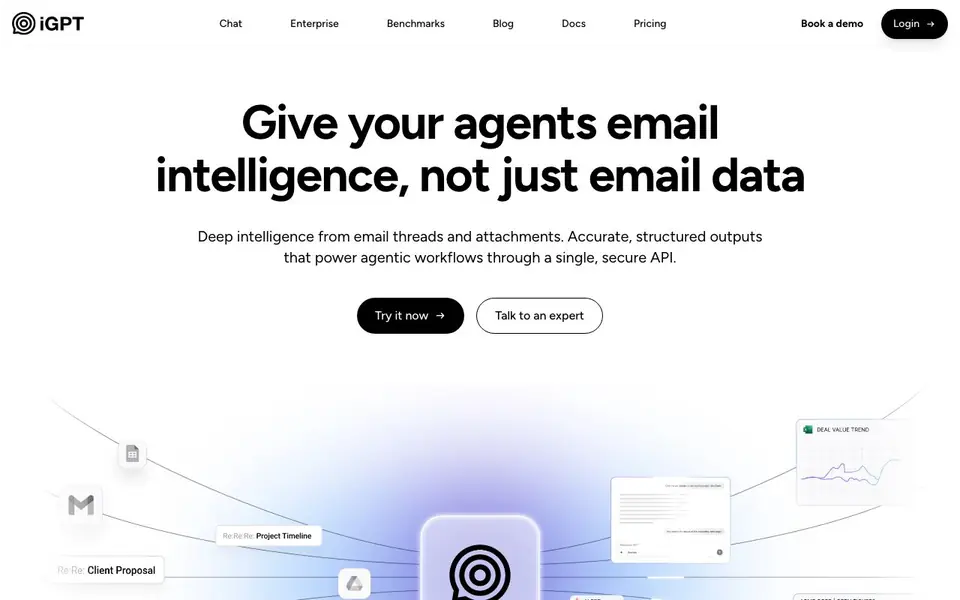
iGPT is a context engine that gives AI agents deep intelligence from your email data. It indexes email threads and attachments automatically, then serves accurate, structured outputs through a single secure API. You do not need to parse, chunk, or maintain prompts yourself.
You connect your email sources, and iGPT handles the heavy lifting. It ingests new messages instantly, extracts text and data from documents, PDFs, and spreadsheets, and rebuilds email threads across time and participants. A single request runs retrieval, context shaping, and reasoning in one pipeline, returning cited answers ready for automation.
This suits teams building email assistants, workflow automation, support copilots, CRM agents, or compliance tools. iGPT respects each user's mailbox permissions, so answers never surface content they cannot access. It offers cloud, hybrid, or fully private deployment options, and your data is never used for training or stored after inference.
iGPT features
- Unified endpoint: One API call handles retrieval, context shaping, and reasoning together
- Attachment processing: Extracts text, data, and structure from documents, PDFs, and spreadsheets
- Thread reconstruction: Automatically rebuilds email threads across time, participants, and attachments
- Cited answers: Every response links back to the website messages and attachments
- Permission-aware retrieval: Respects each user's mailbox scope so answers never exceed access
What you can do with iGPT
- Build email assistants that draft, prioritize, and act on messages with full context
- Automate workflows by turning email threads into tasks, deadlines, and approvals
- Create support copilots that reconstruct the full customer story across long chains
- Extract decisions, owners, and deal momentum from threads for CRM agents
How to get started with iGPT
- Sign up and get your API key from the iGPT dashboard
- Connect your email sources so iGPT can index threads and attachments
- Send a single API request with your question and output schema to get structured answers
Tips for better results with iGPT
- Connect iGPT to your real email sources first, then test with a few live threads to see how accurately it reconstructs context before building your full workflow.
- Use the live playground to experiment with different query phrasings for iGPT, since natural language input means small wording changes can shift which emails and attachments get retrieved.
- Define a clear output schema in your API request so iGPT returns structured fields like owners and due dates, making it easier to feed results directly into your automation logic.
- Start with a narrow user scope when testing iGPT, so you can verify that permission-aware retrieval only surfaces emails that user can actually access, before scaling to broader mailboxes.
iGPT pricing
iGPT’s homepage does not list prices. Check igpt.ai for current plans.
What to check before you rely on iGPT
- Check the pricing page for plan limits and costs, since the site does not list any prices or tiers, so you need to contact sales to know what you will pay.
- Verify which email providers and authentication methods iGPT supports, because the site mentions connecting sources but does not list specific platforms like Gmail or Outlook.
- Confirm data retention and deletion policies, as the site says data is not stored after inference, but does not state how long indexed data remains or how to request removal.
Who iGPT is for
iGPT suits AI developers, Automation teams, Customer support teams and Compliance officers. If that is not you, the AI agents below may fit better.
Similar tools compared with iGPT
| Tool | What it is | Pricing |
|---|---|---|
| iGPT | Email context engine for AI agents | See website |
| n8n | AI workflow automation platform | Freemium |
| Lindy | AI teammate for team workflows | Freemium |
| Zapier | AI workflow and agent orchestration platform | Freemium |
| LM Studio | Local AI agent for work and code | See website |
iGPT FAQ
What does iGPT do with my email data?
iGPT indexes your email threads and attachments to build context for AI agents. Your data is never used to train models, and each inference is processed in memory. Inputs, prompts, and outputs are never stored.
How do I integrate iGPT into my workflow?
You use the API with a simple POST request. iGPT provides an SDK, a live playground, and supports MCP and LangChain. You do not need to handle parsing, chunking, or vector stores yourself.
What kind of outputs can I get from iGPT?
You get structured, JSON-formatted answers with citations to source messages and attachments. For example, you can ask for action items from a board meeting and receive owners and due dates.
Does iGPT work with my existing email provider?
The website does not list specific email providers. It mentions connecting email sources and OAuth-only processing, so you should check the docs or book a demo to confirm compatibility.
Can iGPT export data to my CRM or other tools?
The iGPT website does not mention direct exports to CRMs or other tools. However, iGPT provides a unified API that returns structured, cited answers, which you can use to feed into your own systems. For specific integration options, check the iGPT documentation or contact their team.
Does iGPT offer a free plan or trial?
The iGPT website does not specify a free plan or trial. It lists a 'Pricing' page and a 'Book a demo' option, suggesting you can inquire about plans. To find out about free access or trial availability, visit the pricing page or reach out to iGPT directly.
What deployment options does iGPT support?
iGPT supports cloud, hybrid, or fully private deployment options, as stated on their website. This means you can choose where your data resides based on your security needs. For more details on each deployment type, check the iGPT documentation or contact their sales team.


