

What is Dex?
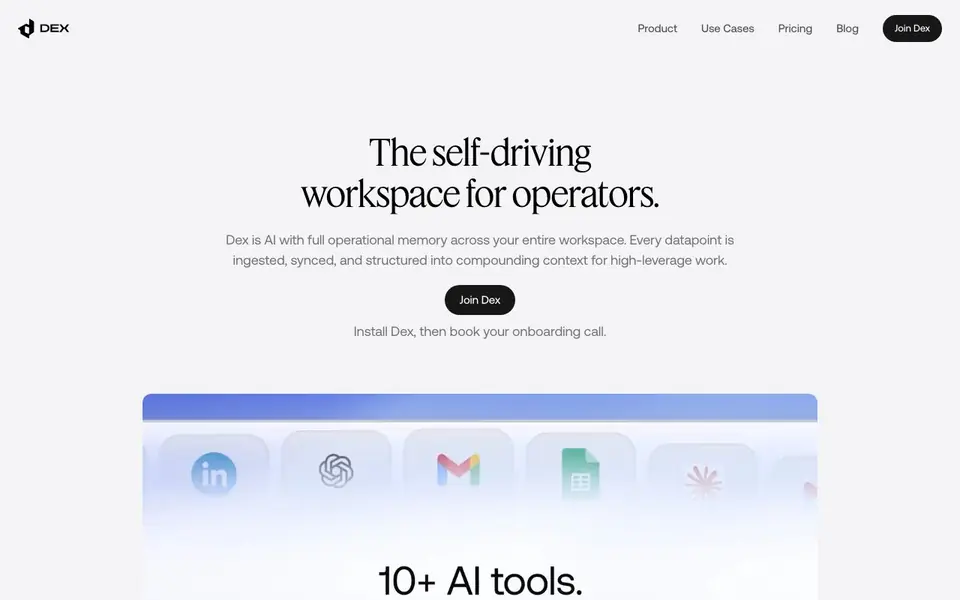
Dex is an AI workspace that remembers everything you do. It ingests data from your messages, meetings, deals, and workflows, then organizes it into a living graph of your operations. This gives you a shared memory that agents can use to act intelligently.
You install Dex in your browser, then book an onboarding call. It connects to Gmail, Slack, CRM, and 20+ other tools. You can create autonomous agents that run on schedules or triggers, and Dex can control your browser to fill forms and navigate tabs. It also learns from your corrections and approvals, getting sharper over time.
Dex suits operators, founders, and teams who juggle many tools and want to cut context switching. It excels at meeting prep, task triage, and CRM updates. The website mentions private cloud options and 256-bit encryption, but does not list specific pricing plans.
Dex features
- Operational Graph: Stores every message, meeting, and deal update as connected entities and timelines.
- Knowledge Manual: Keeps your priorities, SOPs, and relationship context updated automatically as you work.
- Autonomous Agents: Create agents that act across Gmail, Slack, CRM, and 20+ tools on triggers or schedules.
- Browser Control: Dex navigates tabs, fills forms, and completes work directly in your browser.
- Dreamer Agent: Reasons over new data 24/7 to maintain your knowledge base and spot patterns.
What you can do with Dex
- Prepare for meetings by pulling full history and sending follow-ups automatically.
- Triage tasks based on your learned priorities and open loops.
- Update CRM records without manual data entry.
- Build custom automations like LinkedIn to Google Sheets workflows.
How to get started with Dex
- Install the Dex Chrome extension from the website.
- Book an onboarding call to set up your workspace.
- Connect your tools like Gmail, Slack, and CRM, then start creating agents.
Tips for better results with Dex
- Install Dex in your browser and book the onboarding call so it can connect to Gmail, Slack, and your CRM before you rely on it.
- Correct Dex when it makes mistakes and approve its actions, because it learns from your feedback and gets sharper over time.
- Use Dex's browser control to fill forms and navigate tabs, but supervise its actions until you trust its judgment on routine tasks.
- Create autonomous agents with triggers or schedules for repetitive work like CRM updates, and review their outputs weekly to refine their behavior.
Dex pricing
Dex’s homepage does not list prices. Check joindex.com for current plans.
What to check before you rely on Dex
- Check whether Dex supports the specific apps you use, since it connects to Gmail, Slack, CRM, and 20+ tools but the website does not list all of them.
- Verify if your data is stored in a private cloud option, as the website mentions private cloud and 256-bit encryption but does not detail deployment choices.
- Confirm pricing before committing, because the website does not list specific plans or costs, and you may need to contact sales for a quote.
Who Dex is for
Dex suits operators, founders, heads of business development and executive assistants. If that is not you, the AI agents below may fit better.
Similar tools compared with Dex
| Tool | What it is | Pricing |
|---|---|---|
| Dex | Self-driving workspace AI agent | See website |
| n8n | AI workflow automation platform | Freemium |
| Lindy | AI teammate for team workflows | Freemium |
| Zapier | AI workflow and agent orchestration platform | Freemium |
| LM Studio | Local AI agent for work and code | See website |
Dex FAQ
What does Dex do?
Dex is an AI workspace that remembers your entire operational history—messages, meetings, deals—and uses that context to automate tasks. It can act in your browser, fill forms, and orchestrate across apps like Gmail, Slack, and CRM.
Is Dex free?
The website does not state specific pricing or a free plan. You can join Dex and book an onboarding call, but you'll need to check the pricing page for details.
Who is Dex for?
Dex is built for operators, founders, and high-leverage team members who work across many tools. It's especially useful for people who want to reduce context switching and automate repetitive workflows like meeting prep and CRM updates.
What tools does Dex integrate with?
Dex connects with Chrome, iMessage, Slack, and desktop apps. It also works with Gmail, CRM, and 20+ other tools through its agents. The website mentions an SDK and MCP for bringing context into any workflow.
Does Dex work on mobile devices or only in the browser?
Dex is browser-first and installs in your browser, with Chrome and iMessage mentioned as supported. The website also lists Desktop as 'SOON' but does not mention native mobile apps. For the latest on mobile support, check the Dex website or contact their team.
What data does Dex collect and how is it secured?
Dex ingests data from your messages, meetings, deals, and workflows to build your operational graph. The website mentions 256-bit encryption and private cloud options for security. For detailed data handling policies, review Dex's privacy policy or terms on their site.
Can Dex export my data or connect to external tools via API?
Dex provides an SDK and MCP to bring your operational context into any agent, tool, or workflow, which suggests export or integration capabilities. The website does not list specific export formats. For details on exporting data or API access, check Dex's documentation or contact support.


