

What is DeepRead.Tech?
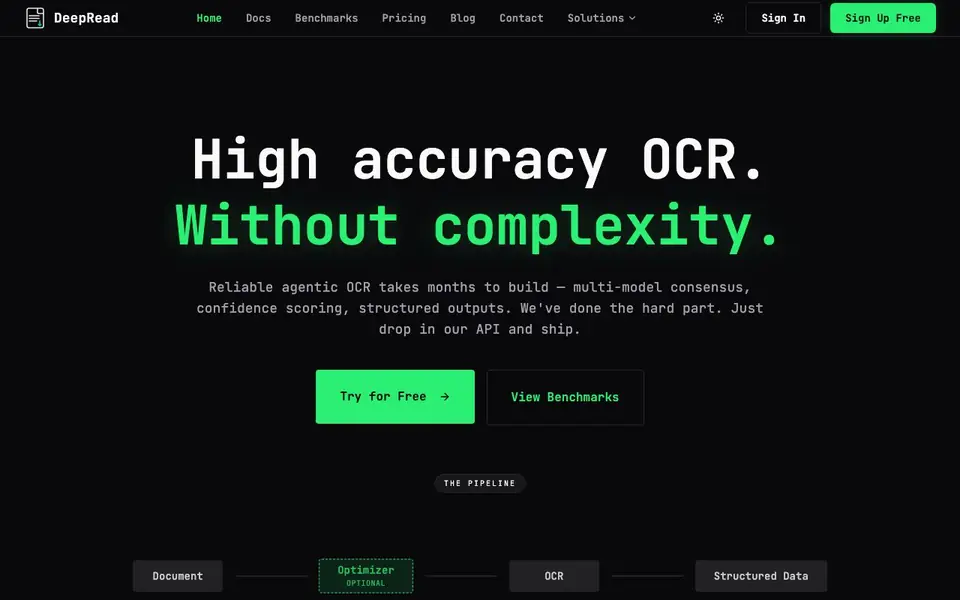
DeepRead is an OCR and document AI API designed for developers who need reliable data extraction from messy scanned documents. It handles the hard parts of OCR — rotated images, poor contrast, ambiguous characters — and returns clean, structured JSON instead of raw text. The API uses multiple models that work together to reach a consensus, so you get accurate results without building your own pipeline.
You start by signing up for a free account and getting an API key. Then you POST a file, like an invoice or payslip PDF, to the API endpoint with a schema that describes what fields you want extracted. DeepRead processes the document and returns type-safe JSON with confidence metadata for each field. If a field falls below your confidence threshold, it flags it with a review reason so you can catch potential errors before they reach your database.
DeepRead suits developers who want to add document extraction to their apps without spending months on OCR infrastructure. The website shows benchmark accuracy on public datasets, including invoices and medical bills, and offers features like webhooks for long-running jobs and visual debugging. It's a REST API with no SDKs required, so you can integrate it with any stack that speaks HTTP.
DeepRead.Tech features
- Multi-model consensus: Several OCR models work together to agree on the best extraction result.
- Confidence scoring: Each extracted field gets a confidence score so you know when to trust it.
- Type-safe JSON output: Returns strictly validated JSON schemas to avoid runtime surprises.
- Built-in webhooks: Long-running jobs notify you when done, so you don't need to poll.
- Visual debugging: View per-page results and JSON schema extraction to verify logic instantly.
What you can do with DeepRead.Tech
- Extract invoice fields like vendor, date, and total into structured data.
- Process medical bills and payslips for automated record keeping.
- Build a document processing pipeline that flags low-confidence extractions for review.
- Integrate OCR into your app with a simple REST API call.
How to get started with DeepRead.Tech
- Sign up for a free account on the DeepRead website.
- Get your API key from the dashboard.
- POST a document file with your schema to the API endpoint and receive JSON back.
Tips for better results with DeepRead.Tech
- Define your extraction schema explicitly with the exact field names and types you expect, so DeepRead returns clean, type-safe JSON that matches your data model without post-processing.
- Set a confidence threshold that fits your use case, and always review fields flagged with needs_review true, since DeepRead marks low-confidence extractions with a reason for you to catch errors.
- Use DeepRead's visual debugging tool to inspect per-page results and compare raw OCR against the structured JSON, which helps you spot schema mismatches or document issues before you scale up.
- Test DeepRead on a sample of your actual scanned documents, including rotated or low-contrast ones, to see how the multi-model consensus handles your specific file types and adjust your schema accordingly.
- checks
DeepRead.Tech pricing
DeepRead.Tech has a free way to start, with paid plans for heavier use. Check deepread.tech for current limits and prices.
What to check before you rely on DeepRead.Tech
- Check the pricing page for free tier limits on API calls, file size, or monthly volume, since the website labels DeepRead as freemium but does not state specific quotas.
- Verify the data retention and privacy policy for uploaded documents, as the website does not clearly state how long files are stored or whether they are used for model training.
- Confirm the supported file formats and maximum page count for PDFs and images, because the documentation does not list all accepted input types or size limits explicitly.
Who DeepRead.Tech is for
DeepRead.Tech suits developers, software teams and automation engineers. If that is not you, the AI developer platforms below may fit better.
Similar tools compared with DeepRead.Tech
| Tool | What it is | Pricing |
|---|---|---|
| DeepRead.Tech | OCR and document AI API | Freemium |
| SiVideoAPI | Unified API for top AI video models | Freemium |
| OpenSI | AI model comparison and pricing tool | See website |
| OpenRouter | Unified API for many AI models | Freemium |
| Ollama | Run open models locally or cloud | Freemium |
DeepRead.Tech FAQ
What does DeepRead do?
DeepRead is an OCR API that turns scanned documents into structured JSON data. It handles messy inputs like rotated images and poor contrast, then returns type-safe fields with confidence scores so you know which extractions may need review.
Is DeepRead free to use?
Yes, you can start with a free account and try the API. The website mentions 'Start free' and 'Try for Free' prominently, but specific limits on the free plan are not stated on the homepage. Check the Pricing page for details.
Who is DeepRead for?
DeepRead is built for developers who need reliable document extraction without building their own OCR pipeline. It's aimed at teams that want to ship fast and avoid the complexity of orchestrating multiple models, normalization, and confidence scoring themselves.
What document types does it support?
The website lists invoices, medical bills, payslips, statements, and W2 forms among its benchmarked document types. It also mentions '+3 more types' on the accuracy page, but the full list is not detailed on the homepage. Check the benchmarks section for more.
What integrations or exports does DeepRead support?
DeepRead is a REST API, so it can integrate with any stack that speaks HTTP. It returns structured JSON, and you can use webhooks for long-running jobs. The website does not mention specific integrations like Zapier or Google Sheets, so check the docs or contact support for details.
Does DeepRead require an account and API key to use?
Yes, you sign up for a free account and get an API key to start using DeepRead. The free plan is available, but the website does not list its exact limits. For specifics on what the free tier includes, check the pricing page or sign up to see your plan details.
Can DeepRead handle documents with poor quality or rotated images?
Yes, DeepRead is designed for messy scanned documents, including rotated images, poor contrast, and ambiguous characters. It uses multiple OCR models that work together to reach a consensus, returning clean, structured JSON with confidence scores. This makes it suitable for invoices, payslips, and medical bills.


