

What is Backdrop?
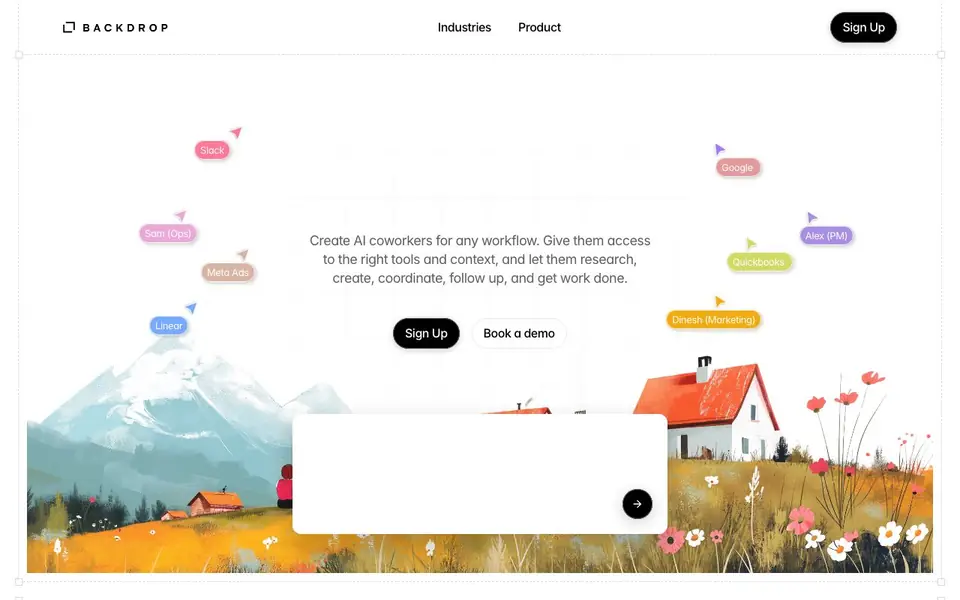
Backdrop lets you create AI coworkers for any kind of work. You start with one job, then give your coworker the tools, context, and instructions it needs to handle that work from start to finish. It can research markets, create campaigns, build dashboards, automate workflows, and plan projects.
You connect the apps and data your coworkers need, like QuickBooks, Google, Linear, Slack, Meta Ads, and Shopify. Backdrop supports over 1000 integrations and gives you granular access controls for each coworker. Your AI coworkers can create and update work inside those connected tools, so they act, not just chat.
Backdrop is built for e-commerce, manufacturing, agencies, SaaS, and service businesses. It keeps a shared memory across people, agents, and projects, so nothing gets lost. You can bring people and AI coworkers into shared conversations, making collaboration easier. The website says you can set up in minutes and see results from day one.
Backdrop features
- Custom AI coworkers: Build a coworker for any job by giving it tools, context, and instructions.
- 1000+ integrations: Connect apps like QuickBooks, Slack, Linear, Meta Ads, and Shopify.
- Granular access controls: Set precise permissions for what each AI coworker can see and do.
- Shared memory: Backdrop remembers team learnings, decisions, and actions across projects.
- Multiplayer AI: Work together with people and AI coworkers in shared conversations.
What you can do with Backdrop
- Automate recurring workflows like monitoring inventory and tracking orders.
- Research markets, competitors, and leads, then summarize findings.
- Create campaigns and follow-ups across marketing channels.
- Turn conversations into tasks and track progress across your team.
How to get started with Backdrop
- Sign up on Backdrop's website.
- Choose a job for your first AI coworker.
- Connect the tools and provide context and instructions.
Tips for better results with Backdrop
- Start with one narrowly defined job for your first coworker, then add tools and context incrementally as you see what works and what needs adjusting.
- Give each Backdrop coworker explicit instructions and connect only the apps it truly needs, using granular access controls to keep actions focused and safe.
- Use Backdrop's shared memory by reviewing past decisions and updates regularly, so your coworkers build on prior work instead of repeating or contradicting it.
- Test Backdrop on a real recurring workflow like inventory tracking or campaign follow-ups, then refine the instructions based on the output quality you observe.
Backdrop pricing
Backdrop’s homepage does not list prices. Check backdropagent.com for current plans.
What to check before you rely on Backdrop
- Check whether the website lists pricing or a free trial; it does not, so confirm costs with sales before committing.
- Verify which of the 1000+ integrations you actually use are supported, since the site names only a few like QuickBooks and Slack.
- Review the granular access controls in practice to ensure each coworker can only see and modify the data you intend, especially for sensitive tools.
Who Backdrop is for
Backdrop suits e-commerce teams, agencies, operations managers and product teams. If that is not you, the AI agents below may fit better.
Similar tools compared with Backdrop
| Tool | What it is | Pricing |
|---|---|---|
| Backdrop | AI coworkers for any workflow | See website |
| n8n | AI workflow automation platform | Freemium |
| Lindy | AI teammate for team workflows | Freemium |
| Zapier | AI workflow and agent orchestration platform | Freemium |
| LM Studio | Local AI agent for work and code | See website |
Backdrop FAQ
What can Backdrop's AI coworkers do?
They can research, create content, build dashboards, automate workflows, plan projects, and follow up on tasks. You give them tools and context, and they handle work from start to finish.
Which apps can I connect to Backdrop?
Backdrop supports over 1000 integrations, including QuickBooks, Google, Linear, Slack, Meta Ads, and Shopify. You can connect the apps your coworkers need to understand and act on your work.
Is Backdrop free to use?
The website does not state pricing details. It offers a sign-up option and a demo booking, so you may need to contact them to learn about costs.
Who is Backdrop for?
It's built for e-commerce, manufacturing, agencies, SaaS, and service businesses. Any team that wants to automate workflows and keep work moving across people and tools can use it.
Does Backdrop offer a free plan or a trial?
The Backdrop website does not mention a free plan or a trial. It only shows a Sign Up button and a Book a demo option. To find out about pricing or a trial, you should contact the Backdrop team directly through the website.
What devices or platforms does Backdrop run on?
The Backdrop website does not specify which devices or platforms it runs on. It appears to be a web-based tool, but you should check the website or contact Backdrop support to confirm whether it works on your preferred device or operating system.
Can Backdrop export data or reports to other tools?
Backdrop connects to over 1000 integrations like QuickBooks, Slack, and Shopify, and it can create and update work inside those tools. However, the website does not specifically mention exporting data or reports. You can check the integrations page or contact Backdrop to ask about export options.


