

What is Axiom.ai?
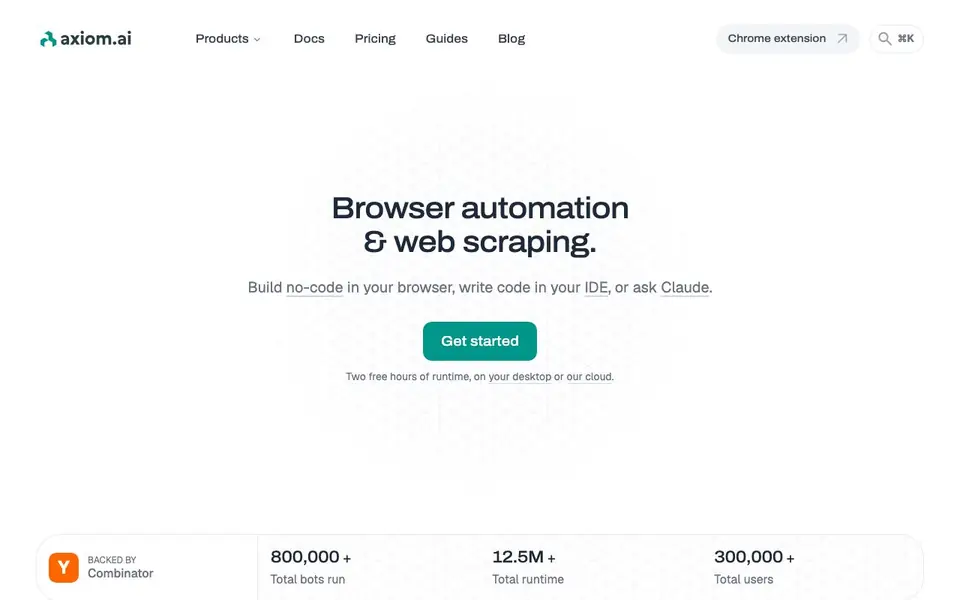
Axiom.ai is a browser automation and web scraping platform that lets you build bots without coding or with code. You can describe what you want, and the AI builds it for you, or you can assemble actions from a prebuilt library. It runs in your Chrome extension, your IDE, or through Claude Code.
To start, you pick your preferred environment. In the browser, you describe a task like "scrape all job listings" and Axiom creates a working scraper you can schedule. For developers, the Step API offers high-level actions, and the Chrome API gives you a long-lived WebSocket to a cloud browser. You can also connect via Puppeteer or Playwright.
Axiom suits both non-technical users and developers. It handles scrapers, form fillers, monitors, and multi-step workflows. You can run automations on your machine with the desktop app for privacy, or on Axiom's cloud with scheduling and proxies. The website mentions two free hours of runtime to get started.
Axiom.ai features
- No-code builder: Describe tasks in plain language and the AI creates your automation, or edit manually.
- Code APIs: Use Step, Chrome, and Orchestrate APIs to run scripts and manage automations from your code.
- Claude integration: Install the skill and MCP server to build and run automations with Claude.
- Cloud or desktop: Run bots on Axiom's infrastructure or locally on your computer with privacy.
- Integrations: Connect with Zapier, Make, n8n, Google Sheets, Excel, and more for workflow automation.
What you can do with Axiom.ai
- Scrape job listings from a careers page into a spreadsheet.
- Submit rows from a CSV into a signup form automatically.
- Monitor a page for stock changes and send alerts.
- Pull analytics from dashboards into a daily emailed report.
How to get started with Axiom.ai
- Go to axiom.ai and click Get started to claim two free hours of runtime.
- Install the Chrome extension or desktop app, or connect via your IDE.
- Describe your automation in plain language or use the action library to build it.
Tips for better results with Axiom.ai
- Start with a simple, specific description like 'scrape all job listings from this careers page' so Axiom.ai builds a focused scraper you can refine before adding complexity.
- Test Axiom.ai on your desktop app first to verify privacy and behavior, then move to cloud scheduling once you trust the automation runs reliably.
- Use Axiom.ai's prebuilt action library to manually edit the AI-generated bot, giving you control over selectors and logic without writing code from scratch.
- Connect Axiom.ai to Google Sheets or Zapier early so scraped data lands where you need it, saving you from manual exports and extra workflow steps.
Axiom.ai pricing
Axiom.ai has a free way to start, with paid plans for heavier use. Check axiom.ai for current limits and prices.
What to check before you rely on Axiom.ai
- Verify the free two-hour runtime limit covers your expected usage, since the website does not list specific plan quotas or overage costs beyond that.
- Check whether your data stays private on desktop mode, as the website claims privacy but does not detail encryption or retention policies.
- Confirm the Chrome extension supports your browser version and that your target sites allow scraping, since the site does not state any site restrictions.
Who Axiom.ai is for
Axiom.ai suits no-code users, developers, data analysts and operations teams. If that is not you, the AI agents below may fit better.
Similar tools compared with Axiom.ai
| Tool | What it is | Pricing |
|---|---|---|
| Axiom.ai | Browser automation and web scraping tool | Freemium |
| n8n | AI workflow automation platform | Freemium |
| Lindy | AI teammate for team workflows | Freemium |
| Zapier | AI workflow and agent orchestration platform | Freemium |
| LM Studio | Local AI agent for work and code | See website |
Axiom.ai FAQ
What can I automate with Axiom?
You can automate anything you do in a browser, like scraping data, filling forms, monitoring pages, and building multi-step workflows. The website gives examples like getting job listings or submitting CSV rows into forms.
Is Axiom free to use?
The website says you get two free hours of runtime to start. Beyond that, you need to check the pricing page for paid plans, as the homepage doesn't detail costs.
Do I need coding skills to use Axiom?
No. You can start with the no-code builder in the Chrome extension and describe what you want. For developers, there are code APIs and integrations with Puppeteer and Playwright.
Can I run automations on my own computer?
Yes. The desktop app lets you run automations locally with complete privacy, schedule runs, and has no concurrency limits. You can also run on Axiom's cloud infrastructure.
What can Axiom.ai export or connect to?
Axiom.ai can export data to Google Sheets, Excel, and other tools through integrations with Zapier, Make, n8n, and more. You can also connect it to Claude, ChatGPT, Gemini, and 2Captcha. The website lists these integrations, so you can check there for the full list.
Does Axiom.ai run on mobile devices or only desktop?
Axiom.ai runs in your Chrome extension on desktop, in your IDE, or through Claude Code. It also offers a desktop app for running automations locally. The website does not mention a mobile app, so for mobile use you would need to check their official documentation or contact support.
What does the free plan of Axiom.ai include?
Axiom.ai offers two free hours of runtime to get started, which you can use on your desktop or on their cloud. The website does not specify additional free plan features beyond this runtime, so for details on limits or features, you should review their pricing page.


