

What is AI-Flow?
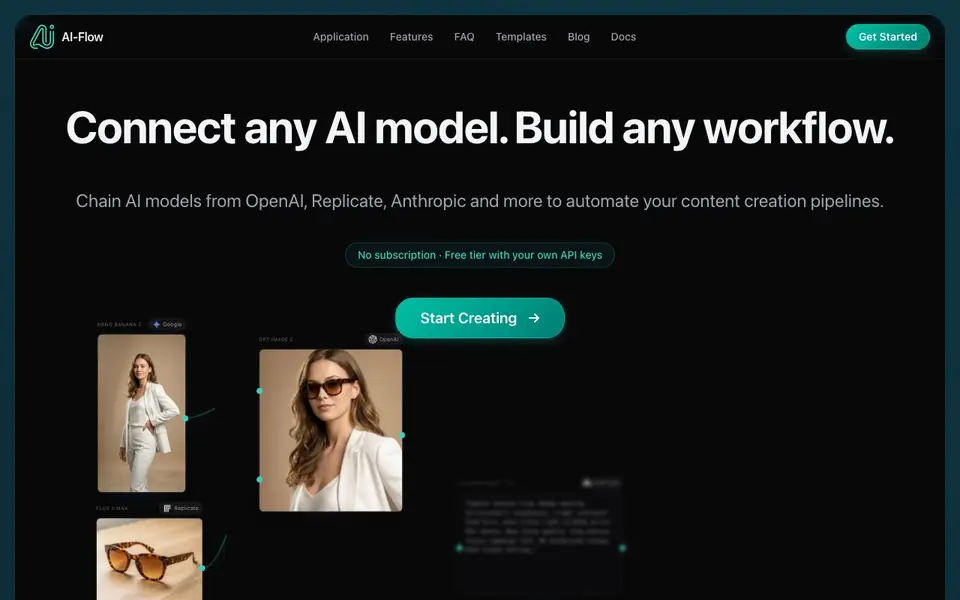
AI-Flow is an open-source, user-friendly application that lets you connect multiple AI models from providers like OpenAI, Google, Anthropic, and Replicate into a single workflow. You can chain these models to automate end-to-end content creation tasks, such as generating product photos, videos, or ad copy. The tool offers a visual flow editor where you build your pipeline, then share it as a simple app for your team.
To get started, you can either use your own API keys from providers like OpenAI or Replicate, paying them directly at their rates, or use platform credits with no setup required. You begin by selecting a ready-made template or building a flow from scratch on the canvas. Then you connect your chosen AI models, configure inputs and outputs, and run the workflow to get results.
AI-Flow suits creators, marketers, and teams who want to automate repetitive AI tasks without coding. It includes templates for product mockups, batch image generation, and video creation. You can also integrate your flows into projects via API requests or webhooks, making it flexible for developers too.
AI-Flow features
- Multi-model integration: Combine models from OpenAI, Google, Anthropic, and Replicate in one workflow.
- Visual flow editor: Build workflows by dragging and connecting AI models on a canvas.
- Template library: Start from ready-made templates for product photos, videos, and more.
- API and webhook support: Automate inputs and retrieve outputs via API requests or webhooks.
- Share as app: Turn your workflow into a simple form-based app for your team to use.
What you can do with AI-Flow
- Create product videos from images using Seedance 2.0.
- Generate ad copy with GPT and pair it with an AI-generated visual.
- Animate images into video clips with Seedance 2.0.
- Edit videos using Grok Imagine Video within your workflow.
How to get started with AI-Flow
- Sign up and choose to use your own API keys or platform credits.
- Pick a template or start a blank flow on the canvas.
- Connect AI models, set inputs, and run your workflow to see results.
Tips for better results with AI-Flow
- Start with a ready-made template in AI-Flow to see how models connect, then modify it for your task instead of building from scratch.
- Use your own API keys in AI-Flow to pay providers directly at their rates, avoiding platform credit costs and keeping control over spending.
- Test each model individually in AI-Flow before chaining them, so you can isolate errors and confirm outputs meet your expectations.
- Leverage AI-Flow's webhook support to automate inputs and outputs, integrating your workflow into existing tools without manual steps.
AI-Flow pricing
AI-Flow has a free way to start, with paid plans for heavier use. Check ai-flow.net for current limits and prices.
What to check before you rely on AI-Flow
- Verify whether your chosen AI models are available in AI-Flow's list, as only specific providers and models are supported.
- Confirm your API key billing with providers like OpenAI or Replicate, since AI-Flow does not state its own pricing for platform credits.
- Check if AI-Flow's free tier includes all features you need, as the website does not specify limits for the free version.
- Ensure your workflow's output formats match your needs, since AI-Flow does not list export options for generated content.
Who AI-Flow is for
AI-Flow suits marketers, content creators, developers and small teams. If that is not you, the AI agents below may fit better.
Similar tools compared with AI-Flow
| Tool | What it is | Pricing |
|---|---|---|
| AI-Flow | Multi-model AI workflow builder | Freemium |
| n8n | AI workflow automation platform | Freemium |
| Lindy | AI teammate for team workflows | Freemium |
| Zapier | AI workflow and agent orchestration platform | Freemium |
| LM Studio | Local AI agent for work and code | See website |
AI-Flow FAQ
Can I use my own API keys with AI-Flow?
Yes, you can connect your OpenAI, Replicate, Anthropic, Google, or xAI keys and pay those providers directly at their rates. Alternatively, you can use platform credits with no setup or keys needed.
Is AI-Flow free to use?
The website mentions a free tier with your own API keys and no subscription. It also offers platform credits as a paid option, so it's freemium. Check the pricing page for current details.
What AI models can I connect?
You can connect models from OpenAI, Google, Anthropic, Replicate, and xAI. The site lists many options, including GPT, Claude, Gemini, Seedance, Flux, and Grok Imagine, among others.
Can I share my workflow with others?
Yes, you can build a flow and share it as a simple app. Your team fills in a form and hits Run, without seeing the canvas or needing setup. You control which inputs are exposed.
Does AI-Flow offer a free plan, and what does it include?
AI-Flow has a free tier that works with your own API keys from providers like OpenAI, Anthropic, or Replicate. You pay those providers directly at their rates. The website also mentions platform credits as an option, but it does not specify what the free plan includes beyond using your own keys.
Can I run AI-Flow on my own computer or is it cloud-based?
The AI-Flow website does not specify whether it runs locally or is cloud-based. It describes itself as an application with a visual flow editor, but it does not mention system requirements or installation details. To confirm, check the Docs section on the AI-Flow website for platform support.
Does AI-Flow require me to create an account to use it?
The AI-Flow website does not explicitly state whether an account is required. It mentions starting with your own API keys or using platform credits, but it does not detail the sign-up process. For accurate information, visit the AI-Flow website and look for a 'Get Started' section or FAQ.


