

What is Sunoify?
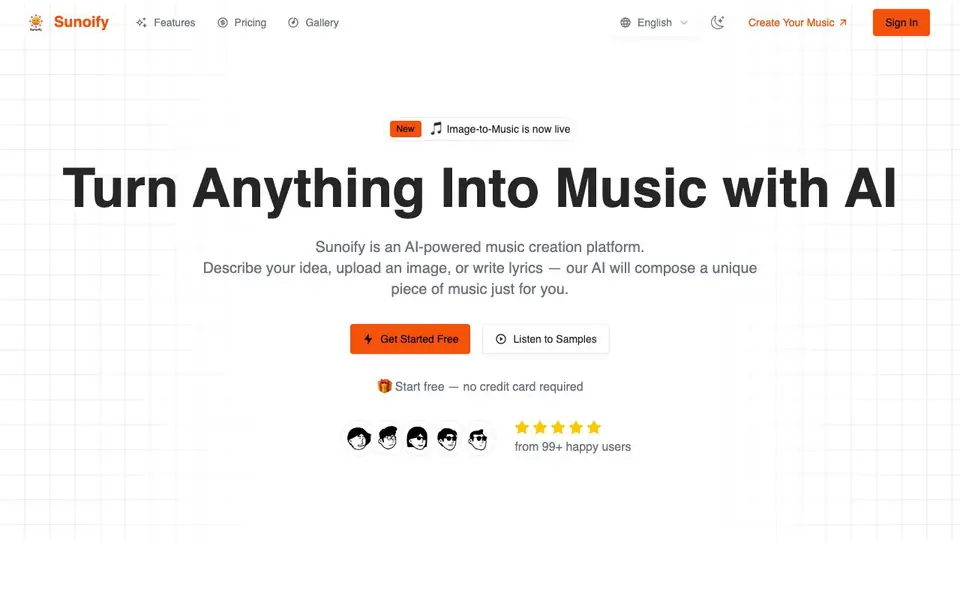
Sunoify is an AI-powered music creation platform. You can describe a mood, scene, or story in words, upload an image, or paste lyrics, and the AI composes a unique piece of music for you. It is designed for anyone, from casual creators to professional musicians, and requires no musical training.
To create music, you start by providing your input: type a description, paste lyrics, or upload an image. You can also specify the mood, genre, or style you want. The AI then interprets your input and generates an original track, usually in under 30 seconds. You can preview the track, download it in high-quality audio, and share it or use it in your projects.
Sunoify offers dozens of genres, including pop, rock, jazz, lo-fi, ambient, and cinematic. All tracks are royalty-free and can be used commercially without attribution. The platform is popular among YouTubers, podcasters, game developers, and other content creators who need custom music quickly.
Sunoify features
- AI Music Composition: Generates original, royalty-free music from text, lyrics, or images using advanced AI models.
- Multiple Input Methods: Create music from text prompts, uploaded images, or your own lyrics.
- Dozens of Genres: Choose from pop, rock, jazz, lo-fi, ambient, cinematic, and more styles.
- High-Fidelity Audio: Download tracks in professional-grade audio formats ready for any platform.
- Fast Generation: Most tracks are created within seconds, allowing quick iteration.
What you can do with Sunoify
- Create background music for YouTube videos without copyright issues.
- Generate unique soundtracks for indie games or other projects.
- Make custom intro and outro music for podcast episodes.
- Compose personalized music for wedding films or other special events.
How to get started with Sunoify
- Go to Sunoify's website and click 'Get Started Free'.
- Describe your idea, upload an image, or paste lyrics, and choose mood, genre, or style.
- Let the AI compose your track, then listen, download, and share it.
Tips for better results with Sunoify
- Start with a detailed text prompt that names a mood, genre, and tempo, like 'upbeat lo-fi for a rainy morning', to give Sunoify clear direction for the composition.
- Upload a high-resolution image with strong colors and contrast when using Sunoify's image-to-music feature, since the AI interprets visual elements into the track's mood and style.
- Iterate quickly by generating multiple short variations of your lyrics or description in Sunoify, then pick the version that best matches your project's intended vibe.
- Use Sunoify's genre selector to narrow the style before generating, and mention specific instruments or influences in your prompt to get closer to the sound you want.
Sunoify pricing
Sunoify has a free way to start, with paid plans for heavier use. Check sunoify.com for current limits and prices.
What to check before you rely on Sunoify
- Check the freemium plan's limits on track length, number of generations, or downloads, since the website does not state these details clearly.
- Verify the exact audio export formats and bitrate available on your plan, as the site only mentions 'high-quality' without specifying file types.
- Review Sunoify's privacy policy for how uploaded images and lyrics are used or stored, because the homepage does not explain data handling.
Who Sunoify is for
Sunoify suits content creators, musicians, podcasters and game developers. If that is not you, the AI music generators below may fit better.
Similar tools compared with Sunoify
| Tool | What it is | Pricing |
|---|---|---|
| Sunoify | AI music generator from text, images, or lyrics | Freemium |
| AIVA | AI music generation assistant | Freemium |
| Soundraw | AI music generator for royalty-free beats | Freemium |
| Suno | AI music and song generator | Freemium |
| ElevenLabs | AI voice generator and voice agents platform | Freemium |
Sunoify FAQ
What is Sunoify and how does it work?
Sunoify is an AI music creation platform. You describe an idea, upload an image, or provide lyrics, and the AI composes an original music track for you. It's designed to be simple and fast, with most tracks generated in under 30 seconds.
Is Sunoify free to use?
Sunoify offers a free start with no credit card required. The website mentions 'Start free — no credit card required,' but it does not specify the exact limits of the free plan or if there are paid tiers. Check the pricing page for details.
Who is Sunoify for?
Sunoify is for anyone who wants to create original music without musical training. It's used by YouTubers, podcasters, indie game developers, graphic designers, fitness instructors, and wedding videographers, according to testimonials on the site.
Can I use the music commercially?
Yes, every track you create with Sunoify is royalty-free and yours to use commercially. You don't need to provide attribution. This makes it suitable for videos, podcasts, games, and other projects.
What audio formats can I export from Sunoify?
Sunoify lets you download your generated tracks in professional-grade audio formats, but the website does not list the specific file types (like MP3 or WAV). To confirm the exact export options, check the download section after you create a track or contact Sunoify support.
Does Sunoify have a mobile app or work on any device?
Sunoify is a web-based platform, so you can access it through a browser on most devices, such as computers, tablets, or smartphones. The website does not mention a dedicated mobile app, so if you prefer an app, check the official site or app stores for any updates.
What does the free plan on Sunoify include?
Sunoify offers a free plan that requires no credit card to start. The website states you can get started free, but it does not specify the number of tracks, duration, or features included in the free tier. For exact limits, visit the pricing page on sunoify.com.


