

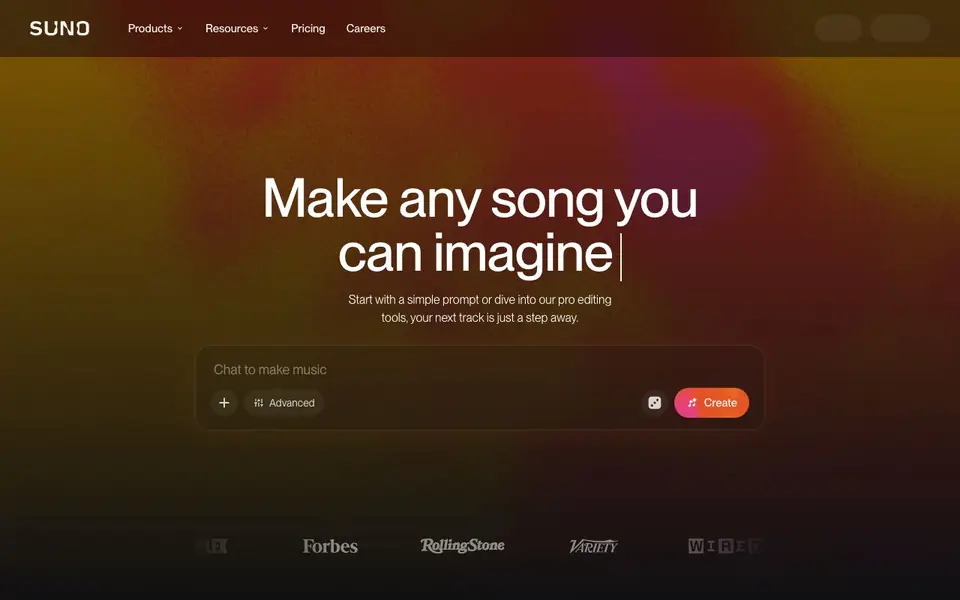
What is Suno?
Suno is an AI music generator that turns a simple text prompt into a full song, complete with vocals, lyrics, and production. You can start from a genre, mood, theme, or your own lyrics, and the tool builds a track in under a minute. It works across every genre, from lo-fi beats to full band arrangements.
You begin by going to suno.com and describing the song you want, then hit Create. From there, you can regenerate, extend, or refine the track. For more control, Suno Studio offers a browser-based DAW for arranging, editing, and mixing every part. You can also record a few seconds of your voice to create a custom voice, pull songs apart into stems, or remix tracks into new styles.
Suno suits everyone from first-time creators to professional producers. The free plan lets you make music daily, while paid plans offer up to 500 custom songs a month with full commercial rights. The website highlights its v6 model for better vocals and arrangements, and you can train custom models on your own recordings.
Suno features
- Text-to-song: Describe a genre, mood, or theme and get a complete track with vocals and production in under a minute.
- Suno Studio: A browser-based DAW for arranging, editing, and mixing every part of your song until it's exactly yours.
- Voice cloning: Record a few seconds of your own voice and hear it sing anything you write in any style.
- Stem separation: Pull any song apart into clean, time-aligned stems and carry them into the DAW you already use.
- Remix: Change a song's style, rewrite lyrics, or rebuild it around your own recording.
What you can do with Suno
- Create a custom song for a personal project or gift using a simple text prompt.
- Remix an existing track into a new style or with rewritten lyrics.
- Separate stems from a song to use in your own DAW for editing.
- Train a custom model on your recordings to generate music in your own sound.
How to get started with Suno
- Go to suno.com and describe the song you want, including genre, mood, theme, or your own lyrics.
- Hit Create and wait under a minute for a complete track with vocals and production.
- Regenerate, extend, or refine the song, or use Suno Studio for detailed editing.
Tips for better results with Suno
- Describe the genre, mood, and tempo in your Suno prompt to steer the output, and mention specific instruments or vocal styles for tighter results.
- Use Suno Studio to arrange and mix your track after generation, then export stems to your own DAW for finer control over the final sound.
- Record a few seconds of your voice in Suno to create a custom voice, then use it in prompts for consistent vocals across your songs.
- Experiment with Suno's remix feature to change a song's style or rewrite lyrics, starting from your own recording for a unique take.
Suno pricing
Suno has a free way to start, with paid plans for heavier use. Check suno.com for current limits and prices.
What to check before you rely on Suno
- Check whether your Suno plan includes commercial rights to generated songs, since only paid subscribers get full ownership for publishing or monetizing.
- Verify Suno's free plan limits, as the website says you can make music daily but does not state a specific number of free songs per day.
- Confirm that Suno's output formats and stem exports match your DAW's requirements, since the site lists features but not file types or compatibility details.
Who Suno is for
Suno suits first-time creators, musicians, songwriters and producers. If that is not you, the AI music generators below may fit better.
Similar tools compared with Suno
| Tool | What it is | Pricing |
|---|---|---|
| Suno | AI music and song generator | Freemium |
| AIVA | AI music generation assistant | Freemium |
| Soundraw | AI music generator for royalty-free beats | Freemium |
| ElevenLabs | AI voice generator and voice agents platform | Freemium |
| LALAL.AI | AI vocal remover and stem splitter | Freemium |
Suno FAQ
How do I make a song with Suno?
Go to suno.com, describe the song you want – genre, mood, theme, or your own lyrics – and hit Create. Suno builds a complete track with vocals, instrumentation, and production in under a minute. You can then regenerate, extend, or refine it.
Do I need any music experience to use Suno?
No experience is needed. Suno is built for everyone, from first-time creators to pros. You describe what you want in plain language, and you can shape the melody, harmony, vocals, and production from there.
Can I use Suno for free?
Yes, Suno offers a free plan that lets you make music every day. Paid plans, like the Pro plan, offer up to 500 custom songs a month with full commercial rights. The website does not list specific free plan limits, so check the pricing page for details.
Who owns the songs I create?
Songs you create as a paid Suno subscriber are yours to keep and do whatever you want with, including using them as background music in videos or publishing an album. The website does not specify ownership terms for free plan users.
Can I use Suno on my phone or tablet?
Yes, Suno has mobile apps for iPhone and Android. You can create, discover, and share music from your phone or tablet. The website also works in a browser, and Suno Studio is browser-based, so you can use it on any device with a modern browser.
Does Suno let me export my songs or stems to other software?
Suno offers stem separation, which pulls a song apart into clean, time-aligned stems that you can carry into the DAW you already use. The website does not mention specific export formats or direct integrations with other apps, so check your account or the app for available export options.
What does the Suno free plan include?
The free plan lets you make music every day at no cost. You can create songs, explore what others have made, and share your tracks. For more, paid plans offer up to 500 custom songs a month with full commercial rights. The website does not list exact daily limits, so check your plan details.


