

What is Statuz?
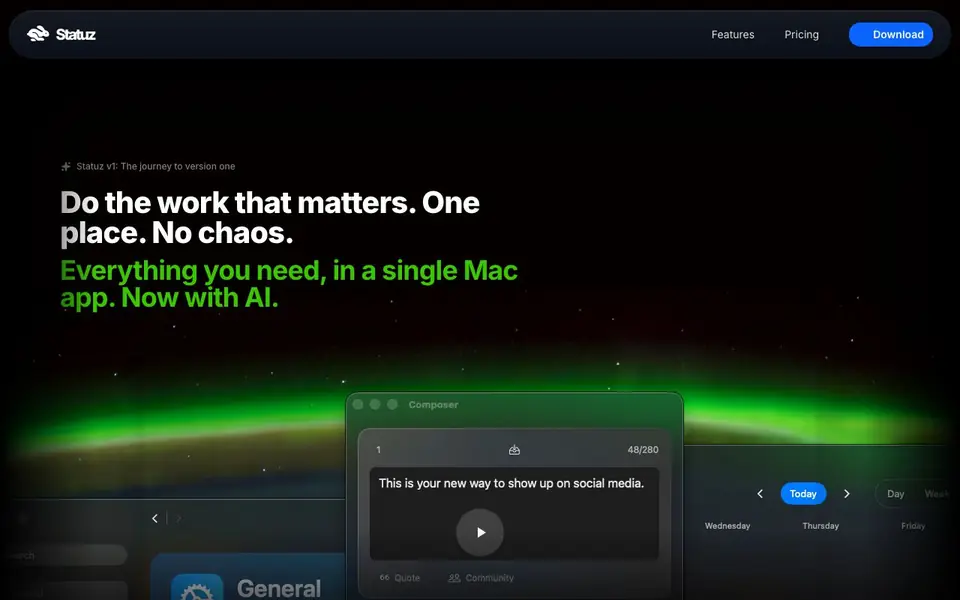
Statuz is a native macOS app that lives in your menu bar, so you can craft and schedule social posts without switching windows or doomscrolling. It focuses on X, Bluesky, and Mastodon, letting you publish to all three networks with one click. The app also includes a video editor with automatic subtitle generation, so you can prepare media before posting.
You start by connecting your accounts for X, Bluesky, or Mastodon. Then you write a post and either type a natural language time like "in 2 weeks at 14:15" or pick a slot on the visual calendar. You can choose which accounts post where, or save drafts to finish later. The video editor lets you trim clips on a waveform timeline, generate subtitles with speech recognition, and export with platform-specific presets.
Statuz suits solo creators, small business owners, and anyone juggling multiple social accounts from a Mac. The website mentions free tools like a character counter and best-time-to-post calculator, and it says you can try Statuz free. It also notes Lightroom automation and MCP integration for advanced workflows, though the site does not detail system requirements or pricing tiers.
Statuz features
- Visual calendar scheduling: See your posts across multiple accounts and views on a calendar, then drag or click to set times.
- Multi-platform publishing: Send the same post to X, Bluesky, and Mastodon at once with a single button.
- Natural language timing: Type phrases like "in 2 weeks at 14:15" instead of using date pickers.
- Auto subtitles: Generate subtitles from your video using speech recognition, then edit and sync them.
- Non-destructive trimming: Cut and rearrange video segments with unlimited undo, so you can experiment safely.
What you can do with Statuz
- Schedule a week of X posts in one sitting from your Mac menu bar.
- Publish a product announcement to X, Bluesky, and Mastodon simultaneously.
- Add auto-generated subtitles to a video before sharing it on social media.
- Save a half-finished post as a draft and return to it later without pressure.
How to get started with Statuz
- Download the Statuz app for macOS from the website.
- Connect your X, Bluesky, or Mastodon accounts in the app.
- Write a post, set a time with natural language or the calendar, and publish or save as a draft.
Tips for better results with Statuz
- Connect your X, Bluesky, and Mastodon accounts first, then compose one post and use the single-click publish button to send it to all three networks at once.
- Type natural language times like "in 2 weeks at 14:15" directly into the scheduling field to avoid date pickers, and use the visual calendar to review your week at a glance.
- Use Statuz's video editor to trim clips on the waveform timeline and generate subtitles automatically, then export with the platform-specific preset for each network you target.
- Save half-finished posts as drafts and return to them later, and experiment with non-destructive trimming knowing you can undo any change without losing your original footage.
Statuz pricing
Statuz has a free way to start, with paid plans for heavier use. Check statuz.app for current limits and prices.
What to check before you rely on Statuz
- Confirm the free tier's limits before relying on Statuz for regular posting, since the website says you can try it free but does not state what the free version includes.
- Verify that Statuz supports the specific macOS version you run, because the site lists system requirements in its help center but does not show them on the main page.
- Check how your data is handled when you connect social accounts and upload videos, as the privacy policy is linked but not summarized on the website.
Who Statuz is for
Statuz suits solo creators, social media managers, small business owners and Mac users. If that is not you, the AI marketing tools below may fit better.
Similar tools compared with Statuz
| Tool | What it is | Pricing |
|---|---|---|
| Statuz | Native Mac social media scheduler with AI video tools | Freemium |
| Copy.ai | AI-native go-to-market platform | See website |
| Jasper | AI agent workspace for marketing teams | Free trial |
| Writesonic | AI search growth and visibility platform | See website |
| Predis.ai | AI ad generator for video, UGC, and images | Freemium |
Statuz FAQ
What platforms does Statuz support?
Statuz supports X, Bluesky, and Mastodon. You can schedule posts to all three at once with a single click, or pick specific accounts for each post. The website does not mention other platforms like Instagram or LinkedIn.
Can I try Statuz for free before purchasing a license?
Yes. The website says "Try Statuz today, it's free" and offers a free download for macOS. It also mentions a "Free vs Premium" comparison in the help center, so there is a free plan with premium features available.
How do I set up my X.com account?
The website has a dedicated FAQ entry for setting up X.com, along with similar guides for Bluesky and Mastodon. You would connect your account within the app after downloading it, and the help center provides step-by-step instructions.
Does Statuz include video editing?
Yes. Statuz has a built-in video editor with trimming, a waveform timeline, automatic subtitle generation, and export presets optimized for each platform. It is designed to prepare videos for social posts without leaving the app.
Does Statuz offer a mobile app or is it only for Mac?
Statuz is a native macOS app that lives in your menu bar. The website does not mention a mobile app, and the community section includes a topic titled 'Mobile app' with no replies, suggesting it is not currently offered. Check the Statuz website or Help Center for any future updates.
What does the free plan of Statuz include?
Statuz is freemium, and the website says you can try it free. It also offers free tools like a character counter and best-time-to-post calculator. The site does not detail exactly which scheduling or video editing features are included in the free tier versus the premium plan. Check the Pricing page or 'Free vs Premium' FAQ for specifics.
Can Statuz connect to other apps like Lightroom or use MCP?
Yes, Statuz mentions Lightroom automation and MCP integration for advanced workflows. The website lists these under features, but it does not provide details on how they work or what you can automate. For setup instructions, check the Documentation section, which includes guides for MCP Integration and scripting import from Lightroom.


