

What is SocialPost?
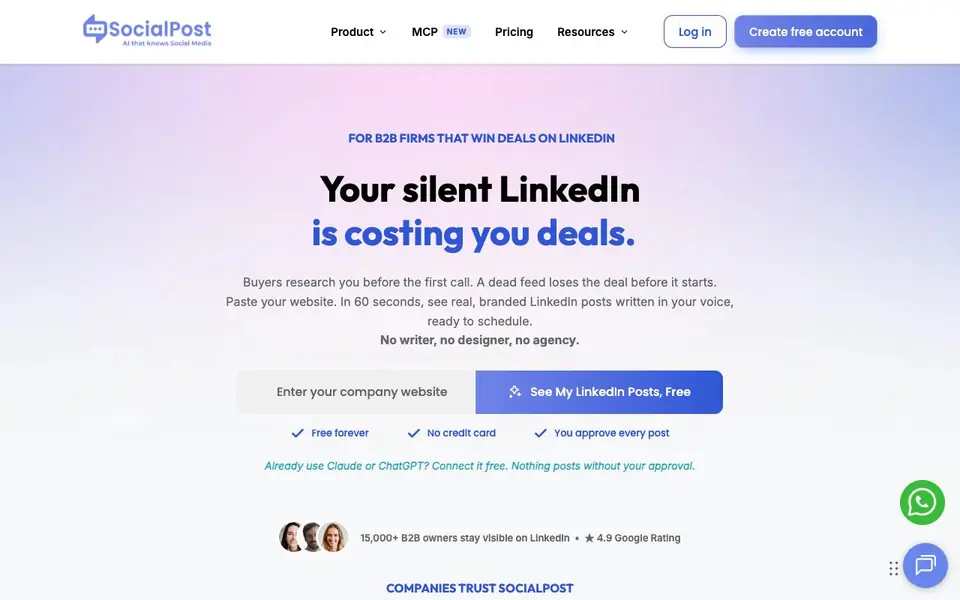
SocialPost is a LinkedIn content tool built for B2B owners and teams who want a consistent, professional feed without hiring writers or designers. It reads your company website, then generates branded posts that match your industry's language and current LinkedIn trends. You review and approve everything before it goes live.
To start, you paste your company website URL. Within about 60 seconds, you see real, branded LinkedIn posts written in your voice. You can schedule them directly, or connect Claude, ChatGPT, or Grok for free to draft captions that SocialPost turns into graphics and schedules. Nothing posts without your approval.
It suits founders, marketing managers, and firms in tech, health, finance, and similar B2B sectors. The site claims training on over 2 million real B2B posts and shows customer examples of increased engagement and replies. A free forever plan exists with no credit card required, and paid options are available for more features.
SocialPost features
- Website-to-posts: Paste your URL and get branded LinkedIn posts in your voice within about a minute.
- Approval workflow: You review and approve every post before it is scheduled or published.
- AI model integration: Connect Claude, ChatGPT, or Grok for free to draft captions that become branded graphics.
- Industry-aware content: Posts speak your industry's language, not generic marketing filler, based on your site.
- Scheduling dashboard: Plan your week's posts and cancel any post before it goes live.
What you can do with SocialPost
- Generate a week of LinkedIn posts from your company website in under a minute.
- Keep your LinkedIn feed active while you focus on closing deals, not writing content.
- Replace a monthly agency retainer with an in-house AI tool you control.
- Turn AI-drafted captions into branded graphics and scheduled posts automatically.
How to get started with SocialPost
- Enter your company website URL on the SocialPost homepage.
- Review the branded LinkedIn posts generated in your voice within about 60 seconds.
- Approve posts and schedule them, or connect your AI assistant to draft captions first.
Tips for better results with SocialPost
- Paste your full company website URL, not just the homepage, so SocialPost can capture your actual services, tone, and industry language for more accurate posts.
- Connect Claude, ChatGPT, or Grok to draft captions, then let SocialPost turn them into branded graphics and schedule them, but always review before approving.
- Schedule posts for mornings, as SocialPost matches timing to what works on LinkedIn, and cancel any post before it goes live if it doesn't fit your week.
- Use SocialPost weekly to maintain a consistent feed, and check engagement analytics in your dashboard to see which posts resonate with your audience.
SocialPost pricing
SocialPost has a free way to start, with paid plans for heavier use. Check socialpost.ai for current limits and prices.
What to check before you rely on SocialPost
- Verify what the free forever plan includes, since the website lists paid options but does not state specific limits or features for each tier.
- Confirm how your website content is used and stored, as the site does not detail data privacy or retention policies for the posts it generates.
- Check whether SocialPost supports your specific LinkedIn account types or regions, as the site does not list platform or geographic restrictions.
Who SocialPost is for
SocialPost suits B2B founders, marketing managers, small business owners and solo professionals. If that is not you, the AI marketing tools below may fit better.
Similar tools compared with SocialPost
| Tool | What it is | Pricing |
|---|---|---|
| SocialPost | AI LinkedIn content and scheduling for B2B | Freemium |
| Copy.ai | AI-native go-to-market platform | See website |
| Jasper | AI agent workspace for marketing teams | Free trial |
| Writesonic | AI search growth and visibility platform | See website |
| Predis.ai | AI ad generator for video, UGC, and images | Freemium |
SocialPost FAQ
How does SocialPost create posts from my website?
You paste your company website URL. SocialPost reads it and generates branded LinkedIn posts written in your voice, trained on over 2 million real B2B posts. You see the output within about 60 seconds and can approve or edit before scheduling.
Is there a free plan?
Yes, SocialPost offers a free forever plan with no credit card required. You can see your LinkedIn posts for free. Paid plans exist for additional features, but the site does not list specific pricing details on its homepage.
Can I use my own AI assistant like ChatGPT with SocialPost?
Yes. You can connect Claude, ChatGPT, or Grok for free. Your AI drafts the caption, and SocialPost turns it into a branded graphic, matches it to what's working on LinkedIn, and schedules it. You still approve every post.
Who is SocialPost best for?
It is built for B2B firms that win deals on LinkedIn, including founders, marketing managers, and businesses in tech, health, finance, and similar sectors. The site shows examples from law firms, manufacturers, and MSPs, so it suits industries with specific language.
Does SocialPost run on my phone or tablet, or is it only for desktop?
The SocialPost website does not mention a dedicated mobile app or specific device support. You can likely access it through a web browser on any device, but for the most reliable experience, check the site directly or contact support for confirmation.
Can SocialPost export my posts or connect to other tools like Hootsuite or Buffer?
SocialPost's website mentions scheduling directly on LinkedIn and connecting AI models like Claude, ChatGPT, or Grok, but it does not list integrations with other scheduling tools or export options. To see if such features exist, visit the site's feature list or contact their support.
What does the free plan include, and are there limits on posts or features?
SocialPost offers a free forever plan with no credit card required, and you can generate posts from your website. The site does not specify exact limits on post volume or which features are paid. For detailed plan comparisons, check the pricing page on the SocialPost website.


