

What is SocialPedia?
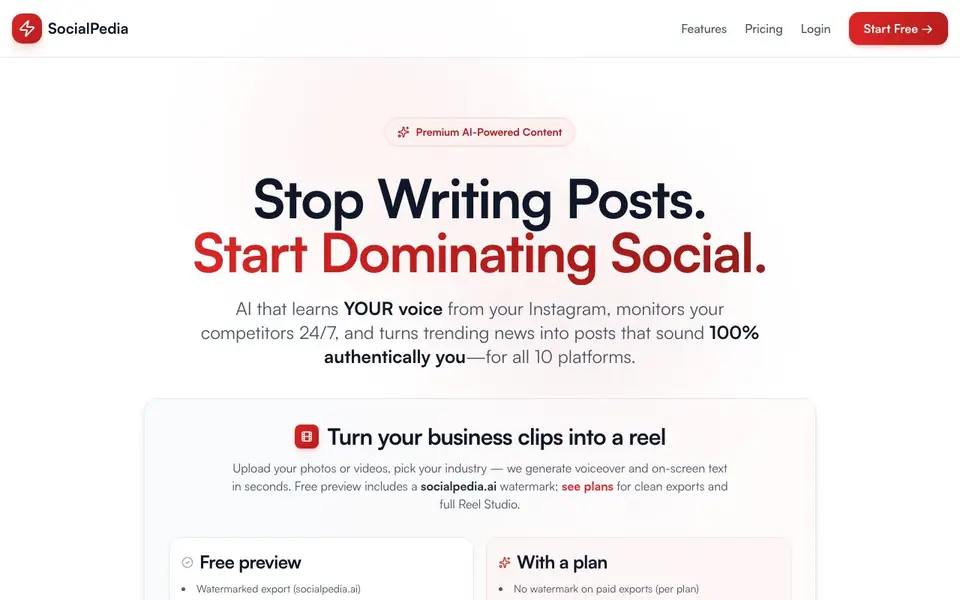
SocialPedia is an AI content tool for social media. It learns your unique voice from your Instagram posts, then generates drafts that sound like you. It also watches your competitors and turns trending news into posts for all major platforms.
You start by connecting your Instagram. SocialPedia analyzes 10-20 of your recent posts to capture your tone, style, and personality. Then you pick your industry and upload photos or videos. The tool generates voiceover and on-screen text for reels in seconds. You can preview for free with a watermark, or get clean exports with a paid plan.
It suits business owners, marketers, and creators who manage multiple brands or clients. The free preview includes a watermark and limited generations per IP. Paid plans add full Reel Studio, scheduling, and brand library features. A 7-day money-back guarantee is mentioned on the site.
SocialPedia features
- Brand voice learning: Analyzes your Instagram posts to match your unique tone and style.
- Competitor monitoring: Tracks competitors' Instagram posts and creates your own version in your voice.
- Industry news sync: Scans news based on your keywords and generates thought leadership posts.
- Reel Studio: Turns your photos or videos into reels with AI voiceover and on-screen text.
- Multi-platform support: Generates content for 10 platforms, including LinkedIn and Twitter.
What you can do with SocialPedia
- Generate social posts that sound like your brand voice.
- Create reels from your business clips with AI voiceover.
- Turn competitor viral posts into your own unique content.
- Post thought leadership content from industry news.
How to get started with SocialPedia
- Connect your Instagram account to let SocialPedia learn your voice.
- Select your industry and upload photos or videos for a reel.
- Generate a watermarked preview for free, then pick a plan for clean exports.
Tips for better results with SocialPedia
- Connect an Instagram account with at least 10-20 recent posts before using SocialPedia, so the voice analysis has enough material to match your tone accurately.
- Pick the industry that best fits your business when generating reels in SocialPedia, because the tool uses that selection to tailor voiceover and on-screen text to your niche.
- Upload multiple photos or videos at once in SocialPedia to speed up content creation, but expect longer processing times for large files.
- Use SocialPedia's free preview with watermark to test drafts on different platforms, then compare the output across your target channels before committing to a paid plan.
SocialPedia pricing
SocialPedia has a free way to start, with paid plans for heavier use. Check socialpedia.ai for current limits and prices.
What to check before you rely on SocialPedia
- Check whether the free preview's limited generations per IP will block you if you share a network with colleagues, since the site does not state the exact limit.
- Verify that your Instagram account is public and accessible, because SocialPedia needs to analyze your posts and the site does not mention handling private accounts.
- Confirm that the paid plan you choose includes clean exports and full Reel Studio, since the site lists these as plan features but does not show detailed pricing or limits.
Who SocialPedia is for
SocialPedia suits business owners, marketers, social media managers and content creators. If that is not you, the AI marketing tools below may fit better.
Similar tools compared with SocialPedia
| Tool | What it is | Pricing |
|---|---|---|
| SocialPedia | AI social media content generator | Freemium |
| Copy.ai | AI-native go-to-market platform | See website |
| Jasper | AI agent workspace for marketing teams | Free trial |
| Writesonic | AI search growth and visibility platform | See website |
| Predis.ai | AI ad generator for video, UGC, and images | Freemium |
SocialPedia FAQ
How does SocialPedia learn my brand voice?
It analyzes 10-20 of your recent Instagram posts to understand your tone, style, and personality. Then every draft it generates matches that voice, so it sounds authentically you, not generic AI.
Is there a free plan?
Yes, you can start for free with 10 free drafts and no credit card required. Free previews include a socialpedia.ai watermark and limited generations per IP. Paid plans remove the watermark and add full features.
What can I create with SocialPedia?
You can generate social media posts for 10 platforms, turn your photos or videos into reels with AI voiceover and on-screen text, and create posts from competitor insights or industry news.
Does SocialPedia work for multiple brands or clients?
Yes, the site mentions managing multiple brands or clients as a use case. Paid plans include a brand library and quotas, which likely help you handle different voices, though the site doesn't detail limits.
What platforms can I export content to with SocialPedia?
SocialPedia generates content for 10 platforms, including LinkedIn and Twitter. The website does not list the exact names of all 10 platforms, so check the platform selection inside the tool or contact support for the full list.
Does SocialPedia work on mobile devices or only on desktop?
The SocialPedia website does not specify whether it works on mobile or desktop. Since it is a web-based tool, you can likely access it through a browser on any device, but for the best experience, check the site's help or FAQ section for device requirements.
What does the free plan include besides the watermarked preview?
With SocialPedia's free preview, you get 10 free drafts, watermarked exports, and limited generations per IP. You can try it without signing up or providing a credit card. Paid plans add full Reel Studio, scheduling, brand library, and clean exports.


